If you are searching for SIM Owner Details in Pakistan, you may be trying to answer one of several questions: How can I check the SIMs registered against my CNIC? How does SIM registration work? What is the difference between 667 and 668? Can I verify a SIM that I personally use? What should I do if an unfamiliar SIM appears against my identity? And how can I protect my CNIC and mobile number from misuse?
The most important point is that SIM Owner Details should be understood primarily through official subscriber verification and self-checking, rather than through websites claiming access to private or leaked SIM databases.
In Pakistan, PTA provides official mechanisms through which consumers can check SIMs registered against their CNIC. PTA has recently advised consumers to verify their registered SIMs through cnic.sims.pk or by sending their CNIC number without dashes to 668, with applicable SMS charges where relevant. Users are also advised to ensure that only the SIMs they actually require and use remain registered against their identity.
PTA’s National Telecom Computer Emergency Response Team (NTCERT) has also advised consumers to periodically check the number of SIMs issued in their name and take action against illegally issued connections.
This guide explains the subject in detail while keeping the focus on legal self-verification, privacy, security, accurate telecom information and official procedures.
Important: This guide does not provide access to private SIM databases, leaked CNIC records, confidential addresses or unauthorized subscriber information. It is designed for educational purposes and for people checking or managing SIMs associated with their own identity.
Table of Contents
- What Are SIM Owner Details?
- Why SIM Owner Details Matter
- How SIM Registration Works in Pakistan
- How to Check SIMs Registered Against Your CNIC
- 668 SIM Check — Complete Explanation
- What Is the Official SIM Information Portal?
- 667 SIM Verification Explained
- 667 vs 668 — What Is the Difference?
- Can You Check SIM Owner Details by Mobile Number?
- Can You Find Someone Else’s SIM Owner Information?
- SIM Owner Details and Privacy
- What to Do If an Unknown SIM Appears on Your CNIC
- SIM Disowning, Blocking and Operator Assistance
- SIM Owner Details by Network
- Jazz SIM Owner Details
- Zong SIM Owner Details
- Telenor SIM Owner Details
- Ufone SIM Owner Details
- SCOM SIM Details
- SIM Swap and Mobile Security
- Common SIM-Related Scams
- How to Protect Your CNIC and SIM
- Common Mistakes When Checking SIM Details
- Official Sources vs Unofficial SIM Databases
- Why Old SIM Verification Information Can Be Misleading
- SIM Owner Details Myths vs Facts
- Practical SIM Security Checklist
- Frequently Asked Questions
- Final Summary
What Are SIM Owner Details in Pakistan?
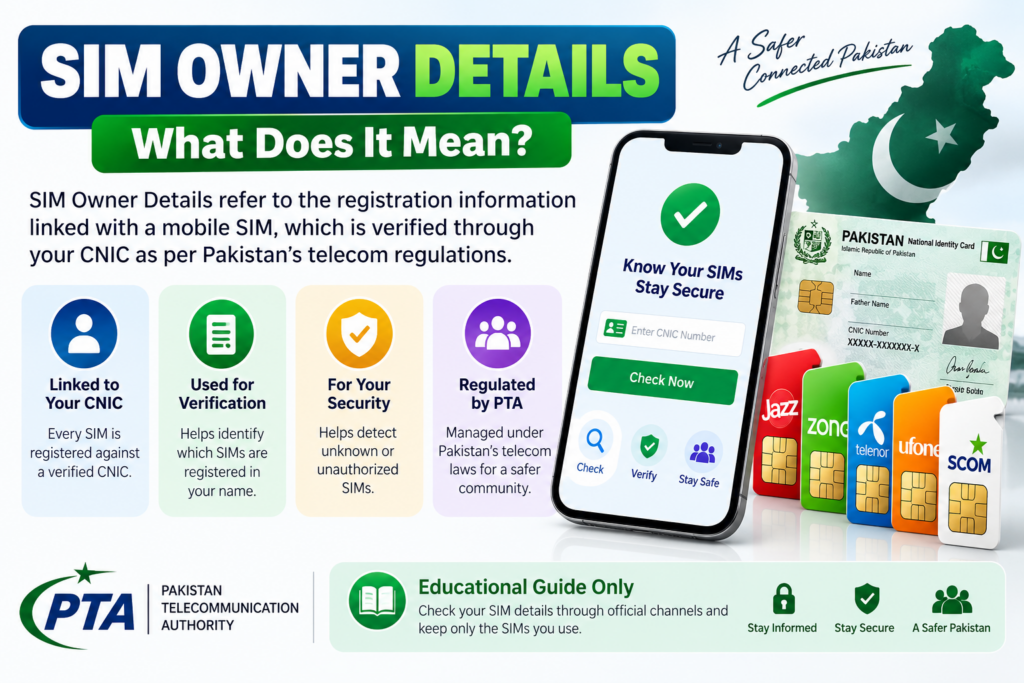
The term SIM Owner Details is commonly used online to describe information connected with the registration of a mobile SIM and its subscriber.
A SIM is not simply a plastic card containing a phone number. It is part of a telecom subscriber-registration system where the user’s identity is verified according to applicable requirements.
For an individual, the most useful purpose of checking SIM Owner Details is normally to determine:
- Which SIMs are registered against their own CNIC
- Which mobile operators are associated with those registrations
- Whether an unexpected SIM appears against their identity
- Whether a SIM they are using is properly registered
- What steps are available if the registration information appears incorrect
- How to contact the relevant operator or PTA if a problem needs escalation
The exact information displayed to a consumer can vary depending on the official service being used.
SIM Owner Details Does Not Mean a Public Private-Data Database
This distinction is extremely important.
A legitimate SIM verification process is not the same thing as a website offering a searchable database containing everyone’s:
- Full name
- CNIC number
- Home address
- Family information
- Other registered SIMs
- Personal records
Personal information should not be treated as publicly searchable simply because someone knows a mobile number.
PTA’s telecom cybersecurity framework specifically recognizes information such as names, addresses, CNIC numbers and phone numbers as personal data and includes requirements around protecting telecom data from unauthorized disclosure.
Why Should You Check SIM Owner Details?
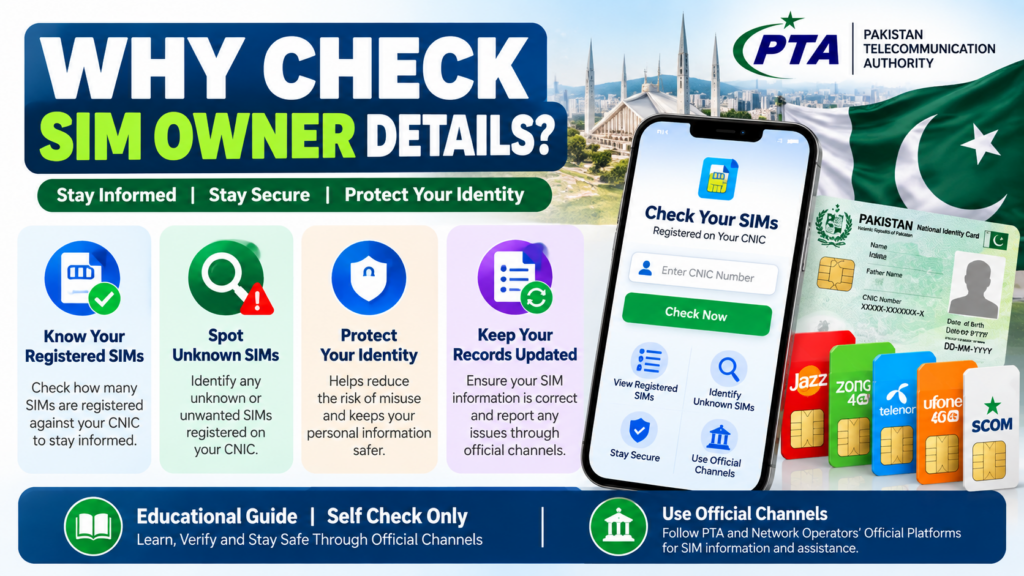
Checking SIM registration is not merely an internet search trend. It can be a useful part of personal telecom security.
1. To Know Which SIMs Are Registered Against Your CNIC
The most direct reason to check is simple:
Do the SIMs associated with your CNIC match the connections you actually recognize?
PTA encourages consumers to verify the SIMs registered against their CNIC and to keep only the SIMs they need and actively use.
This is especially useful if you have:
- Used several SIMs over the years
- Replaced lost SIMs
- Changed mobile networks
- Stopped using old numbers
- Purchased SIMs for temporary use
- Forgotten about an old connection
2. To Detect an Unexpected Registration
An unfamiliar SIM deserves attention.
It does not necessarily prove that someone has committed fraud. There may be an old connection or another legitimate explanation.
However, if you genuinely do not recognize the SIM, contacting the relevant operator is the appropriate next step.
3. To Improve CNIC Security
Your CNIC is sensitive identity information.
The more control you maintain over where and how it is used, the better.
PTA/NTCERT’s cybersecurity guidance emphasizes the importance of protecting telecom data and warns consumers to exercise caution when providing fingerprints for SIM issuance.
4. To Keep Your Telecom Records Organized
People frequently change mobile numbers.
A number that was important several years ago may no longer be used today.
Regularly reviewing your SIM registration status can help you identify connections that should be investigated with the operator.
How SIM Registration Works in Pakistan
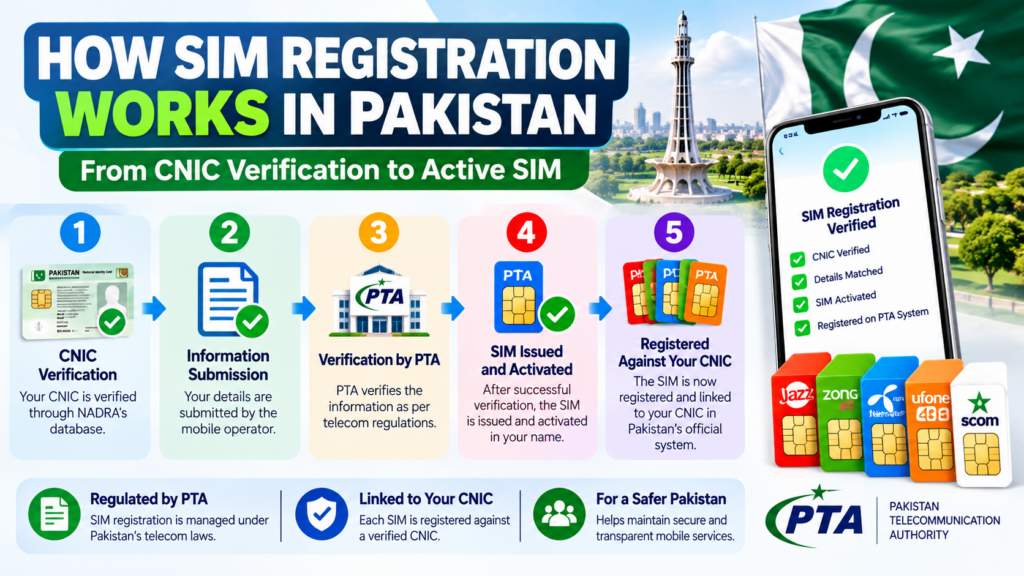
SIM registration involves subscriber verification procedures designed to associate a mobile connection with the appropriate user.
PTA’s cybersecurity guidance states that issuing a SIM without proper verification/authentication of subscriber credentials is illegal. It specifically warns consumers to obtain SIMs through cellular franchises rather than informal sales points and to periodically check SIMs issued in their name.
Why Biometric Verification Matters
Biometric verification is an important component of SIM issuance in Pakistan.
This is why consumers should be careful when providing fingerprints.
PTA/NTCERT has published specific awareness material titled around being vigilant when providing fingerprints for a new SIM.
When obtaining a SIM:
- Use an appropriate authorized sales/franchise channel.
- Keep your original CNIC under your control.
- Observe the verification process.
- Avoid unnecessary disclosure of personal information.
- Keep any documentation provided by the operator.
- Check your SIM registration information periodically.
How to Check SIMs Registered Against Your CNIC
There are two important official routes highlighted by recent PTA guidance.
Method 1: Use the Official SIM Information Portal
PTA has advised consumers to verify the status of SIMs registered against their CNIC through:
cnic.sims.pk
The portal is specifically referenced by PTA in its consumer guidance.
When using an official portal, carefully check the domain before entering sensitive information.
Do not assume that a website is official merely because its design contains the PTA logo or uses words such as:
- PTA SIM Database
- SIM Owner
- CNIC Check
- Live SIM Database
- Official SIM Portal
Always verify the actual website.
Method 2: Use the 668 SIM Information Service
PTA guidance also tells consumers that they can send their CNIC number without dashes via SMS to 668 to check the SIMs registered against their identity. Applicable SMS charges may apply.
This method is especially useful for people who do not want to depend entirely on an internet connection.
Basic Process
- Keep your own CNIC number ready.
- Enter the CNIC without dashes as instructed.
- Send it through the official 668 process.
- Review the information returned.
- Compare the registered connections with the SIMs you recognize.
- Contact the relevant operator if you identify an unfamiliar registration.
668 SIM Check — Complete Explanation
The 668 SIM Information System is one of the most frequently searched services associated with SIM Owner Details in Pakistan.
Historical government documentation describes the SIM Information System as a mechanism for obtaining the count of mobile-company SIMs registered against a CNIC through short code 668.
More recent PTA guidance continues to tell consumers to use 668 to check SIMs registered in their name.
What Is the Main Purpose of 668?
The main consumer purpose is:
Checking SIM registrations associated with your own CNIC.
It should not be confused with an unrestricted public database.
What Should You Do After Receiving the Result?
Compare the information with the SIMs you actually recognize.
If the result appears normal:
- Keep your records for reference if useful.
- Continue normal SIM-security practices.
- Avoid giving your CNIC to unnecessary third parties.
If the result includes something unfamiliar:
- Do not panic.
- Contact the relevant operator.
- Ask about the applicable investigation/disowning procedure.
- Keep any reference or documentation.
- Escalate through PTA if necessary.
What Is the Official SIM Information Portal?
The website cnic.sims.pk is specifically referenced in PTA’s recent consumer guidance as a method for checking SIMs registered against a CNIC.
This is important because many third-party websites use similar words in their domain names.
Always Check the Domain
Before entering your CNIC:
- Check the spelling.
- Check the domain.
- Avoid suspicious redirects.
- Do not install unknown apps.
- Do not provide OTPs to anyone claiming to “verify” your result.
PTA has also warned the public about deceptive links and fraudulent messages impersonating official telecom systems.
667 SIM Verification Explained
667 is another term commonly associated with SIM and mobile-number verification in Pakistan.
Unlike the CNIC-wide SIM check associated with 668, 667 is linked with Mobile Number Portability (MNP) processes.
Official MNP documentation describes 667 as part of the process used to obtain SIM-related information during number-porting procedures.
This is an important correction compared with many older internet articles that describe 667 as a universal “find anyone’s SIM owner details” database.
Why This Distinction Matters
A person searching:
“667 SIM owner details”
may expect a public database that reveals every private detail of a subscriber.
That is not how a responsible guide should present the service.
The safer explanation is:
667 is associated with SIM/MNP verification processes, while 668 is used for checking SIM registrations associated with your own CNIC.
For current procedures, users should follow the latest instructions from PTA or their operator.
667 vs 668 — What Is the Difference?
| Feature | 667 | 668 |
|---|---|---|
| Main context | MNP/SIM verification | CNIC SIM registration check |
| Primary purpose | Related to mobile-number portability processes | Check SIMs issued in your name |
| Best for | Specific SIM/MNP-related situations | CNIC-wide registration checking |
| Public private database | No | No |
| Privacy-sensitive | Yes | Yes |
| Official verification recommended | Yes | Yes |
The biggest mistake is treating these two services as interchangeable.
If your goal is:
“How many SIMs are registered against my CNIC?”
the relevant official route is 668 / cnic.sims.pk.
Can You Check SIM Owner Details by Mobile Number?
This depends on what information you are trying to obtain.
If you are checking your own SIM registration, official operator and PTA channels are the appropriate route.
If you are trying to obtain another person’s confidential identity information from only their phone number, you should not rely on unofficial websites claiming to provide that data.
Be Suspicious of Websites Promising:
- Complete owner name
- Full CNIC
- Home address
- Father’s name
- Family members
- All numbers registered to another person
- “Live database”
- “100% guaranteed SIM owner”
- “Private PTA database”
- “Secret SIM records”
Such claims are not the same as an official consumer self-check.
Can You Find Someone Else’s SIM Owner Details?
This is one of the most important privacy questions surrounding the keyword SIM Owner Details.
A responsible guide should make a clear distinction between:
Self-verification
Checking information associated with your own CNIC and your own SIM registration.
Unauthorized personal-data lookup
Trying to obtain confidential subscriber information belonging to another person.
The second category should not be promoted as a normal public service.
PTA’s telecom data framework explicitly treats identifying information such as CNIC numbers, addresses and phone numbers as personal data and requires protection against unauthorized disclosure.
Therefore, this website should focus on self-checking and consumer protection, not private-data hunting.
SIM Owner Details and Privacy
SIM registration and mobile communication involve personal information.
That makes privacy an important part of any serious SIM Owner Details guide.
Information You Should Protect
Never casually share:
- CNIC number
- CNIC photograph
- Fingerprint information
- OTP
- Banking PIN
- Mobile-wallet PIN
- Password
- SIM replacement code
- Account recovery code
PTA’s cybersecurity framework states that critical telecom data should be protected against unauthorized disclosure, modification, loss and destruction.
Why This Matters
A scammer does not necessarily need every piece of your information.
Sometimes the combination of:
mobile number + CNIC information + OTP + social engineering
can be enough to create serious problems.
That is why SIM verification should always be handled carefully.
What If You Find an Unknown SIM on Your CNIC?
Finding an unfamiliar SIM does not mean you should immediately assume that someone has committed identity theft.
Start with verification.
Step 1 — Think About Old SIMs
Ask yourself:
- Did I ever use another network?
- Did I replace an old SIM?
- Did I stop using a number without formally dealing with its registration?
- Could the result relate to an old connection?
If you still cannot identify it, continue.
Step 2 — Contact the Operator
Approach the relevant operator through an official channel.
Tell them that the SIM appears to be associated with your CNIC but you do not recognize it.
Ask for the current procedure for:
- Verification
- Disowning
- Blocking
- Registration correction
Do not follow instructions received from an unknown WhatsApp number or caller simply claiming to represent the operator.
Step 3 — Keep Evidence
Save:
- Your verification result
- Date of checking
- Operator name
- Complaint/reference number
- Any receipt or written confirmation
This creates a useful record if you need to escalate the matter.
Step 4 — Use PTA’s Complaint System if Necessary
If the operator does not resolve a telecom complaint, PTA’s Complaint Management System (CMS) provides a formal channel for registering and tracking telecom complaints. The official CMS documentation describes complaint submission, status monitoring and related account functions.
This is preferable to depending on unofficial social-media accounts.
SIM Disowning and Current Restrictions
This is an area where old online articles can easily become outdated.
Previous articles may mention a short SIM disowning period such as 60 or 120 days.
However, PTA’s later policy change extended the restriction for newly activated SIMs to 365 days. PTA communications have advised consumers to be particularly careful during biometric activation and to regularly verify SIMs registered against their CNIC.
What This Means for Users
Do not rely on an old blog post telling you that every newly activated SIM can be immediately transferred or disowned under older rules.
If you need to disown or change registration of a recently activated SIM, confirm the current applicable procedure directly with the operator.
This is exactly why telecom content should be regularly updated.
SIM Owner Details by Network
SIM registration issues can be network-specific once you move from the CNIC-wide check to an operator-level problem.
The basic principle remains:
Use the operator’s current official support channels for account-specific information.
Jazz SIM Owner Details
If you use Jazz and want to investigate SIM registration information, start with the official Jazz customer-support ecosystem.
You may need operator assistance for:
- SIM ownership questions
- SIM replacement
- Registration issues
- Blocking
- Disowning
- Account verification
- Service-related disputes
Do not rely on an old third-party article for a Jazz code unless the procedure has been confirmed as current.
Jazz SIM Safety Tip
If a caller asks you for an OTP, PIN or unnecessary biometric information, stop the interaction and contact Jazz independently.
Zong SIM Owner Details
Zong users should use official Zong support channels for SIM-related questions.
Relevant situations can include:
- SIM registration
- SIM replacement
- Account verification
- Ownership disputes
- Blocking or deactivation
- Unexpected registration
If your CNIC check identifies an unfamiliar Zong connection, contact Zong through its official customer-service route.
Telenor SIM Owner Details
For Telenor users, registration-related questions should be handled through current official Telenor support channels.
This is particularly important for verification codes because telecom short codes and procedures can change.
If you find an unexpected Telenor SIM against your CNIC, request the current operator procedure for resolving the registration.
Ufone SIM Owner Details
Ufone users should similarly use official Ufone customer-support channels when dealing with:
- SIM ownership
- Registration
- SIM replacement
- Blocking
- Account verification
- Registration disputes
The safest source for a current operator code is the operator itself.
SCOM SIM Details
SCOM customers should use official SCOM support channels for registration and account-specific issues.
If an SCOM connection appears in your CNIC verification that you do not recognize, contact the operator and ask for the current process for investigation or correction.
SIM Swap: One of the Important Mobile Security Risks
A SIM swap can occur when a person’s mobile number is transferred to another SIM controlled by someone else.
The consequences can be serious because a mobile number may be connected to:
- Banking notifications
- Account recovery
- Messaging applications
- Email recovery
- Mobile wallets
- Two-factor authentication
Possible Warning Signs
Watch for:
- Sudden unexplained loss of cellular service
- Unexpected SIM replacement messages
- OTPs you did not request
- Account security alerts
- Unexpected password-reset attempts
If your phone suddenly loses service without an obvious network problem, contact your operator through an official channel.
Common SIM-Related Scams in Pakistan
Fake Telecom Representative
Someone calls claiming:
“Your SIM needs verification.”
They may then request:
- OTP
- CNIC photo
- PIN
- Fingerprint
- Payment
Do not provide these details without independently verifying the request.
Fake PTA Message
A fraudulent SMS may claim:
“Your SIM is involved in suspicious activity.”
PTA has previously warned consumers about deceptive messages and links falsely claiming to be connected with official systems.
Never click a suspicious link simply because it contains the word “PTA.”
Prize Scam
A caller claims you have won a prize and asks for:
- Processing fee
- Tax
- Mobile-wallet transfer
- OTP
Treat such requests as suspicious.
OTP Scam
Someone says:
“Tell me the code you just received.”
Do not give it to them.
An OTP should remain under your control.
How to Protect Your CNIC and SIM
Use Authorized SIM Channels
PTA/NTCERT advises consumers to purchase SIMs from cellular franchises rather than informal kiosks or portable sales points.
Protect Your Fingerprints
Be vigilant whenever biometric verification is being performed.
Keep Your SIMs Under Review
PTA encourages consumers to periodically verify SIMs registered against their CNIC.
Avoid Random SIM Databases
Do not give your CNIC to an unknown website in exchange for a supposed “live owner lookup.”
Secure Your Accounts
Where possible, use strong passwords and additional security controls on important accounts.
Respond Quickly to Unexpected Activity
If your SIM suddenly stops working or you receive an unexpected account-security message, investigate promptly.
Official SIM Verification vs Unofficial SIM Databases
| Official verification | Unofficial database |
|---|---|
| Uses an identifiable official process | Source of information may be unknown |
| Designed for legitimate consumer verification | May advertise private information |
| Better privacy expectations | May collect user data |
| Can be followed up with operator/PTA | Often has unclear accountability |
| Focuses on your own registration | May claim access to other people’s information |
| Appropriate for SIM self-checking | High privacy and trust concerns |
The safest rule is:
For your own SIM registration, use official PTA/operator channels.
Why Old SIM Verification Articles Can Be Wrong
Telecom information changes.
A code that worked several years ago may no longer be the preferred method.
A policy that previously allowed a particular action may later be changed.
The 365-day SIM restriction is a good example. Older content may still describe shorter periods, while later PTA guidance changed the applicable safeguard period for newly activated SIMs.
Therefore, when reading a SIM Owner Details article, always look for:
- Publication/update date
- Official references
- Current operator information
- Clear distinction between old and current procedures
SIM Owner Details: Myths vs Facts
Myth: Every website showing a SIM database is official
Fact: A website’s design or use of PTA terminology does not establish official status.
Myth: A mobile number automatically gives you someone’s complete CNIC details
Fact: Private subscriber information should not be treated as publicly searchable information.
Myth: 668 is a public database of everyone’s SIM information
Fact: PTA promotes 668 as a method for consumers to check SIMs registered against their own CNIC.
Myth: You should give your OTP to a telecom representative
Fact: Never disclose sensitive authentication codes to an unknown caller.
Myth: Every unfamiliar SIM automatically proves fraud
Fact: An unfamiliar registration should be investigated. It may have an explanation, but it should not simply be ignored.
Myth: Old telecom codes are always valid
Fact: Telecom procedures can change. Current official information should take priority.
Practical SIM Security Checklist
Use this checklist whenever you want to review your SIM Owner Details.
CNIC Check
☐ Check SIMs registered against your CNIC through an official method.
Old SIMs
☐ Think about numbers you previously used.
Unknown Registration
☐ Investigate any connection you do not recognize.
Operator
☐ Contact the relevant operator through an official channel.
Documentation
☐ Keep complaint/reference numbers and receipts.
PTA Escalation
☐ Use PTA’s Complaint Management System if necessary.
Privacy
☐ Do not share CNIC photographs unnecessarily.
OTP
☐ Never disclose OTPs to unknown people.
Biometrics
☐ Be careful when providing fingerprints for SIM issuance.
Websites
☐ Avoid unofficial “live SIM database” websites.
Frequently Asked Questions About SIM Owner Details
What are SIM Owner Details?
SIM Owner Details is a general term used for information associated with the registration and verification of a SIM subscriber. For consumers, the most important use is checking SIMs registered against their own CNIC.
How can I check SIMs registered against my CNIC?
PTA currently directs consumers to check through cnic.sims.pk or by sending their CNIC number without dashes via SMS to 668, with applicable charges for SMS.
What is 668 used for?
668 is used to check SIM registrations associated with a person’s CNIC. PTA and NTCERT specifically recommend this check as a way for consumers to identify SIMs issued in their name.
What is 667 used for?
667 is associated with Mobile Number Portability and SIM-related verification processes. It should not be presented as a public database for retrieving anyone’s private subscriber information.
What is the difference between 667 and 668?
668 is the important route for checking SIMs registered against your CNIC. 667 is associated with MNP/SIM verification processes. The two services should not be treated as interchangeable.
Can I check someone else’s SIM owner details?
You should not rely on unofficial services claiming to provide another person’s confidential subscriber information. This guide focuses on legitimate self-verification.
Can I find a person’s CNIC from their mobile number?
Do not rely on websites claiming to provide private CNIC information from a mobile number. Such information is sensitive personal data.
What should I do if I find an unknown SIM on my CNIC?
Contact the relevant mobile operator and ask for the current verification, disowning or blocking procedure. If the issue is not resolved, PTA’s Complaint Management System can be used for telecom complaints.
Is cnic.sims.pk an official PTA-related portal?
PTA’s recent consumer guidance specifically directs users to cnic.sims.pk for checking SIMs registered against their CNIC.
Does PTA recommend checking SIMs periodically?
Yes. PTA/NTCERT guidance advises consumers to periodically check the number of SIMs issued in their name.
Why should I avoid unofficial SIM databases?
The source of the data may be unclear, the information may be outdated or misleading, and entering your own CNIC into an unknown service can create additional privacy risks.
What if my SIM suddenly stops working?
Contact your operator through an official channel and ask whether there has been any recent SIM replacement or account activity. Do not immediately assume one specific cause.
Should I give my OTP to a caller who says they are from PTA?
No. Do not disclose OTPs or other authentication credentials to unknown callers.
Is biometric verification important for SIM registration?
Yes. SIM issuance involves subscriber verification, and PTA/NTCERT specifically warns consumers to be vigilant when providing fingerprints for a new SIM.
What if an old article gives a different SIM rule?
Telecom policies can change. Check the latest PTA or operator guidance rather than relying on an outdated article.
Has the SIM disowning period changed?
PTA’s later policy change extended the restriction period for newly issued SIMs to one year, or 365 days, under the revised framework. Users should confirm the current operator procedure for their specific case.
Where can I complain about a telecom problem?
PTA’s Complaint Management System allows telecom consumers to submit and track complaints.
Final Thoughts on SIM Owner Details in Pakistan
The phrase SIM Owner Details is often used online as though it means a simple search box where anyone can enter a mobile number and instantly obtain another person’s private information.
That is not the approach consumers should rely on.
The more useful and responsible purpose of SIM Owner Details is self-verification.
If you have a CNIC, you should know which SIMs are registered against it.
If you have an active mobile connection, you should understand how its registration is handled.
If you find an unfamiliar SIM, you should know how to contact the operator.
If you receive a suspicious message or call, you should know what information must remain private.
And if a telecom problem is not resolved by the operator, you should know that PTA provides a formal complaint mechanism.
PTA’s recent guidance makes the basic consumer message clear: verify the SIMs registered against your CNIC through cnic.sims.pk or 668, keep only the SIMs you require and actively use, and contact the relevant service provider if a SIM appears to have been issued without your knowledge or consent.
PTA/NTCERT also advises consumers to purchase SIMs through appropriate cellular franchises, remain cautious during biometric verification, and periodically check SIMs issued in their name.
The safest SIM verification strategy is therefore straightforward:
Check your own registration. Protect your CNIC. Never share OTPs or biometric information unnecessarily. Avoid unofficial SIM databases. Use current PTA and operator channels whenever you need verification or corrective action.
That is the foundation of responsible SIM Owner Details checking in Pakistan.
Quick Reference
| Need | Recommended route |
|---|---|
| Check SIMs registered against your CNIC | cnic.sims.pk / 668 |
| Understand MNP/SIM verification | 667-related official process |
| Resolve operator-specific issue | Relevant operator’s official support |
| Escalate unresolved telecom complaint | PTA Complaint Management System |
| Report/resolve unfamiliar registration | Relevant operator first, PTA where necessary |
| Protect private information | Never share OTP/PIN/biometric data with unknown people |
| Verify current telecom rules | Current PTA/operator guidance |
Last Updated: 2026
This article is an educational guide. Telecom procedures, codes and regulatory requirements can change, so users should confirm current instructions through official PTA or operator channels before taking action.