
668 SIM Check Pakistan — Complete Guide
If you want to know how many SIMs are registered against your CNIC in Pakistan, the official SIM Information System provides a self-check facility, while PTA’s cyber-security guidance also tells consumers to periodically check SIMs issued in their name through 668.
This is an important distinction:
668 is a self-verification route. It is not a public database for searching another person’s private SIM-owner information.
The official online SIM Information System currently allows a user to enter a CNIC and check the total number of SIMs registered against it. Its result interface also presents SIM counts by network and a total.
This guide explains the complete process — including what to do when the result does not match the SIMs you actually use.
If you want to explore the complete process of SIM Owner Details, CNIC-based SIM verification, SIM registration checks, and other official self-check methods in Pakistan, visit our detailed SIM Owner Details Guide. It brings together practical telecom information, official verification resources, safety guidance, and step-by-step methods to help you understand your own SIM registration records and take the right action when something does not match.
Quick Answer: How Does 668 SIM Check Work?
For your own CNIC, PTA’s cyber-security guidance recommends periodically checking the number of SIMs issued in your name by sending your CNIC number to 668 and taking action against illegally issued SIMs.
You can also use the official:
The online system says that you can enter your CNIC to find the total number of SIMs registered against your CNIC.
If the result contains a registration you genuinely do not recognize:
Check your old records → identify the relevant network → contact the operator → request verification/action → keep the complaint/reference details → escalate through PTA if necessary.
Table of Contents
- What Is 668 SIM Check?
- Why Checking Your CNIC SIMs Matters
- Is 668 an Official SIM Verification Method?
- How to Check SIMs Through 668
- How to Check SIMs Online
- What the PTA Online Result Shows
- What 668/SIM Information System Does Not Show
- 668 SIM Check vs SIM Owner Details
- 668 vs PTA Online Portal
- 668 vs 667 vs 76367
- What If You Find an Unknown SIM?
- How to Investigate an Unknown Registration
- Old and Forgotten SIMs
- Lost SIMs
- Family-Used SIMs
- Business and Work SIMs
- Second-Hand Numbers
- Deceased Person’s CNIC
- Overseas Pakistanis
- Multiple SIMs Across Different Networks
- What to Do After Confirming an Unauthorized SIM
- When to Contact the Mobile Operator
- When to Escalate to PTA
- SIM-Swap Warning Signs
- Protecting Your CNIC and Biometric Information
- Fake SIM Databases and Lookup Websites
- Unsafe SIM Apps and APKs
- Common 668 Mistakes
- How Often Should You Check?
- Complete 668 Action Checklist
- Frequently Asked Questions
- Final Summary
1. What Is 668 SIM Check?

668 SIM Check refers to the established SIM-registration verification route through which consumers can check SIM registrations associated with their own CNIC.
PTA’s cyber-crime guidance specifically advises consumers to periodically check the number of SIMs issued in their name by sending their CNIC number to 668 and to block illegally issued SIMs.
The purpose is straightforward:
Verify your own telecom registration record.
It is not designed to provide unrestricted access to another person’s private subscriber information.
That difference matters because online searches for “SIM owner details” can sometimes mix together several completely different services.
A CNIC self-check is one thing.
A public reverse lookup of another subscriber is something entirely different.
2. Why Checking Your CNIC SIMs Matters
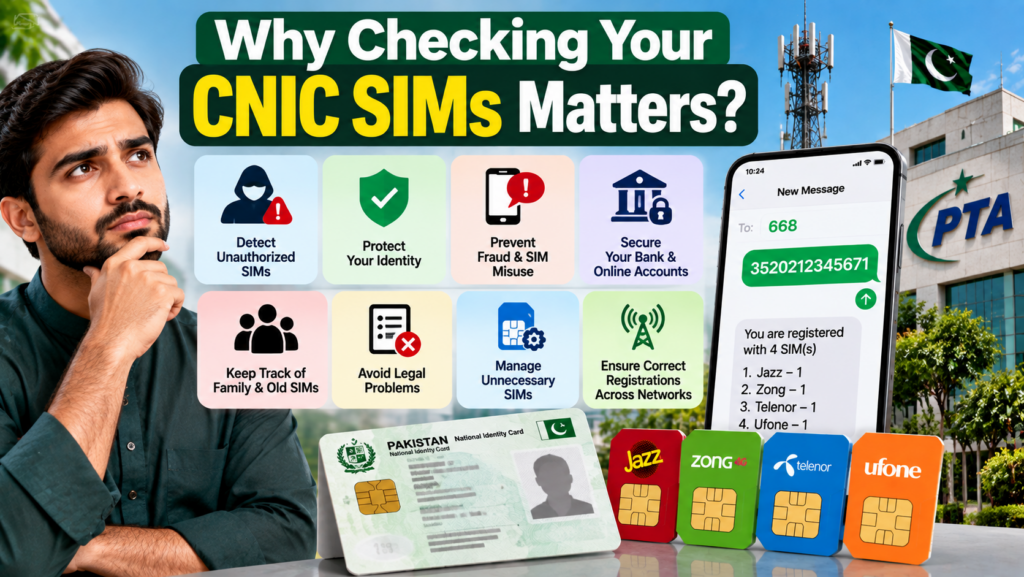
A person’s SIM registration record should broadly match the SIMs that person legitimately uses.
For example, you may currently have:
- One personal SIM
- One work SIM
- An additional network for coverage
- A spare SIM
- An older number you have not used recently
If your registration record contains something you cannot explain, it deserves verification.
There are several possible explanations.
It could be:
- An old SIM
- A forgotten number
- A replacement-related record
- A family-use arrangement
- A business-related registration
- A record requiring clarification
- Or, in some cases, an unauthorized registration
The important thing is not to jump directly from “I don’t recognize this” to “fraud has definitely occurred.”
First establish what the record represents.
Then take the appropriate action.
3. Is 668 an Official SIM Verification Method?
Yes.
PTA’s own NTCERT cyber-crime guidance instructs consumers to periodically check the number of SIMs issued in their name by sending the CNIC number to 668.
PTA’s official SIM Information System also provides an online CNIC-based self-check. The portal explicitly states that it can be used to find the total number of SIMs registered against a CNIC.
PTA’s NTCERT is itself an initiative of the Pakistan Telecommunication Authority focused on security interests in Pakistan’s telecom sector and the security/confidentiality of telecom user data.
For that reason, sensitive SIM verification should begin with official channels rather than an unknown database or third-party application.
4. How to Check SIMs Through 668
The traditional SMS-based route is simple.
Step 1: Use Your Own CNIC
Prepare your own CNIC number.
Do not use somebody else’s CNIC simply to investigate their telecom information.
Step 2: Enter the CNIC
Follow the official format required for the service.
The official online system illustrates a 13-digit CNIC format.
Example:
3520212345671Step 3: Send the CNIC to 668
PTA’s cyber-security guidance identifies 668 as the SMS route for checking SIMs issued in your name.
Step 4: Review the Response
Use the information to compare your registration record with the SIMs you actually use.
Step 5: Investigate Any Mismatch
If something does not make sense, identify the relevant operator and contact it through an official channel.
5. How to Check SIMs Online
The online alternative is:
Official PTA SIM Information System
The portal provides a CNIC field and states that users can check the total number of SIMs registered against their CNIC.
The portal also supports a Foreign ID option for foreign nationals, so the system should not automatically be treated as a CNIC-only interface for every user.
Online process
- Open the official portal.
- Select the applicable identity option.
- Enter the requested information.
- Complete the verification shown on the page.
- Submit.
- Review the resulting SIM-registration information.
6. What the PTA Online Result Shows
The official SIM Information System result interface presents SIM counts by network.
The displayed categories include:
- Jazz
- Telenor
- Ufone
- Zong
- Warid
- Total
The system therefore helps answer a question such as:
“How many SIM registrations are associated with my CNIC?”
It is much more useful for registration verification than treating it as a general-purpose phone-number search engine.
Important limitation
The displayed result should not be interpreted as proof that every unfamiliar registration is automatically fraudulent.
You still need to reconcile the result with your own history and, where necessary, verify it with the relevant operator.
7. What 668 SIM Check Does NOT Show
This is one of the most important parts of the entire guide.
A person searching for SIM Owner Details may expect 668 to reveal a complete profile of a mobile subscriber.
That is not what this self-check system is designed for.
The 668/SIM Information System should not be treated as a public tool for retrieving:
- Another person’s private address
- Another person’s family information
- Call recordings
- WhatsApp messages
- Private SMS content
- Live GPS location
- Banking passwords
- OTPs
- Private account credentials
Telecom data is treated as sensitive information within Pakistan’s telecom cybersecurity framework. PTA’s critical telecom data regulations specifically include personal data and examples such as names, addresses, CNIC numbers, phone numbers and call-data information.
So a responsible SIM Owner Details guide should make this limitation clear rather than suggesting that private subscriber data is freely searchable.
8. 668 SIM Check vs SIM Owner Details
These terms are often confused.
668 SIM Check
Main question:
How many SIMs are registered against my own CNIC?
SIM Owner Details
This phrase can be used by people searching for information about who a number belongs to.
But a legitimate self-check service does not mean that every person’s private identity information is publicly searchable.
Therefore:
CNIC self-verification = legitimate self-check
Private third-party identity lookup = different issue
This distinction is particularly important for privacy and security.
9. 668 vs PTA Online Portal
| Feature | 668 SMS | PTA Online SIM System |
|---|---|---|
| Main purpose | SIM registration self-check | SIM registration self-check |
| Identity | Your own CNIC | Your own CNIC / applicable ID |
| Internet required | No | Yes |
| Browser required | No | Yes |
| Network-level count | Yes, according to service output | Yes |
| Public reverse lookup | No | No |
| Official route | Yes | Yes |
The online portal currently states that it provides the total number of SIMs registered against the entered CNIC.
10. 668 vs 667 vs 76367
These services should not be mixed together.
| Service | Main purpose |
|---|---|
| 668 | Check SIM registrations associated with your CNIC |
| PTA SIM Portal | Online SIM-registration self-check |
| 667 | MNP-related process |
| 76367 | Network identification service |
The official SIM Information System specifically states that the network of a number can be checked by sending:
N 03xx3456789to 76367, with the portal currently displaying a Rs. 2 + tax charge for that service.
So 76367 is not the same thing as 668.
This distinction prevents a very common search-intent mistake.
11. What If You Find an Unknown SIM?
Suppose your result does not match your personal records.
Do not panic.
Do not immediately publish the number online.
Do not send your CNIC to an unknown “SIM database.”
Instead, work through the following sequence:
First question
Could this be an old SIM?
If yes, investigate that possibility.
Second question
Could it belong to a family or work arrangement?
If yes, verify the actual registration.
Third question
Do I genuinely have no connection to this registration?
If yes, contact the relevant operator.
Fourth question
Has the operator resolved the matter?
If not, consider using PTA’s complaint mechanism.
This is a much safer process than trying to investigate the number independently.
12. How to Investigate an Unknown Registration
Use a simple five-step approach.
Step 1 — Compare Your SIM History
Think about every number you have used.
Include old networks and numbers you stopped using years ago.
Step 2 — Identify the Network
The official SIM Information System presents network-level counts.
Step 3 — Contact the Operator
Explain that a registration associated with your identity is unfamiliar.
Step 4 — Follow the Operator’s Verification Process
The operator may require identity verification before discussing or changing the account.
Step 5 — Keep Evidence
Save:
- Complaint/reference number
- Date of complaint
- Operator name
- Relevant SMS
- Screenshots where appropriate
This creates a useful record if further escalation becomes necessary.
13. Old and Forgotten SIMs
An old SIM is one of the first explanations to consider.
People change:
- Phones
- Networks
- Numbers
- Jobs
- Cities
- Packages
- Devices
A number that has disappeared from your daily life may still require proper closure or disowning.
Instead of assuming:
“I don’t use it anymore, so it must already be gone.”
verify it.
PTA’s cyber-security guidance recommends periodically checking SIMs issued in your name and blocking illegally issued SIMs.
14. Lost SIMs
A lost SIM deserves prompt attention.
If you lose your phone or SIM:
- Contact your operator.
- Report the loss through the official channel.
- Ask about blocking/replacement.
- Review important accounts linked to the number.
- Keep the relevant complaint/reference information.
A lost SIM is different from an unknown SIM registration, but both can become identity-security concerns if ignored.
15. Family-Used SIMs
Consider this example:
A father obtains a SIM and gives it to his son.
The son uses it every day.
But the registration remains under the father’s identity.
From a telecom-registration perspective, the important question is not simply:
“Who physically holds the phone?”
It is:
“Whose identity is the subscription registered against, and has the registration been handled according to the applicable operator/PTA requirements?”
This is why family members should not casually assume that physical possession automatically equals registration ownership.
16. Business and Work SIMs
Businesses can create additional complexity.
An employee might use:
- A company-provided SIM
- A work number
- A temporary project number
- A business communication number
If the registration is under an individual’s CNIC, that person should understand the arrangement.
When employment ends, the SIM should not simply disappear from everyone’s responsibility.
The organization and user should follow the relevant operator process to update, transfer, close or otherwise manage the subscription appropriately.
17. Second-Hand Numbers
Mobile numbers can change hands over time through operator processes.
Therefore, a person should not automatically assume that because they once knew a number, the same subscriber remains associated with it forever.
This is another reason why unofficial reverse-lookup claims can be misleading.
The correct question is:
What does the official telecom record currently say about my own registration?
For your CNIC, use the official self-check system.
For a specific subscription issue, contact the relevant operator.
18. Deceased Person’s CNIC
Families can also face SIM-registration questions after a person’s death.
An old registration should not simply be ignored because the person is no longer using the SIM.
The family should contact the relevant operator and ask about the official process for:
- Closing the service
- Disowning the SIM
- Updating records
- Handling any remaining subscription
Do not rely on an unofficial person claiming they can “remove the SIM from the database.”
19. Overseas Pakistanis
People living abroad can also have older Pakistani SIM registrations.
For users outside Pakistan, the official SIM Information System provides a Foreign ID option for foreign nationals, showing that the online system distinguishes between CNIC and Foreign ID workflows.
If you are an overseas Pakistani dealing with an old Pakistani SIM registration, contact the relevant operator through its official support process and ask what identity verification is required.
20. Multiple SIMs Across Different Networks
Having multiple registrations does not automatically mean something is wrong.
A person may legitimately have SIMs from different operators for:
- Coverage
- Work
- Travel
- Backup
- Data
- Family arrangements
- Different service requirements
The important question is whether the registrations are known and legitimate.
The online SIM Information System displays network-level counts and a total, allowing the user to compare the record with their own telecom history.
21. What to Do After Confirming an Unauthorized SIM
If you have checked your records and the operator confirms that a SIM was issued or registered without your authorization, take the matter seriously.
Recommended sequence
1. Contact the operator
Ask for the official process to block/disown/investigate the registration.
2. Keep your complaint number
Do not rely only on a verbal conversation.
3. Preserve relevant evidence
Keep SMS notifications, screenshots and correspondence where appropriate.
4. Escalate if necessary
PTA provides a Complaint Management System for telecom consumers to register complaints, monitor their status and receive updates.
5. If there are signs of broader cybercrime or fraud
Use the relevant official law-enforcement/cybercrime reporting channel applicable to the circumstances.
22. When to Contact the Mobile Operator
Contact the operator when:
- A SIM is unfamiliar
- An old SIM remains registered
- A lost SIM needs action
- A replacement creates a registration question
- A SIM unexpectedly stops working
- You suspect an unauthorized SIM replacement
- You need official account information
- You need to close/disown a number
The operator is normally the appropriate first operational contact because it manages the customer’s subscription.
23. When to Escalate to PTA
PTA’s Complaint Management System is designed to let telecom consumers lodge and track complaints concerning telecom services.
Consider escalation when:
- You already contacted the operator
- The matter remains unresolved
- The operator’s response does not address the issue
- You need a formal telecom complaint record
The current PTA CMS manual describes account creation, complaint submission and status tracking.
Official complaint portal:
PTA Complaint Management System
24. SIM-Swap Warning Signs
SIM-swap fraud is a different problem from simply finding an unknown SIM registration, but the two topics are related to telecom identity security.
PTA’s SIM-swap advisory explains that SIM swapping can involve a fraudster convincing a carrier to activate another SIM while taking control of the victim’s number.
Warning signs can include:
- Your phone suddenly loses cellular service
- Calls stop unexpectedly
- SMS messages stop arriving
- Security notifications change unexpectedly
- You receive an unexpected SIM-related alert
PTA advises contacting the wireless provider immediately if calls or texts suddenly stop without an obvious reason.
Protect yourself
PTA recommends measures including:
- Strong account security
- Strong security questions
- A carrier PIN/passcode where available
- Avoiding unnecessary publication of personal information
- Caution with phishing messages
25. Protecting Your CNIC and Biometric Information
A SIM registration process involves sensitive identity information.
PTA’s NTCERT awareness material specifically includes guidance telling consumers to be vigilant when providing fingerprints for a new SIM.
Good practices
Use official cellular franchises.
PTA’s cyber-crime guidance recommends purchasing SIMs from cellular franchises rather than portable kiosks, standalone booths or door-to-door sellers.
Do not provide biometric information casually.
Understand why verification is being performed.
Do not send CNIC photographs to random WhatsApp accounts.
Only provide identity information through trusted and appropriate channels.
Do not share OTPs.
An OTP should not be handed to someone simply because they claim to be a telecom representative.
26. Fake SIM Databases and Lookup Websites
This is one of the biggest areas where consumers should be careful.
You may encounter websites, social-media pages or messaging groups claiming:
“Enter any number and get complete SIM owner details.”
Claims like these should not automatically be treated as official.
The safest question is:
Who operates the service, and what official authority does it have to provide this information?
PTA’s NTCERT has specifically warned about cyber risks involving SIM-related malicious software.
Never give an unknown website:
- CNIC
- OTP
- Banking credentials
- SIM PIN
- Password
- Biometric information
simply because it promises “SIM owner details.”
27. Unsafe SIM Apps and APKs
This deserves special attention for Android users.
PTA’s NTCERT has previously warned about malicious Android applications, including a malicious application presented as a “Registered SIMs Checker.”
The advisory recommends:
- Installing applications from trusted sources
- Reviewing app permissions
- Avoiding untrusted sources
- Avoiding suspicious links received through SMS, email or messaging apps
- Keeping security software updated
Therefore:
A website saying “download this APK to check SIM owner details” should be treated cautiously.
The official online SIM Information System does not require you to install a random APK to perform the basic CNIC self-check.
28. Common 668 Mistakes
Mistake #1 — Using another person’s CNIC
The service is intended for self-verification.
Mistake #2 — Expecting private owner details
The system is not a public database of personal profiles.
Mistake #3 — Assuming an unfamiliar registration is automatically fraud
Verify first.
Mistake #4 — Ignoring old numbers
Old registrations can remain relevant.
Mistake #5 — Using unofficial lookup websites
This creates privacy and security risks.
Mistake #6 — Downloading unknown SIM-check APKs
PTA NTCERT has specifically warned about malicious SIM-checker applications.
Mistake #7 — Giving CNIC/OTP to a stranger
Official verification does not mean every person claiming to be an agent should receive your sensitive data.
Mistake #8 — Failing to keep complaint records
Always keep the reference number when making an important telecom complaint.
29. How Often Should You Check?

There is no reason to treat the service as a daily activity.
A periodic review is more practical.
You should especially consider checking after:
- Getting a new SIM
- Losing a SIM
- Replacing a SIM
- Closing a number
- Changing networks
- Discovering suspicious telecom activity
- Dealing with a SIM-related complaint
- Reviewing old telecom records
PTA’s own cyber-crime guidance recommends periodic checking through 668.
30. Complete 668 Action Checklist
Save this checklist.
Before checking
☐ Use your own identity information
☐ Use the official PTA SIM Information System or prescribed 668 method
☐ Do not use an unofficial database
After checking
☐ Review total SIM count
☐ Review network-level information
☐ Compare it with your current SIMs
☐ Think about old numbers
☐ Consider family/work SIM arrangements
If something is unfamiliar
☐ Do not panic
☐ Identify the possible network
☐ Contact the operator
☐ Request verification
☐ Ask about disowning/blocking if appropriate
☐ Keep the complaint/reference number
If the issue remains unresolved
☐ Use the PTA Complaint Management System
☐ Keep copies of relevant evidence
☐ Track the complaint
For future protection
☐ Protect your CNIC
☐ Protect OTPs
☐ Be careful with biometrics
☐ Avoid unknown SIM-check APKs
☐ Avoid suspicious lookup websites
☐ Periodically review your SIM registrations
31. Frequently Asked Questions
What is 668 SIM Check in Pakistan?
It is a SIM-registration self-check route identified by PTA for checking SIMs issued in a person’s name. PTA’s cyber-crime guidance specifically recommends periodically sending the CNIC number to 668 to check SIMs issued in the user’s name.
How can I check SIMs registered against my CNIC?
You can use the official PTA SIM Information System or the prescribed 668 SMS method.
What is the official online SIM check website?
The official SIM Information System is available at:
The portal states that it can show the total number of SIMs registered against a CNIC.
Does 668 show another person’s name?
The 668 self-check service should not be treated as a public tool for retrieving another person’s private subscriber identity.
Can I find someone’s address through 668?
No. The SIM registration self-check is not an address-search service.
Can 668 show someone’s call history?
No. SIM registration information and call-detail information are different categories of telecom data.
What if I find an unknown SIM on my CNIC?
First check whether it could be an old or forgotten registration. If you genuinely do not recognize it, contact the relevant mobile operator and request verification/action.
What if the operator does not resolve my complaint?
PTA provides a Complaint Management System through which telecom consumers can register and track complaints.
Is the online SIM Information System official?
Yes. The SIM Information System is hosted at cnic.sims.pk and provides the CNIC-based SIM registration self-check.
Does the online system show network-wise SIM counts?
Yes. Its result interface displays network categories and a total number of SIMs.
What is 76367 used for?
The official SIM Information System says the network of a number can be checked by sending N 03xx3456789 to 76367. The portal currently displays a Rs. 2 + tax charge for that service.
Is 76367 the same as 668?
No. They serve different purposes. 668 is associated with CNIC-based SIM registration checking, while 76367 is identified by the official portal as a network-identification service.
Should I download an APK to perform a SIM check?
Be cautious. PTA NTCERT has previously warned about malicious Android applications presented as SIM-checking tools and recommends trusted app sources and caution with untrusted links/APKs.
What if my phone suddenly loses all network service?
If calls and texts suddenly stop without an obvious reason, PTA’s SIM-swap advisory recommends contacting your wireless provider immediately.
Can an old SIM remain associated with my CNIC?
An old or unused subscription may require proper closure/disowning. If the result does not match your current records, verify the situation with the relevant operator.
Can a family member use a SIM registered under my name?
Physical use and registration identity are not necessarily the same thing. SIM registration should be handled according to the applicable operator/PTA requirements.
Should I give my CNIC to a random SIM-check website?
No. Use official verification channels for sensitive identity information.
What does PTA say about illegal SIM issuance?
PTA’s NTCERT guidance states that issuing SIMs without the required subscriber verification is illegal and advises consumers to purchase SIMs through cellular franchises and periodically check SIMs issued in their name.
Why is SIM registration security important?
SIMs are connected to telecom identities and can also be relevant to account-security processes. PTA’s cybersecurity material addresses illegal SIM issuance, SIM swapping and protection of telecom user data.
32. Final Summary
The purpose of a 668 SIM Check is simple:
Check your own SIM-registration record.
The official PTA SIM Information System allows consumers to check the total number of SIMs registered against their CNIC, while PTA’s NTCERT guidance recommends periodically checking SIMs issued in your name through 668.
If your result matches your actual SIM usage, keep your records under review.
If something does not match:
Don’t panic → investigate → contact the operator → keep the complaint record → escalate through PTA when necessary.
And most importantly, do not confuse an official self-check service with an alleged public database of private SIM Owner Details.
Your CNIC, mobile number, biometric information and telecom records are sensitive information. PTA’s cybersecurity material specifically addresses illegal SIM issuance, telecom-data security, SIM-swap fraud and safe handling of SIM-related information.
For the official self-check, start here:
Official PTA SIM Information System
For unresolved telecom complaints:
Leave a Reply