
When people search for Ufone SIM Owner Details in Pakistan, they may be looking for several different types of information. Some users want to check SIMs registered against their own CNIC, some want to manage their Ufone account, while others need help with SIM registration, replacement, ownership-related issues or mobile number portability.
These are different processes and should not be confused with a public database that reveals the private identity of any mobile-number holder.
For your own SIM and CNIC, Pakistan provides official verification channels. The official SIM Information System allows users to check the total number of SIMs registered against their CNIC, while Ufone provides account-management and customer-support services for its subscribers.
This guide explains Ufone SIM Owner Details Pakistan, official CNIC verification, Ufone account information, MNP-related ownership verification, SIM registration, privacy boundaries, unknown SIM registrations and the safest way to resolve ownership-related problems.
Quick Answer: How to Check Ufone SIM Owner Details
The right method depends on what you are actually trying to verify.
| Your requirement | Appropriate official route |
|---|---|
| Check SIMs registered against your CNIC | Official SIM Information System |
| Manage your own Ufone connection | UPTCL App / Ufone Self-Care |
| Check Ufone usage and account information | UPTCL App |
| MNP-related ownership verification | Ufone’s official MNP process |
| SIM activation or replacement | Ufone official channels |
| Unknown Ufone registration on your CNIC | CNIC check + Ufone support |
| Account or service complaint | Ufone Customer Care |
| Private details of another subscriber | Do not rely on unofficial lookup databases |
The official SIM Information System says that users can enter their CNIC to find the total number of SIMs registered against that CNIC. Its network information also provides SIM counts by operator.
What Does Ufone SIM Owner Details Mean?
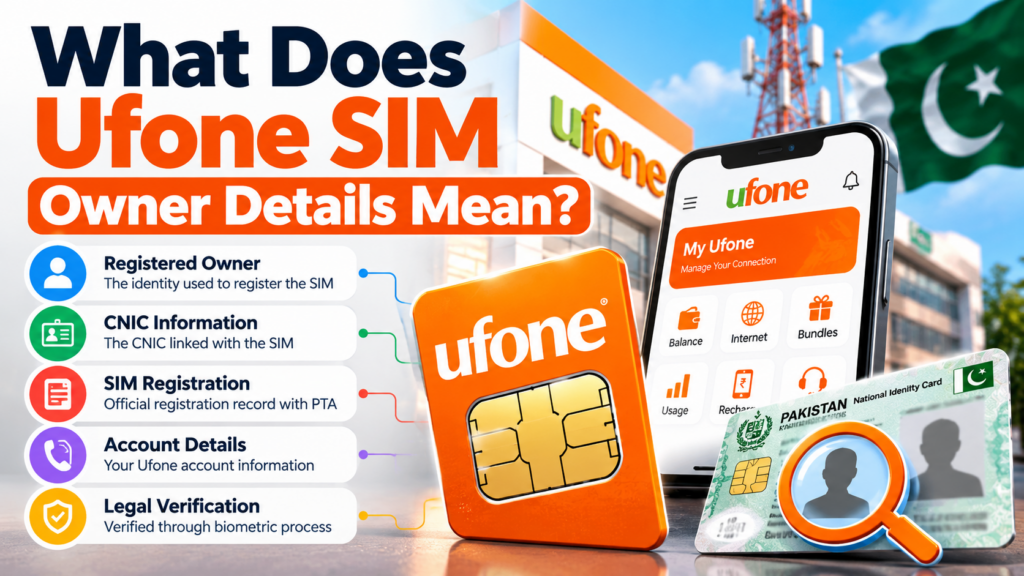
The term Ufone SIM Owner Details is often misunderstood.
It does not mean that there is a legitimate public website where anyone can enter any Ufone number and receive the subscriber’s complete private profile.
In a legitimate telecom context, SIM ownership means that a mobile connection is associated with the identity information used during its registration and activation.
Ufone’s terms describe SIM activation and related transactions as identity-verification processes. Its published terms include biometric verification for applicable SIM transactions and specifically address transactions such as duplicate SIM issuance, change of ownership and disowning.
That means a proper Ufone SIM verification process is generally about your own connection, your own identity or an authorized telecom transaction.
For example, you may want to know:
- How many SIMs are registered against my CNIC?
- Is my Ufone connection registered correctly?
- How can I manage my Ufone account?
- How can I replace a lost SIM?
- How does Ufone MNP ownership verification work?
- What should I do if an unfamiliar Ufone registration appears?
These are legitimate questions that can be answered through the appropriate official channels.
Can You Check Ufone SIM Owner Details by Number?
This is one of the most common searches related to SIM ownership.
However, a mobile number should not be treated as a public key for accessing another person’s private identity information.
You may find websites claiming that entering a Ufone number will reveal:
- subscriber name;
- CNIC number;
- address;
- family information;
- complete registration records;
- or private SIM history.
The appearance of such information on a website does not make the website an official Ufone or government service.
For responsible verification, focus on your own SIM and CNIC.
If you are dealing with harassment, fraud or another problem involving a number you do not own, use the appropriate telecom complaint or legal process instead of attempting to obtain private subscriber information through unofficial databases.
Ufone CNIC SIM Check Pakistan
If your purpose is to find out how many SIMs are registered against your own CNIC, the official SIM Information System is the relevant starting point.
The official portal states:
To find out the total number of SIMs registered against your CNIC, enter your CNIC and click Submit.
It also provides a separate Foreign ID option for applicable users.
The network information page lists operators including Ufone and provides the number of SIMs associated with the entered identity.
This makes CNIC-based verification useful when you want to review your own registration picture across mobile networks.
Important distinction
A CNIC SIM check answers:
“How many SIMs are registered against my identity?”
It does not mean:
“Show me the private profile of any person who owns this mobile number.”
That distinction is important for privacy and responsible use.
How to Check SIMs Registered Against Your CNIC
To perform your own CNIC-based SIM check:
- Open the official SIM Information System.
- Select the appropriate identity option.
- Enter your own CNIC information.
- Complete the verification shown on the website.
- Submit the information.
- Review the network-level result.
The official portal is currently available at:
The system’s current result interface displays network information including Ufone and total SIM counts. It also notes that CNIC validity is not reflected in the result.
What should you do if Ufone appears?
If you recognize the Ufone registration, there may be no immediate ownership issue.
If you do not recognize it, use the Ufone official support process to investigate the registration rather than using a third-party SIM database.
What Does the Official SIM Information System Show?
The current SIM Information System can present network-level SIM information.
The current interface includes categories such as:
- Network
- Voice + Data SIMs
- Data Only SIMs
- Total SIMs
The system also provides network-level SIM counts through its information interface.
This makes it useful for understanding the SIM registrations associated with your identity.
However, it should not be described as a complete public subscriber-information database.
What it is useful for
- Checking your own CNIC’s SIM registration count
- Reviewing network-level registrations
- Identifying an unexpected registration that needs investigation
- Starting an official ownership or registration inquiry
What it should not be used for
- Searching random people’s private information
- Obtaining another person’s CNIC
- Finding a private residential address
- Accessing leaked databases
- Circumventing operator privacy controls
Ufone SIM Owner Details Through UPTCL App
If your objective is to manage your own Ufone number, Ufone’s UPTCL App is a more appropriate tool than a generic SIM lookup website.
Ufone describes the UPTCL App as a one-stop solution for managing Ufone and PTCL accounts. The current official page lists account management, usage monitoring, bundles, recharge, bill payment and customer-support features.
According to Ufone’s current information, the app can provide features including:
- account management;
- real-time data, voice and SMS usage;
- balance information;
- bundle and recharge management;
- bill payment;
- call records;
- SMS records;
- mobile Internet usage;
- VAS management;
- tax certificates;
- live chat;
- customer support.
This creates an important SEO and user-intent distinction:
UPTCL App = managing your own Ufone account
SIM Information System = checking SIM registrations against your CNIC
They are complementary, not competing services.
Ufone Account Information and Usage
A person searching for Ufone SIM Owner Details may actually want information about their own active connection.
For this purpose, Ufone’s UPTCL App provides account and usage functionality.
The official Ufone page states that users can monitor data, voice and SMS usage and access call records, SMS records and mobile Internet usage details.
The app also provides account-related features such as:
- balance and credit information;
- bundles;
- recharge;
- bill payment;
- personalized offers;
- customer support;
- VAS management.
This is a much safer route than entering your Ufone number or CNIC into an unknown website promising a “complete SIM owner record.”
Ufone Self-Care and Multiple Numbers
Ufone also provides Self-Care functionality.
Its current Self-Care page states that customers can manage Ufone accounts through a single login, while full-access users can manage multiple Ufone numbers from one account.
This can be useful for customers who manage more than one Ufone connection.
It is important, however, to distinguish account management from CNIC registration verification.
Managing multiple Ufone numbers through your account does not replace a CNIC-based SIM registration check when your goal is to review registrations associated with your identity.
Ufone SIM Registration in Pakistan
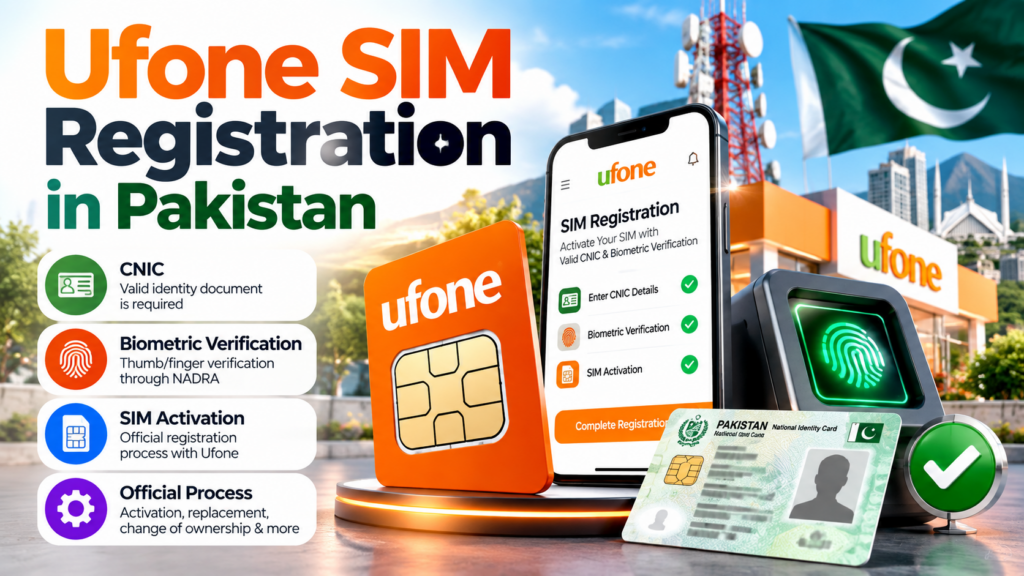
SIM registration is an identity-linked process.
Ufone’s terms describe requirements for customer identification and biometric verification during applicable SIM activation procedures. The company’s terms also cover processes such as duplicate SIM issuance, change of ownership and disowning.
This is why customers should use authorized Ufone channels when purchasing, replacing or transferring a SIM.
A SIM should not be treated like an ordinary anonymous prepaid product.
When an identity-linked mobile connection is involved, incorrect registration information can create problems later.
Ufone Biometric Verification
Biometric verification is an important part of legitimate SIM activation procedures.
Ufone’s current customer-care page carries the reminder:
“Your SIM is your identity, only use SIMs issued through Biometric Verification – PTA.”
This is particularly relevant when:
- purchasing a new SIM;
- replacing a SIM;
- dealing with ownership changes;
- completing an identity-related telecom transaction.
Never provide fingerprints or CNIC information to an unknown person merely because they claim they can perform a “SIM owner details check.”
Use an authorized Ufone channel and understand what transaction is being performed.
Ufone SIM Owner Details Through 667
The 667 route is another important part of Ufone’s ownership-related information, but it has a specific purpose.
Ufone’s official MNP process instructs customers to send MNP to 667 and then use the response as part of the port-in process to Ufone.
This is an MNP-related ownership process, not a general public Ufone subscriber database.
That distinction is important.
667 is relevant when:
- you are dealing with mobile number portability;
- you want to port a number to Ufone;
- ownership information is required as part of the MNP process.
It should not be interpreted as:
- a public owner-name search engine;
- a general CNIC database;
- a tool for finding private information about random subscribers.
For CNIC-wide SIM registration checking, use the official SIM Information System instead.
Ufone SIM Owner Details vs 667 vs CNIC Check
| Method | Main purpose |
|---|---|
| Official SIM Information System | CNIC-based SIM registration checking |
| UPTCL App | Own Ufone account management |
| Ufone Self-Care | Own account and multiple-number management |
| 667 MNP route | Ownership information within MNP process |
| Ufone Customer Care | Service and account assistance |
| Ufone Service Centre | Formal telecom/SIM-related matters |
This distinction makes the entire SIM verification process easier to understand.
You do not need one website that claims to do everything.
You need the correct official method for the specific question you have.
What If an Unknown Ufone SIM Appears on Your CNIC?
This is one of the most important reasons to check your own SIM registrations.
Suppose you perform a CNIC check and see a Ufone registration you do not immediately recognize.
Do not automatically conclude that it is fraudulent.
First consider whether:
- it is an old Ufone number;
- a family member used a SIM registered under your identity;
- you previously used the number and forgot about it;
- the connection is associated with an older telecom transaction.
If you still cannot identify the registration, contact Ufone through its official support channels.
Ufone currently lists:
333 from a Ufone number
033-11-333-100 as its UAN/WhatsApp contact
customercare@ufone.com as its customer-care email.
Explain that an unfamiliar registration appears to be associated with your own CNIC and ask Ufone what official verification or resolution process applies.
What to Do About an Unrecognized Ufone Registration
Use this simple action plan.
Step 1 — Verify your own CNIC result
Make sure the result you’re reviewing belongs to your own identity.
Step 2 — Review your previous SIM history
Think about old numbers, family-used connections and previously active Ufone SIMs.
Step 3 — Contact Ufone
Use an official Ufone channel.
Current Ufone support information lists 333 and 033-11-333-100.
Step 4 — Follow identity verification
Ufone may require appropriate customer verification before discussing account-specific information.
Step 5 — Visit an official service location if required
If the matter cannot be resolved through normal support, follow Ufone’s official service-centre process.
Step 6 — Keep records
If you are resolving a registration issue, keep relevant screenshots, reference numbers or communications provided through official channels.
Ufone SIM Replacement and Ownership Issues

SIM ownership questions can also arise when a customer needs to:
- replace a lost SIM;
- replace a damaged SIM;
- obtain a duplicate SIM;
- change ownership;
- disown a SIM;
- or resolve a registration problem.
Ufone’s terms specifically cover duplicate SIM issuance, change of ownership and disowning within its applicable verification procedures.
Therefore, these matters should be handled through Ufone’s official channels rather than through a third-party “SIM owner details” website.
Lost or Stolen Ufone SIM
If your Ufone SIM is lost or stolen, the important issue is not finding the “owner details” online.
The priority is protecting the connection.
Contact Ufone through its official customer-support channel and follow the applicable blocking or replacement procedure.
Current Ufone support lists:
333 from Ufone
033-11-333-100 from other contact channels
customercare@ufone.com for email support.
If the number is connected to important accounts, do not unnecessarily delay dealing with a lost or stolen SIM.
Ufone SIM Owner Details and Privacy
Privacy is one of the most important parts of this topic.
A legitimate SIM verification process should help you understand your own registration and account information.
It should not encourage you to obtain another person’s private:
- CNIC;
- address;
- family information;
- account records;
- biometric information;
- or confidential subscriber data.
This is also why a website claiming:
“Enter any Ufone number and get complete owner details”
should be treated cautiously.
Search-engine visibility does not establish that a website is an official telecom or government service.
Avoid Fake Ufone SIM Owner Details Websites
Be careful with websites or apps that promise:
“Live Ufone Database”
“Complete Ufone Owner Record”
“Ufone CNIC Database”
“Owner Name + Address by Number”
“100% Live SIM Data”
Especially avoid services that ask you for:
- OTP;
- CNIC;
- banking details;
- passwords;
- biometric information;
- payment before a supposed lookup;
- or an unknown APK.
For a broader explanation of fake databases and leaked-data claims, see our Fake Databases & Leaked Data guide.
You can also read our Protect Your CNIC & Mobile Identity guide for practical identity-safety information.
Ufone SIM Owner Details vs UPTCL App
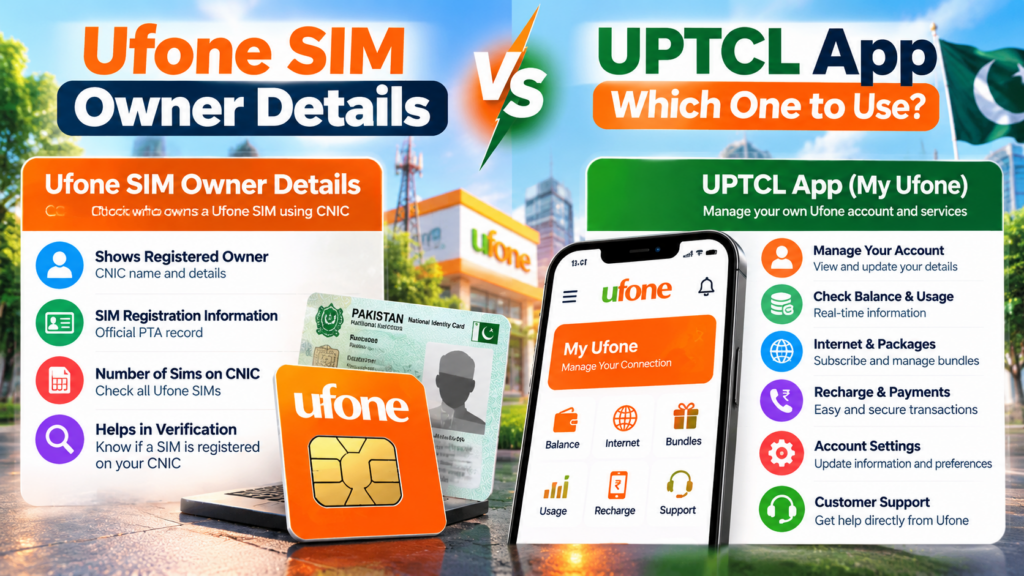
A quick comparison makes the difference clear:
| Feature | UPTCL App | Official SIM Information System |
|---|---|---|
| Manage your Ufone account | Yes | No |
| View supported usage information | Yes | No |
| Manage bundles/recharge | Yes | No |
| Customer support access | Yes | No |
| Check SIM registrations against CNIC | Not its primary purpose | Yes |
| View network-level SIM counts | Not its primary purpose | Yes |
Ufone describes UPTCL as a platform for managing mobile and PTCL accounts, including usage, balance, bundles, recharge, support and other services.
The SIM Information System is specifically designed to identify the total SIM registrations associated with a CNIC.
Ufone SIM Owner Details vs SIM Registration
These terms are related but not identical.
SIM Registration
This refers to the process through which a SIM is associated with a customer’s identity and activated according to the applicable verification requirements.
SIM Owner Details
This is a broader search phrase that people use when they want to understand who a SIM belongs to or how their own SIM registration is recorded.
CNIC SIM Check
This focuses on the SIM registrations associated with your identity.
UPTCL Account
This focuses on managing your own Ufone services and account.
Understanding these differences prevents users from relying on the wrong method.
Common Ufone SIM Verification Mistakes
1. Using random lookup websites
A third-party website is not automatically official just because it appears in search results.
2. Confusing 667 with a general SIM database
The 667 process is connected with MNP and should not be treated as a universal owner-search service.
3. Confusing the UPTCL App with CNIC verification
The app manages your Ufone account; the official SIM Information System addresses CNIC-based SIM registration.
4. Sharing OTP codes
Never provide an OTP to someone simply because they claim to be checking your SIM.
5. Sharing biometric information casually
Use authorized telecom channels for biometric transactions.
6. Ignoring an unexpected registration
If an unfamiliar registration appears against your own CNIC, investigate it through the relevant official operator channel.
Complete Ufone SIM Owner Details Self-Check
For a simple and responsible verification process:
1. Start with your CNIC
Use the official SIM Information System to check SIM registrations associated with your identity.
2. Identify the Ufone registration
Review the network information shown by the official system.
3. Check your own Ufone account
Use the UPTCL App for account and usage-related information.
4. Use MNP verification when applicable
If you’re porting a number to Ufone, follow Ufone’s official MNP process rather than using an unofficial ownership website.
5. Contact Ufone when something looks wrong
Use the official customer-care channels.
6. Protect your identity
Do not share CNIC, OTP, passwords or biometric information with unknown websites or individuals.
Frequently Asked Questions
Can I check Ufone SIM Owner Details online?
Yes, but the correct method depends on what you need. The official SIM Information System can be used to check SIM registrations against your CNIC, while the UPTCL App is designed for managing your own Ufone account.
Can I find the owner name of any Ufone number?
You should not rely on an unofficial website claiming to reveal another subscriber’s private identity information. Use official telecom processes for legitimate ownership-related matters.
How can I check SIMs registered against my CNIC?
Use Pakistan’s official SIM Information System and enter your own CNIC. The official portal states that it provides the total number of SIMs registered against the CNIC.
What is UPTCL App used for?
Ufone describes the UPTCL App as a unified platform for managing Ufone and PTCL accounts. It includes usage monitoring, balance information, bundles, recharge, support and other account features.
What is 667 used for with Ufone?
Ufone documents 667 as part of its mobile-number-portability process. It should not be treated as a general public database for searching any subscriber.
What should I do if an unknown Ufone SIM appears on my CNIC?
First check whether it could be an old or family-used connection. If you still do not recognize it, contact Ufone through its official support channel and ask about the appropriate registration/ownership resolution process.
What is Ufone’s customer-care number?
Ufone currently lists 333 from a Ufone number and 033-11-333-100 as its UAN/WhatsApp contact.
Does Ufone use biometric verification for SIM-related transactions?
Ufone’s published information describes biometric verification as part of applicable SIM activation procedures and reminds customers to use SIMs issued through biometric verification.
Can UPTCL App show my Ufone usage?
Yes. Ufone’s current UPTCL App page lists real-time voice, data and SMS usage monitoring and access to call, SMS and mobile Internet usage details.
Final Summary
Ufone SIM Owner Details Pakistan 2026 should be approached as an official self-verification and account-management topic, not as a search for a public database of private subscribers.
If you want to check SIM registrations associated with your own identity, start with Pakistan’s official SIM Information System. The system states that it can show the total number of SIMs registered against your CNIC and provides network-level information.
If you want to manage your own Ufone connection, the UPTCL App provides account, usage, balance, bundles, recharge and support-related functionality.
If you are dealing with mobile number portability, follow Ufone’s official MNP process rather than treating third-party websites as owner databases.
And if an unfamiliar Ufone registration appears against your CNIC, use Ufone’s official support channels to investigate it. Ufone currently lists 333, 033-11-333-100 and customercare@ufone.com for customer support.
Your CNIC, SIM, OTP and biometric information are identity-related data. Use official services, verify before sharing personal information, and avoid websites or APKs promising unrestricted Ufone SIM Owner Details.
Leave a Reply