
Pakistan’s telecom regulator has issued an important warning for WhatsApp users whose accounts are still connected to inactive, cancelled, blocked or no-longer-used SIM cards.
The latest reported development, published on September 10, 2026, says the Pakistan Telecommunication Authority (PTA) has decided to take action against WhatsApp accounts associated with inactive or cancelled mobile numbers. PTA has advised users to keep their WhatsApp accounts connected to mobile numbers that are active, currently used and properly registered.
Users who have changed their mobile numbers have also been advised to use WhatsApp’s Change Number feature instead of continuing to keep an account attached to an old number. PTA said action against accounts associated with inactive SIMs could begin at any time.
However, there is an important distinction that should not be lost in sensational headlines:
This is not a nationwide WhatsApp ban in Pakistan.
The reported measure is focused on WhatsApp accounts connected to mobile numbers that are no longer active or controlled by their original users.
That distinction matters because a mobile number can eventually be reassigned to another subscriber. If an old WhatsApp account remains associated with that number, it can create account-control, fraud and digital-identity risks. PTA has cited these concerns as part of the reason for the action.
If you want to understand more about SIM Owner Details Pakistan, including SIM registration, CNIC-based self-checks, network verification, mobile number information, privacy boundaries and official telecom verification methods, explore our main guide. It brings together practical and responsible SIM information in one place, with a focus on checking your own mobile identity through official and reliable methods.
PTA WhatsApp Warning 2026 — What Actually Happened?
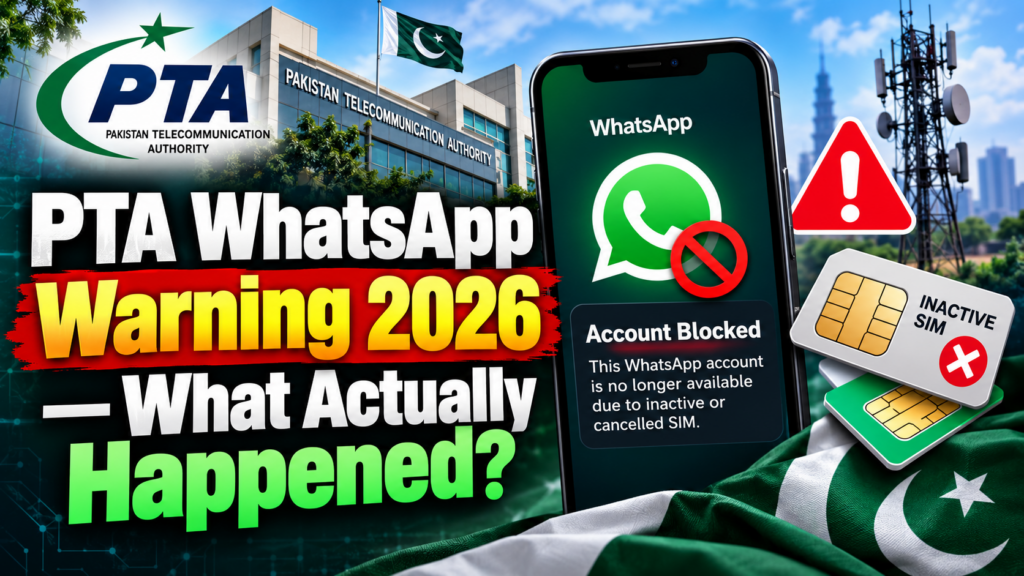
The latest development is part of a series of PTA advisories during 2026 rather than an isolated announcement.
In May 2026, PTA warned WhatsApp users to keep their accounts connected to active and registered SIMs and advised users with inactive SIMs to migrate their WhatsApp accounts to verified active numbers.
In June 2026, PTA again advised users to keep WhatsApp connected with an active and registered SIM. The advisory said WhatsApp accounts associated with blocked or deactivated SIMs could become inaccessible and advised users to verify their SIM status and contact a franchise or customer-service centre where necessary.
Then, in September 2026, reports stated that PTA had decided to block WhatsApp accounts linked to inactive, cancelled or no-longer-used SIMs and that action could begin at any time.
The timeline matters
| Period | Development |
|---|---|
| May 2026 | PTA warned about WhatsApp accounts linked to inactive/unregistered SIMs |
| June 2026 | PTA advised users to maintain active, registered SIMs |
| August 2026 | Reports said affected accounts could face blockage |
| September 2026 | PTA’s reported decision to block accounts linked to inactive/cancelled SIMs received renewed attention |
This timeline shows that the issue is about ongoing SIM and account security, not a sudden nationwide shutdown of WhatsApp.
Is WhatsApp Being Banned in Pakistan?
No.
The current reporting does not establish a nationwide ban on WhatsApp.
The PTA action being reported is specifically related to accounts connected to inactive, cancelled or no-longer-used SIMs.
So these two statements should not be confused:
❌ Misleading
“PTA is banning WhatsApp in Pakistan.”
✅ More accurate
“PTA is taking action against WhatsApp accounts linked to inactive or cancelled SIMs.”
That difference is important for users and publishers because the second statement describes the actual reported development without turning it into a much broader claim.
Why Is an Inactive SIM a Problem for WhatsApp?
The underlying issue is control of the mobile number.
A WhatsApp account is initially associated with a phone number. If the SIM connected to that number becomes inactive or cancelled, the original user may eventually stop controlling that number.
The number can potentially enter another stage of its lifecycle and later be assigned to another subscriber.
This creates a security problem.
Consider a simple example:
User A
Uses a mobile number for WhatsApp.
↓
Stops using the SIM.
↓
The number becomes inactive/cancelled.
↓
User A continues using WhatsApp with the old number.
↓
The number may later be reassigned.
↓
Another subscriber may eventually control that mobile number.
The original WhatsApp account was therefore left connected to a number that its original user no longer actively controls.
PTA has specifically cited the potential reassignment of inactive numbers and the misuse of accounts associated with such numbers as security concerns.
Does WhatsApp Stop Working Immediately When a SIM Becomes Inactive?
Not necessarily.
This is one of the most important practical points.
A WhatsApp session can remain open on a phone even though the SIM originally used to register the account is no longer actively used.
Therefore:
WhatsApp is working ≠ the SIM is definitely active.
The application being open does not by itself prove that the underlying telecom connection remains valid.
That is why PTA’s advice focuses on checking the actual status of the SIM and keeping WhatsApp connected to an active number.
Which WhatsApp Users Should Pay Attention?
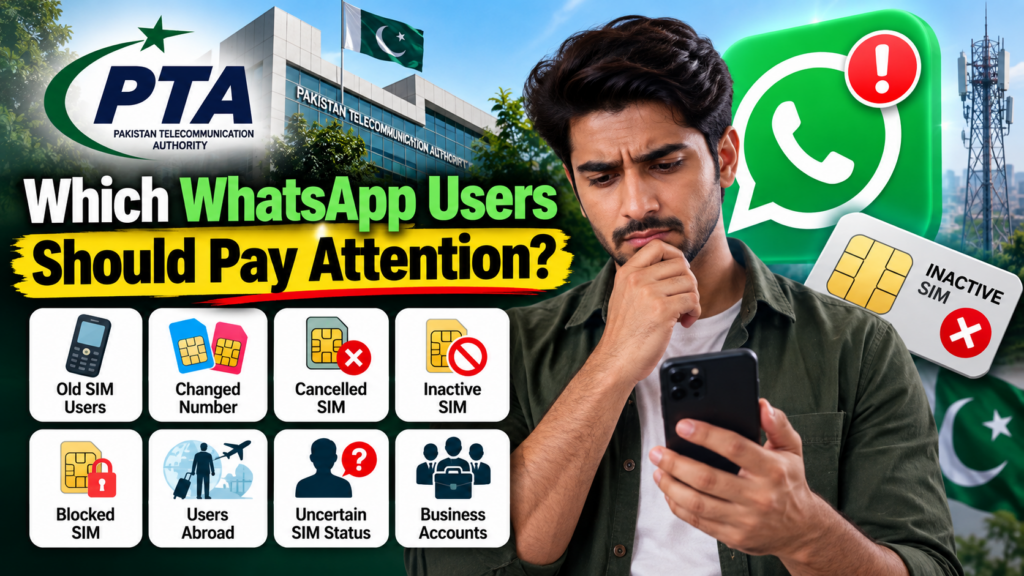
The PTA warning is especially relevant if you:
Use an old Pakistani SIM
You registered WhatsApp years ago but rarely use the SIM now.
Changed your mobile number
You moved to a new number but never updated WhatsApp.
Cancelled your previous SIM
The old connection is no longer yours, but WhatsApp is still registered on it.
Have a blocked or deactivated SIM
The number may no longer be available for normal telecom use.
Are using a number you no longer control
This is particularly important because the future status of that number may be outside your control.
Live abroad
If you registered WhatsApp using a Pakistani SIM and later stopped maintaining that Pakistani number, you should verify whether you still control it. Reporting on the PTA action has highlighted this scenario as relevant to some users.
What If My SIM Is Active and I Still Use It?
If your SIM is:
- active;
- currently in your possession;
- used by you;
- properly registered;
- and connected to your WhatsApp account,
then the current PTA warning should not be interpreted as a reason to unnecessarily change your WhatsApp number.
The warning is aimed at problematic SIM statuses.
The sensible approach is simply to make sure that your mobile connection remains active and that your account continues to use the number you control.
What If I Changed My Mobile Number?
This is one of the clearest situations addressed by PTA.
If you changed your mobile number but WhatsApp is still registered to your old number, update the WhatsApp account.
PTA has advised users who change their mobile numbers to use WhatsApp’s Change Number feature.
The principle is simple:
Your WhatsApp account should be associated with a mobile number that you currently control.
How to Change Your WhatsApp Number
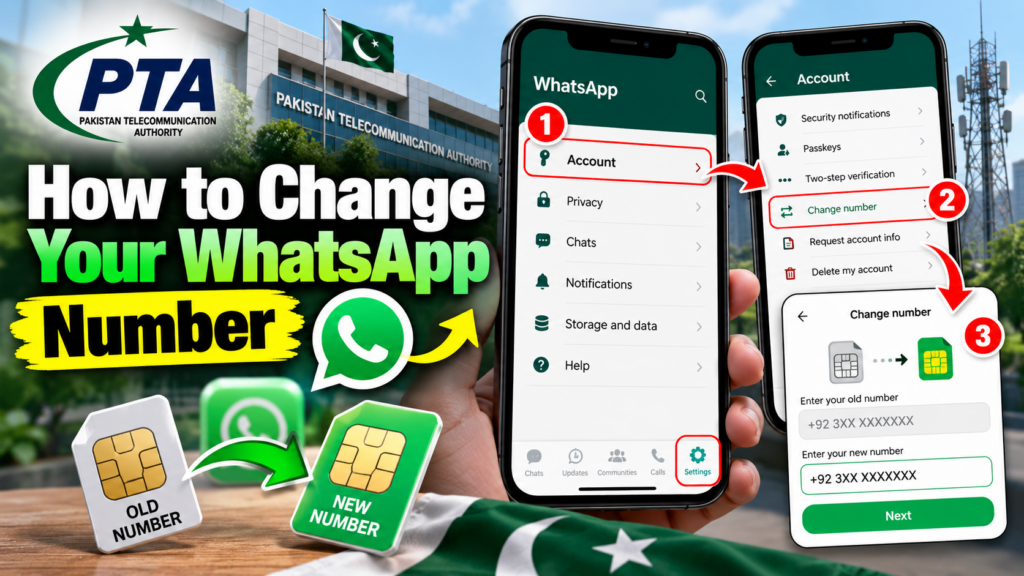
The exact WhatsApp interface can vary between Android and iPhone versions, but the general process is:
- Open WhatsApp.
- Open Settings.
- Select Account.
- Choose Change Number.
- Enter your old mobile number.
- Enter your new active mobile number.
- Complete the verification process.
- Follow the instructions shown by WhatsApp.
Before starting, make sure your new number is active and that you can receive the required verification communication.
Do not wait for the old SIM to become unusable
If you already know that your old number is no longer your active number, updating WhatsApp proactively is safer than waiting until you suddenly lose access.
Do I Need to Create a New WhatsApp Account?
Not necessarily.
Changing your mobile number does not automatically mean that you need to abandon your existing WhatsApp account.
WhatsApp provides the Change Number feature specifically for situations where users move from one phone number to another.
So if your old SIM is no longer appropriate but your WhatsApp account is still accessible, review the Change Number option before deciding to create an entirely new account.
What If My SIM Has Been Cancelled?
If your SIM has been cancelled, the most important question is:
Do you still control that number?
If the answer is no, you should not leave important digital accounts permanently associated with that old number.
PTA’s September reporting specifically advises users with inactive or cancelled numbers to update their WhatsApp accounts.
This becomes particularly important because an inactive number may eventually be reassigned.
What If My SIM Is Blocked or Deactivated?
PTA’s June advisory warned that WhatsApp accounts connected to blocked or deactivated SIMs may become inaccessible. Users were advised to verify their SIM status, switch to an active SIM where necessary and seek help from a franchise or customer-service centre.
If this applies to you:
- Determine whether the SIM can be restored.
- Contact your operator through an official channel.
- If the number cannot remain active, move WhatsApp to your current number.
- Review other important accounts connected to the old number.
Do not assume that keeping WhatsApp open on your phone solves the underlying SIM problem.
How Can You Check Your SIM Registration?
Pakistan’s official SIM Information System provides a CNIC-based self-check for SIM registrations.
The system states that users can enter their CNIC to find the total number of SIMs registered against their CNIC.
This is useful if you have forgotten about old SIMs or want to review the registrations associated with your own identity.
Remember the difference
SIM registration check:
Which SIMs are associated with my identity?
WhatsApp account check:
Which number is currently registered with my WhatsApp?
Operator account check:
What is the current status of my mobile connection?
These are related but separate checks.
What If an Unknown SIM Appears on My CNIC?
If your CNIC check shows a SIM registration you do not recognize, do not try to identify its supposed user through a leaked database.
Instead:
Step 1
Confirm that you are checking your own CNIC information.
Step 2
Review old numbers and family-used connections.
Step 3
Identify the relevant mobile network.
Step 4
Contact that operator through its official support channel.
Step 5
Follow the operator’s identity-verification and registration-resolution process.
You can also read our Unknown SIM on Your CNIC guide for a detailed self-check and resolution process.
Why Mobile Numbers Have Become Digital Identity
The PTA warning is bigger than WhatsApp.
A mobile number can now be connected to:
- WhatsApp;
- banking alerts;
- digital wallets;
- email recovery;
- social-media accounts;
- business accounts;
- two-factor authentication;
- customer-service accounts;
- and other online services.
This means losing control of a mobile number can have consequences far beyond losing phone service.
PTA has described the mobile number as an important part of a user’s digital identity in its earlier WhatsApp advisory.
That is why maintaining the correct SIM status is increasingly important.
WhatsApp Security Is Also Changing in 2026
The PTA warning addresses the telecom side of account security.
WhatsApp is also strengthening security on the application side.
On August 25, 2026, WhatsApp announced several new account-security measures, including:
- stronger two-step verification;
- additional context for calls from unknown callers;
- expanded passkey support.
These tools do not replace a valid mobile number.
Instead, they provide additional protection around the WhatsApp account itself.
Stronger WhatsApp Two-Step Verification
WhatsApp announced that its two-step verification is being strengthened.
Previously, users used a six-digit PIN. WhatsApp says the updated approach uses a longer password that can contain:
- letters;
- numbers;
- special characters.
WhatsApp describes two-step verification as an additional protection layer that can help prevent account takeover even if someone obtains a one-time passcode.
For users in Pakistan, this is particularly useful because a secure WhatsApp setup should not depend on the SIM alone.
WhatsApp Passkeys
WhatsApp also announced expanded passkey support in August 2026.
A passkey can allow a user to authenticate with:
- fingerprint;
- Face ID;
- or the device’s screen-lock code.
WhatsApp said more than one billion people had already set up a passkey and that users can add more than one passkey when using both Android and iOS devices.
WhatsApp says users can access the feature through:
Settings → Account → Passkeys
Availability can vary depending on the device and rollout.
WhatsApp Strict Account Settings
For users who face sophisticated security threats, WhatsApp introduced Strict Account Settings in January 2026.
WhatsApp describes this as a more restrictive protection mode that can:
- automatically block attachments and media from unknown senders;
- silence calls from people users do not know;
- restrict certain settings.
WhatsApp says the feature is intended particularly for people who may be targets of sophisticated cyberattacks.
This is an optional WhatsApp security feature and is separate from PTA’s SIM-related action.
WhatsApp’s Anti-Scam Protections
The wider security picture also includes WhatsApp’s anti-scam work.
In March 2026, Meta announced new anti-scam tools, including warnings when WhatsApp detects potentially suspicious device-linking behavior.
The company specifically warned that scammers may attempt to trick users into sharing device-linking codes or scanning QR codes under false pretenses.
This creates another important rule:
Never scan a WhatsApp QR code or share a device-linking code simply because someone tells you it is required to verify, unlock or secure your account.
PTA SIM Warning vs WhatsApp Security
These are two different security layers.
| Issue | Main concern |
|---|---|
| Inactive SIM | You may no longer control the mobile number |
| Cancelled SIM | Number may no longer belong to you |
| SIM registration | Identity association with the mobile connection |
| WhatsApp Change Number | Updates the account to your current number |
| Two-step verification | Additional protection against account takeover |
| Passkey | Device-based account authentication |
| Device-linking warnings | Protection against fraudulent linking attempts |
A strong security setup therefore requires attention to both the mobile number and the WhatsApp account.
What PTA Has Not Said
This section is important because it prevents misinformation.
The current reporting does not establish that:
- every WhatsApp account in Pakistan will be blocked;
- WhatsApp itself is banned;
- every old SIM will immediately stop working;
- users must buy a new phone;
- there is one universal public deadline for all users;
- or an unofficial website can restore a blocked WhatsApp account.
The September reporting says action against affected accounts could begin at any time. It does not establish one universal deadline applying identically to every WhatsApp user.
Therefore, users should focus on their own SIM and account status instead of viral claims.
PTA WhatsApp Warning: Who Should Act Now?
You should review your account if:
You changed your number recently.
You stopped using the SIM connected to WhatsApp.
Your old SIM has been cancelled.
Your SIM is blocked or deactivated.
You no longer have the SIM physically.
You live abroad but still use an old Pakistani number.
You do not know whether the SIM remains active.
If none of these apply and your SIM is active and under your control, the current warning does not mean you need to change your WhatsApp number unnecessarily.
A Better Way to Think About Your WhatsApp Number
Instead of asking:
“Is WhatsApp going to be blocked?”
ask:
“Is the mobile number registered with my WhatsApp still active and under my control?”
That is the more useful question.
If the answer is yes, maintain the connection and keep your account secure.
If the answer is no, update WhatsApp before the old number becomes a bigger problem.
This simple distinction removes much of the confusion surrounding the current news.
Complete 10-Step WhatsApp Safety Check
1. Open WhatsApp
Check the mobile number currently registered with the account.
2. Check your SIM
Confirm that the SIM is still active.
3. Confirm control
Make sure the number is still in your possession and under your control.
4. Review old numbers
Think about any number you previously used for WhatsApp.
5. Change the WhatsApp number if necessary
Use the official Change Number feature.
6. Check your own CNIC SIM registrations
Use the official SIM Information System when necessary.
7. Resolve unknown registrations
Contact the relevant operator rather than using a leaked database.
8. Enable two-step verification
Use the stronger security option where available.
9. Review passkey availability
WhatsApp provides passkey support on compatible devices.
10. Never share verification credentials
Do not share OTPs, PINs, passwords or device-linking codes.
Common Myths About WhatsApp Blocking in Pakistan
“PTA has banned WhatsApp.”
Incorrect.
The reported action concerns WhatsApp accounts linked to inactive or cancelled SIMs.
“Every WhatsApp account will be blocked.”
Incorrect.
The warning is focused on accounts associated with problematic SIM statuses.
“If WhatsApp opens, my SIM is active.”
Not necessarily.
The app can remain open even when the underlying SIM is no longer actively used.
“I need a new phone.”
No.
The issue concerns the mobile number/SIM relationship and account security.
“I must create a new WhatsApp account.”
Not necessarily.
WhatsApp’s Change Number feature may be appropriate if your number has changed.
“There is definitely a nationwide blocking date.”
Not established.
Current reports say action could begin at any time but do not establish a single universal deadline for all users.
“A website can give me the inactive SIM’s WhatsApp owner details.”
Do not rely on such claims.
Use official telecom and WhatsApp processes.
What Businesses Should Do
Businesses should take this issue seriously because WhatsApp numbers can be tied to:
- customers;
- orders;
- sales teams;
- suppliers;
- payment conversations;
- customer support;
- business groups;
- employee communication.
A business should know exactly which SIM controls its WhatsApp account.
If the business changes its mobile number, the WhatsApp account should be updated rather than leaving the old number attached indefinitely.
For business-critical accounts, also maintain appropriate backup and account-recovery procedures.
What Pakistanis Living Abroad Should Check
People living outside Pakistan may be particularly likely to have old Pakistani SIMs.
For example, someone may have:
- registered WhatsApp with a Pakistani number;
- moved overseas;
- stopped using the Pakistani SIM;
- kept the WhatsApp account active for years.
The important question is whether that Pakistani number remains under their control.
If it has become inactive or cancelled, the user should review the account and consider moving WhatsApp to a number they currently control. Reporting on the PTA measure has specifically highlighted old Pakistani numbers as a relevant concern.
PTA WhatsApp Warning and SIM Owner Details
This development is directly connected with the wider SIM Owner Details and SIM-registration topic.
The reason is simple:
Your WhatsApp account may depend on a mobile number.
Your mobile number depends on a SIM.
Your SIM is linked to an identity and telecom registration process.
Therefore, keeping track of your own SIM registrations is an important part of digital identity management.
For a broader self-check guide, visit:
You can also read:
Protect Your CNIC & Mobile Identity
Final Verdict on the PTA WhatsApp News
The most accurate way to understand the September 2026 development is this:
PTA is targeting a specific SIM-account security problem, not banning WhatsApp nationwide.
The reported decision concerns WhatsApp accounts associated with inactive, cancelled or no-longer-used SIMs. PTA says such accounts can create security and misuse risks, particularly when mobile numbers are no longer controlled by their original users.
PTA had already issued related guidance in May and June, advising users to keep WhatsApp connected to active and registered SIMs and to take action before losing access.
The most practical response is therefore not panic.
It is verification.
Check the number connected to your WhatsApp.
Check whether you still control that SIM.
If you changed your number, use WhatsApp’s Change Number feature.
If the SIM is inactive or cancelled, contact your telecom operator.
If you are unsure about your own SIM registrations, use the official CNIC-based SIM Information System.
And on the WhatsApp side, take advantage of stronger account-security features such as two-step verification and passkeys where available. WhatsApp announced these protections in August 2026.
The key lesson is simple:
Your WhatsApp account should remain connected to a mobile number that is active, properly registered and under your control.
Frequently Asked Questions
Is PTA blocking WhatsApp in Pakistan?
PTA is reported to be taking action against WhatsApp accounts linked to inactive, cancelled or no-longer-used SIMs. This is not the same as a nationwide WhatsApp ban.
Which WhatsApp accounts are at risk?
The reported measure concerns accounts associated with inactive, cancelled or otherwise no-longer-used mobile numbers.
What if my SIM is active?
If your SIM is active, currently used and under your control, the current warning does not mean you need to change your WhatsApp number unnecessarily.
What if I changed my number?
Use WhatsApp’s Change Number feature to move the account to your current active number. PTA has specifically advised users who changed numbers to do this.
Can WhatsApp remain open if my SIM is inactive?
Yes, an existing WhatsApp session may remain open, so the fact that the app is working does not by itself prove that the SIM remains active.
Can I check SIMs registered against my CNIC?
Yes. Pakistan’s official SIM Information System provides a CNIC-based SIM registration check.
What should I do if an unknown SIM is registered against my CNIC?
Contact the relevant telecom operator through its official support process and follow the required verification procedure.
Has PTA announced one final blocking date?
The September reporting says action could begin at any time, but it does not establish one universal deadline for every affected account.
Does WhatsApp have stronger security features in 2026?
Yes. WhatsApp announced stronger two-step verification, expanded passkeys and additional context for unknown callers in August 2026.
What is a WhatsApp passkey?
A passkey can allow compatible users to authenticate using a fingerprint, Face ID or device screen-lock code.
Should I share my WhatsApp verification code with PTA or a support person?
Do not share verification codes, passwords or device-linking credentials with unknown people. Use official account and telecom channels.
Leave a Reply