Trying to check SIM Owner Details, verify SIM registration or manage a mobile number through Pakistan’s telecom services can sometimes lead to confusing results. You may send a request and receive nothing, enter your CNIC correctly but see an unexpected result, or find that a short-code service works on one SIM but not another.
The first thing to understand is that 667 and 668 are not interchangeable services. They are associated with different SIM-related functions, so using the wrong method can make a normal request appear to be a technical problem.
For CNIC-based SIM checking, PTA’s official SIM Information System provides an online method for checking the total number of SIMs registered against your own CNIC. The portal also provides a separate network-check facility through 76367.
This guide covers 30 practical problems that can affect 667 or 668-related checks and explains what you can do before contacting your mobile operator or PTA.
Important: Use these methods for checking your own SIM and identity information. Do not use unofficial databases or third-party services claiming to reveal another person’s private telecom information.
667 vs 668: Which One Are You Trying to Use?
Before troubleshooting, identify the service you actually need.
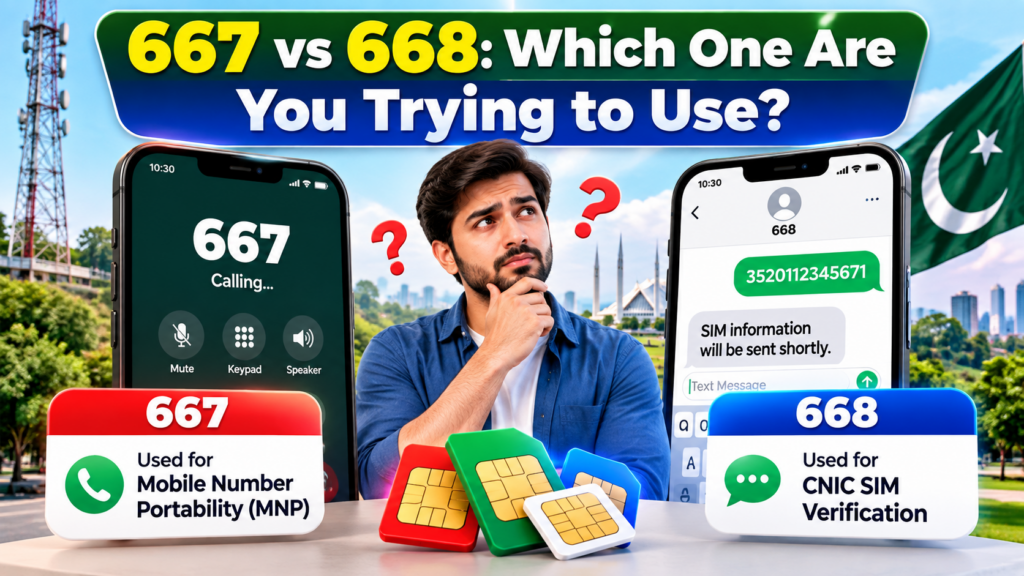
668 is associated with checking SIMs registered against a CNIC. PTA’s official cyber-safety guidance specifically recommends periodically checking the SIMs issued in your name through 668 and taking action if an unauthorized SIM appears.
667 is used in SIM ownership/MNP-related processes. For example, Telenor’s current self-service documentation lists sending MNP to 667 for SIM ownership details, while Jazz’s current MNP instructions also direct customers to send MNP to 667 as part of the number-porting process.
So, if you are trying to perform a CNIC-level SIM count, don’t treat 667 and 668 as the same tool.
30 Common 667 & 668 Problems and Their Solutions
1. 668 Gives No Response
One of the most common situations is sending a request and receiving no useful reply.
First check that your SMS was actually sent successfully. Confirm that your phone has network service and that ordinary SMS messages are working.
If the request was sent correctly, avoid repeatedly sending the same request within seconds. Instead, wait and try again later.
For a CNIC-level check, you can also use PTA’s official online SIM Information System as an alternative route.
2. Your CNIC Format Is Incorrect
A CNIC-based request can fail if the number is entered with unnecessary characters.
Check the number against your original CNIC and make sure you have not accidentally added spaces, punctuation or other text.
For the official web-based SIM Information System, PTA provides a CNIC input field and shows an example of a 13-digit CNIC format.
3. The Response Is Taking Too Long
A delayed response does not automatically mean your CNIC or SIM has a problem.
Possible causes can include temporary telecom congestion, SMS delivery problems or a service-side issue.
Instead of repeatedly submitting the same request, allow some time and then try again. If the problem continues, move to an official alternative rather than relying on an unofficial SIM database.
4. Your SIMs Are Not Showing as Expected
Suppose you know you have active SIMs but the result doesn’t appear to match your expectations.
Start by checking the CNIC number you submitted. Then consider whether a recent registration, ownership change, replacement or deactivation could be involved.
You can compare your result with the official PTA SIM Information System, which displays SIM counts by network.
5. You Expect Individual Numbers but Only See Counts
This is an important distinction.
The official PTA online system displays a network-wise number of SIMs and total count rather than presenting a public directory of every mobile number registered to a CNIC. The result interface is organized around network and SIM count.
Therefore, seeing a count instead of a complete phone-number list is not necessarily an error.
6. The Service Appears Temporarily Unavailable
A short-code or telecom service can occasionally become unavailable.
Before assuming that your SIM registration is incorrect, check whether ordinary SMS/calling services are functioning.
If the problem continues, use the official PTA online system where applicable or contact your operator.
7. Your Result Looks Older Than Expected
If you recently changed your SIM status, replaced a SIM or completed another registration-related activity, don’t immediately assume the displayed information is fraudulent.
Telecom records may not always appear simultaneously across every customer-facing channel.
If the discrepancy continues, verify the matter with the relevant operator rather than relying on a third-party website.
8. 668 Works on One Network but Not Another
Testing the same process on different networks can sometimes produce different experiences.
If you have access to another Pakistani SIM, you can test whether the problem is specific to one operator.
If the issue repeatedly occurs only with one network, document the problem and contact that operator first.
9. You Receive an Unexpected Auto-Reply
If the response doesn’t seem related to your request, check the destination number and message content.
Short codes can be easy to confuse, especially when several telecom services are involved.
Verify the official procedure before trying again.
10. Your Phone Has Weak or No Signal
A basic connectivity problem can prevent SMS-based services from functioning.
Check whether you can make a normal call or send an ordinary SMS. If both fail, the issue is probably broader than 667 or 668.
Move to an area with better network coverage and test again.
667-Related Problems
11. You Are Using 667 for the Wrong Purpose
667 should not automatically be treated as a universal CNIC lookup service.
Its documented use is connected with SIM ownership/MNP-related processes. Telenor’s current documentation specifically lists an MNP message to 667 for SIM ownership details, while Jazz describes MNP through 667 as part of transferring a number to another network.
Always follow the procedure provided by your current operator.
12. Your MNP Request Does Not Produce the Expected Response
If you are attempting to move your number to another network, check that your existing number is active and that you are following the receiving operator’s MNP instructions.
For example, Jazz currently instructs customers to send MNP to 667, receive the response from the existing operator, and then continue the porting process through its specified channel.
13. Your Number Is Not Eligible for Porting
An MNP request can have eligibility requirements.
Instead of repeatedly sending the request, contact your current operator and ask why the number cannot proceed through the porting process.
Do not assume that an unsuccessful MNP request means your SIM registration record is incorrect.
14. The MNP Process Stops After the Initial Request
MNP is a multi-step process rather than simply sending one message and immediately changing networks.
Operator instructions may include receiving information from the current network, forwarding the required information and completing biometric verification. Jazz’s current instructions include biometric verification at an office or retailer.
If you stop receiving instructions at any stage, contact the relevant operator.
15. You Receive an MNP Message You Did Not Request
An unexpected porting-related message should be treated seriously.
Do not share verification codes or personal information with someone who contacts you claiming they need it.
If you did not initiate an MNP process, contact your existing operator through an official channel and ask them to check the status of your number.
General SIM and Account Problems
16. Your SIM Was Activated Recently
A newly activated or replaced SIM may not immediately behave exactly like an older connection across every service.
If the SIM itself is not working normally, first confirm activation with the operator.
For account-specific issues, the operator’s service centre or helpline is more appropriate than repeatedly testing short codes.
17. Your SIM Has a Verification or Account Issue
If normal services are restricted, a short-code problem may actually be part of a wider account issue.
Check whether calls, SMS, mobile data and other operator services are functioning.
If several services are affected, contact your network instead of treating 667 or 668 as an isolated problem.
18. You Are Using International Roaming
Short-code behavior can differ when a Pakistani number is being used outside its normal domestic network environment.
If you are abroad and cannot access a service, check the operator’s roaming support information.
When possible, perform Pakistan-specific SIM verification through the official online PTA system or contact your operator.
19. Your Postpaid Account Has a Restriction
If your postpaid account has an unresolved billing or service issue, some operator services may be affected.
Check your account status through the operator’s official app, website or helpline.
Don’t assume the problem is caused by PTA’s SIM records without first checking the operator account.
20. Your Phone’s SMS System Is Causing the Problem
Sometimes the telecom service is working but the phone is not displaying messages correctly.
Check:
- blocked SMS folders
- spam filtering
- full message storage
- dual-SIM settings
- correct SIM selected for sending
- basic SMS functionality
Restarting the phone can also eliminate temporary device-level problems.
Less Common Situations
21. You Recently Updated Your CNIC
A recently renewed or updated identity document can create confusion if you are comparing information from different records.
If your identity information has recently changed, verify the situation through NADRA and the relevant telecom operator rather than assuming the short code is malfunctioning.
22. You Are Checking a Special Identity Document
Not every identity document should be treated exactly like an ordinary domestic CNIC.
If you are using a NICOP, foreign ID or another identity document, use the appropriate option where the official system provides one. PTA’s SIM Information System currently includes a Foreign ID option in addition to CNIC.
23. You Submit Too Many Requests in a Short Period
Repeatedly sending the same request does not necessarily produce a better result.
If a service is temporarily slow, continuous retries can make troubleshooting harder because you won’t know which request generated which response.
Use one correct request, wait, then move to the next official troubleshooting step.
24. You Are Using an Incorrect Identity Number
An identity number can be mistyped surprisingly easily.
Compare every digit against your original document before assuming that the SIM database contains incorrect information.
Never publish your complete CNIC in a public comment section or send it to an unknown website simply because a short code isn’t responding.
25. You Are Expecting 668 to Show Personal Details of Another Person
This is one of the most important misconceptions to avoid.
The official PTA system is designed around checking SIMs associated with the user’s own CNIC. PTA’s public online system asks for a CNIC to retrieve the SIM count associated with that identity.
It should not be treated as a public tool for obtaining another person’s private SIM information.
5 Additional Problems You Should Also Know
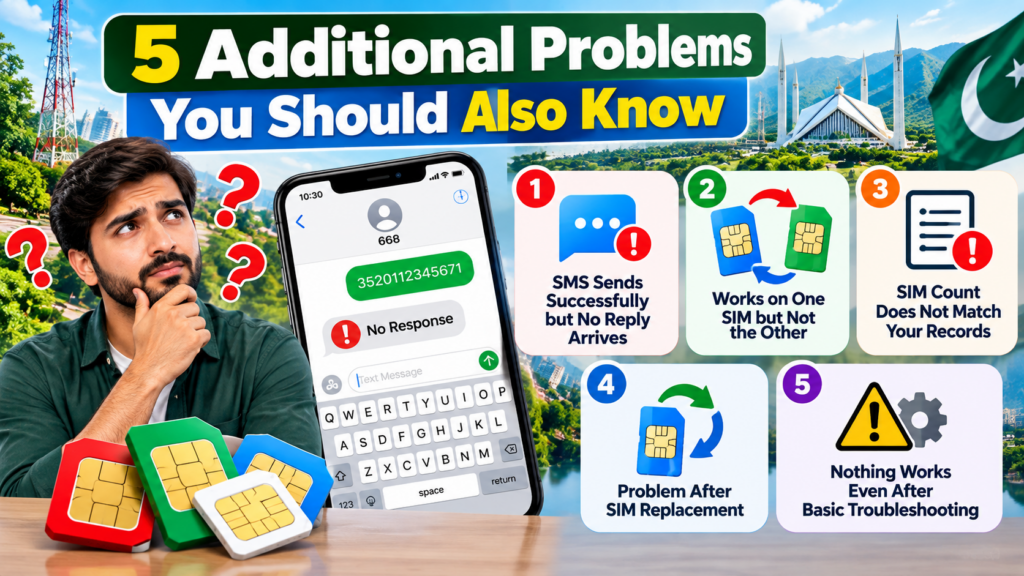
26. SMS Sends Successfully but No Reply Arrives
Your phone may show that the SMS was sent, but that doesn’t guarantee that the expected response will appear.
First confirm the destination short code and message format. Then check your network’s SMS functionality.
If the problem continues, use the official web-based SIM Information System where applicable.
27. 667 or 668 Works With One SIM but Not Another
If you have two Pakistani connections and the same process behaves differently, compare:
- network signal
- SMS availability
- prepaid/postpaid status
- SIM activation
- operator restrictions
This comparison can help determine whether you’re dealing with an operator-specific problem rather than a general PTA issue.
28. Your SIM Count Does Not Match Your Own Records
Don’t immediately conclude that the result is fraudulent.
Make a list of the SIMs you currently use and compare it with the network-wise result.
If you see a registration you genuinely do not recognize, contact the relevant operator and ask how to verify or disown it.
PTA’s cyber-safety guidance recommends periodically checking SIMs issued in your name and taking action on unauthorized registrations.
29. The Problem Started After a SIM Replacement
A replacement SIM can change the technical status of your connection while your mobile number remains the same.
If 667/668-related functionality changes immediately after a replacement, first confirm with the operator that the replacement has been fully activated and correctly linked to your account.
30. Nothing Works Even After Basic Troubleshooting
If you’ve checked the number, message format, signal, SIM status and official online alternatives but the problem continues, stop repeatedly retrying the same request.
Collect the useful details:
- mobile network
- approximate time of failed attempt
- service being used
- error or response received
- whether normal SMS works
- whether another official method works
Then contact the operator or PTA through an official support channel.
What Should You Do If 668 Shows an Unknown SIM?
This is where a SIM check becomes useful for SIM Owner Details and identity protection.
If an unfamiliar SIM appears against your CNIC:
Step 1: Don’t panic
A result you don’t recognize needs verification before you conclude that someone has deliberately misused your identity.
Step 2: Identify the network
The PTA online system organizes results by network, which can help you determine which operator to contact.
Step 3: Contact the operator
Ask the relevant network how to verify the registration and what procedure applies to an unauthorized connection.
Step 4: Escalate when necessary
If the matter cannot be resolved through the operator, use PTA’s official complaint/support channels.
PTA’s own cyber-safety material advises users to check SIMs registered in their name and block illegally issued SIMs.
Don’t Use Unofficial SIM Databases
When 667 or 668 isn’t responding, searching Google for a “SIM owner database” may seem convenient.
That can create a much bigger privacy problem.
Avoid websites that ask for:
- complete CNIC numbers
- fingerprints
- OTP codes
- banking information
- WhatsApp verification codes
- unnecessary personal documents
PTA’s telecom security material treats personal and telecom information as sensitive data, including CNIC numbers and phone numbers.
For your own SIM Owner Details, use official telecom and government channels wherever possible.
667, 668 and 76367 Are Not the Same
These services answer different questions.
| Service | Main purpose |
|---|---|
| 668 | CNIC-linked SIM checking |
| 667 | SIM ownership/MNP-related process |
| 76367 | Network check for a mobile number |
PTA’s official SIM Information System currently instructs users to send N 03xx3456789 to 76367 for a network check, with the portal listing Rs. 2 + tax.
Understanding this difference prevents many unnecessary troubleshooting attempts.
How to Troubleshoot 667 or 668 Safely
Use this simple sequence:
1. Identify the service
Are you checking your CNIC-linked SIMs or dealing with MNP?
2. Verify your information
Check the CNIC or mobile number carefully.
3. Check basic connectivity
Make sure calls and SMS work normally.
4. Retry correctly
Follow the relevant official procedure instead of guessing.
5. Use the official online alternative
For CNIC-based SIM checking, PTA’s SIM Information System is available online.
6. Contact your operator
Especially when the issue appears limited to one network or one SIM.
7. Escalate to PTA if necessary
Use official complaint/support channels when the telecom issue remains unresolved.
Frequently Asked Questions
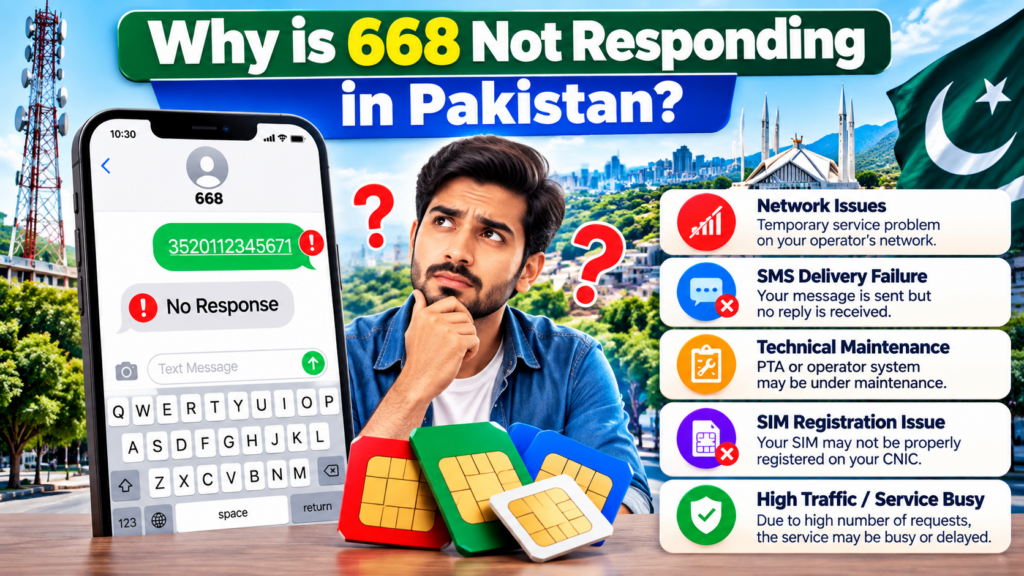
Why is 668 not responding in Pakistan?
Possible causes include an incorrect request, SMS/network problems or a temporary service-side issue. Check your information and use PTA’s official online SIM Information System as an alternative where appropriate.
What should I do if 668 shows the wrong SIM count?
First verify the CNIC information and compare the result with your current SIM records. If an unfamiliar registration remains, contact the relevant operator and follow the official complaint process.
Can 668 show every mobile number registered to another person’s CNIC?
It should not be treated as a public lookup service for another person’s private information. The official PTA system is designed around checking SIMs associated with the submitted identity.
What is 667 used for?
667 is associated with SIM ownership/MNP-related processes. Current operator documentation provides MNP instructions involving 667.
Can I use 76367 instead of 668?
No. They serve different purposes. PTA’s current portal describes 76367 as a network-check method for a mobile number.
What if an unknown SIM appears on my CNIC?
Identify the network shown by the official result, contact that operator and request verification/action. If the issue is not resolved, use PTA’s official support or complaint route.
Should I keep sending the same 668 request repeatedly?
No. Repeated requests are unlikely to solve a format, network or service-side problem. Check the basics first and then use an official alternative.
Is it safe to give my CNIC to a random SIM-check website?
Avoid unnecessary disclosure of sensitive identity information to unofficial websites. Use official PTA, operator and government channels for your own verification.
Final Checklist
If 667 or 668 is not working, remember:
- Confirm which service you actually need.
- Check your CNIC/mobile number carefully.
- Make sure your SIM has network service.
- Confirm ordinary SMS works.
- Follow the correct official procedure.
- Don’t expect 668 to function as a public private-data lookup.
- Use PTA’s official online SIM Information System for CNIC-based checking.
- Contact your operator for SIM-specific problems.
- Report unresolved telecom issues through official PTA channels.
- Never give OTPs, fingerprints or unnecessary personal information to unofficial services.
Most importantly, a failed short-code request does not automatically mean that your SIM registration is wrong. Troubleshoot the basic causes first, then move through official support channels.
For anyone checking SIM Owner Details, the safest approach is to use your own CNIC, official telecom services and verified government resources rather than relying on websites claiming access to private SIM databases.
Leave a Reply