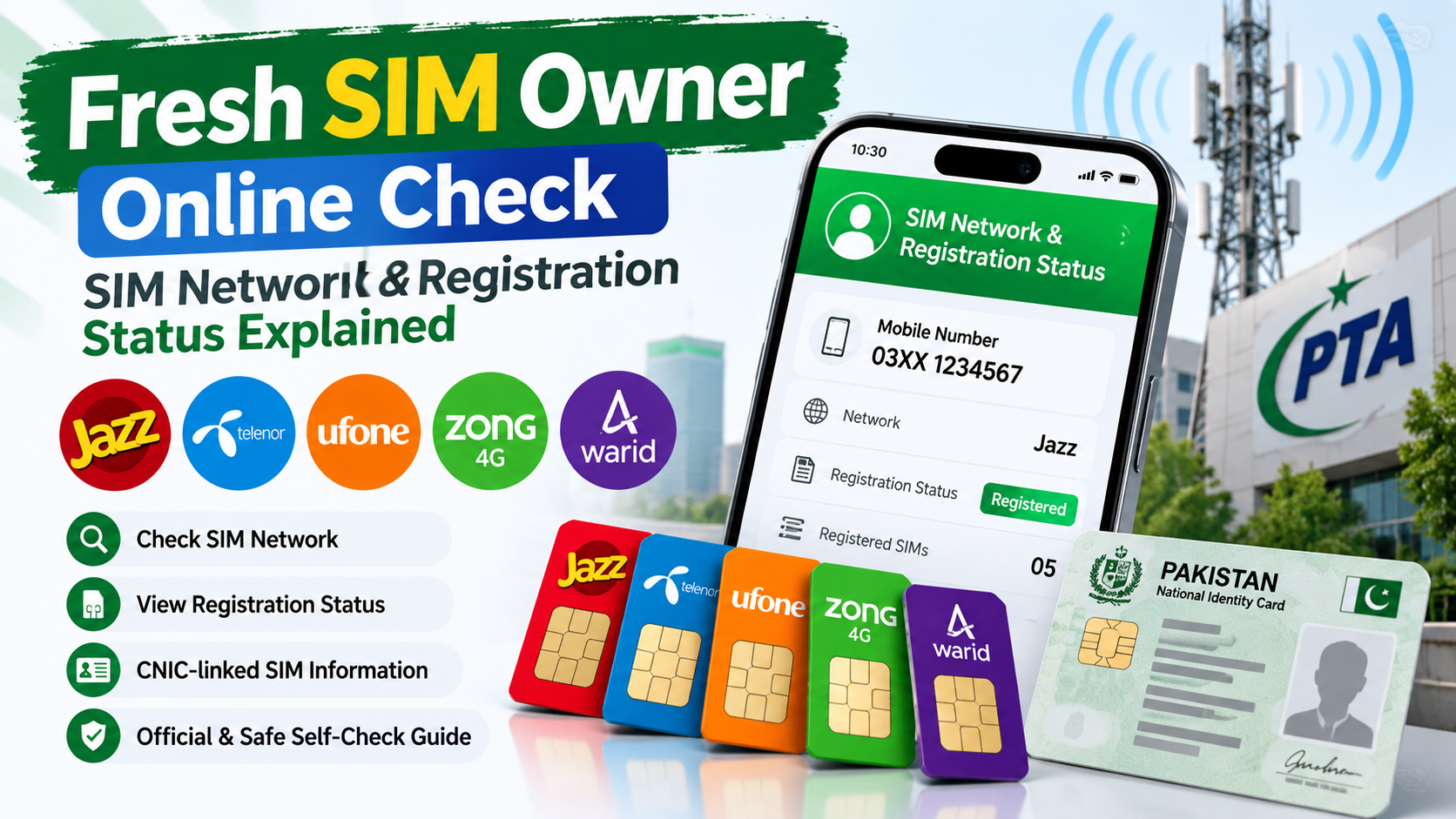
Searching for a Fresh SIM Owner Online Check can mean different things.
Some users want to identify the network of their own mobile number.
Others want to understand whether their SIM is properly registered, how SIM registration works, or whether their mobile number is associated with their own identity.
There is also a lot of confusion around phrases such as:
- Fresh SIM Owner
- Fresh SIM Owner Check
- SIM Owner Online
- SIM Network Check
- SIM Registration Status
- SIM Owner Details
- CNIC SIM Check
These terms can overlap in search results, but they do not all mean the same thing.
This guide focuses on one clear purpose:
Helping you check and understand your own SIM network and registration information safely.
It is an educational, self-check guide. It is not a method for obtaining another person’s private CNIC, address, messages, location, passwords or confidential telecom records.
For official SIM registration information, users should rely on the relevant PTA service rather than unofficial websites claiming access to private databases.
What Does Fresh SIM Owner Online Check Mean?
The phrase Fresh SIM Owner Online Check can be understood as an online search for information about a SIM’s ownership or registration.
But in a safe self-check context, the focus should be:
Your own SIM.
You may want to confirm:
- Which network your number belongs to
- Whether your SIM is registered correctly
- How many SIMs are associated with your own CNIC
- Whether an old SIM is still relevant to your registration history
- What the official registration result means
- Where to go if something looks incorrect
This is different from trying to obtain confidential information about another person.
A responsible SIM-checking resource should make that distinction clear from the beginning.
Fresh SIM Owner Online Check Is Not a Private Database Lookup
The word “owner” sometimes causes unrealistic expectations.
A normal public self-check should not be presented as a gateway to:
- Private CNIC information
- Home addresses
- WhatsApp conversations
- SMS messages
- Passwords
- Bank details
- Private photographs
- Live GPS location
- Confidential call records
If a website promises all of these simply by entering a mobile number, treat the claim with caution.
A genuine SIM self-check is much narrower:
SIM → registration → network → verification → your own records
That is the useful and responsible interpretation.
Why Check Your Own SIM Network?
Knowing your mobile network may seem like a small detail, but it can be useful in several situations.
For example, you may:
- Have forgotten which network a number uses
- Be checking an old SIM
- Need to contact the correct operator
- Want to verify your own number’s network
- Be reviewing several SIMs
- Be investigating a registration issue
- Need the network before contacting customer support
Pakistan’s official SIM Information System currently provides a network-check option for a mobile number. Its page instructs users to send:
N 03xx3456789
to 76367, and currently lists a charge of Rs. 2 + tax. Always check the official page for the latest instructions and charges before using the service. Cnic Sims
How to Check the Network of Your Own SIM
If your goal is simply to identify the network associated with your own mobile number, use an official method rather than relying on an unknown “SIM database.”
Step 1: Identify the Number
Use the mobile number you personally own or are authorized to check.
Step 2: Use the Official Network-Check Method
The official PTA SIM Information System currently states that users can send:
N 03xx3456789
to 76367 for network identification. The current page lists the service charge as Rs. 2 plus tax. Cnic Sims
Step 3: Review the Result
Use the returned network information to identify the relevant operator.
Step 4: Keep Your Purpose Personal
This method is best understood as a way to check a number’s network, not as permission to investigate someone’s private identity.
What Is SIM Registration Status?
SIM Registration Status refers to the registration relationship between a mobile SIM and the subscriber information used when that connection was registered.
For a user, the practical questions are usually:
- Is my SIM properly registered?
- How many SIMs are registered against my CNIC?
- Does the result match my own mobile history?
- Do I recognize the registrations associated with my identity?
The official PTA SIM Information System currently says that users can enter their CNIC to find the total number of SIMs registered against that CNIC. The service also provides a Foreign ID option for applicable users. Cnic Sims
How to Check Your Own Registered SIMs
If you want to review SIM registrations associated with your own CNIC, use the official PTA SIM Information System:
The process is straightforward.
1. Open the official service
Use the PTA-linked SIM Information System.
2. Select CNIC
For Pakistani citizens, use the CNIC option.
3. Enter your own CNIC
Enter your own identity information according to the instructions shown.
4. Complete verification
Follow the verification displayed by the official service.
5. Review the result
The system provides the total number of SIMs registered against the submitted CNIC. Its result interface also presents network-wise SIM counts. Cnic Sims
What Does the PTA Result Tell You?
The public PTA result interface is designed around SIM counts by network.
Its result structure includes network categories such as:
- Jazz
- Telenor
- Ufone
- Zong
- Warid
- Total
The displayed result is therefore useful for understanding the registration picture associated with your own identity. Cnic Sims
This is important because many users expect a completely different type of service.
The official self-check is not presented as a public database of everyone’s private information.
It is primarily a registration-count verification tool.
Fresh SIM Owner Online Check vs SIM Registration Check
These are related but different search intents.
Fresh SIM Owner Online Check
Usually suggests that the user wants to understand:
- SIM owner concept
- Network
- Registration
- Online verification
- SIM-related information
SIM Registration Check
More specifically focuses on:
- SIMs registered against your CNIC
- Registration counts
- Network-wise registration
- Identity-linked SIM verification
This distinction is useful for users because it prevents them from expecting private information from a normal registration service.
What Does “SIM Owner” Mean?
The phrase SIM Owner generally refers to the subscriber associated with a SIM registration.
In an educational self-check context, you can think of it as the relationship between:
Subscriber identity + SIM registration + mobile connection
That does not mean that all subscriber information should be publicly searchable.
Your own registration can be checked through appropriate official channels.
Another person’s confidential information should not be treated as ordinary public data.
What Are SIM Owner Details?
SIM Owner Details is a broader term that can refer to information associated with SIM ownership and subscriber registration.
For safe self-checking, the useful concepts include:
- SIM registration
- Subscriber identity
- CNIC association
- Network
- Registration status
- Ownership verification
However, users should not interpret the term as a guarantee that a website can legitimately provide someone’s complete private identity information.
For a broader explanation, you can link internally to your existing SIM Owner Details guide:
Recommended internal link anchor:
SIM Owner Details
This gives readers a natural path from the online-check topic to your more detailed ownership article.
Fresh SIM Owner Online Check and CNIC Verification
CNIC verification is an important part of understanding SIM registration in Pakistan.
But there is a major difference between:
Checking your own CNIC
and
Searching another person’s identity.
The first is a legitimate self-check purpose.
The second raises privacy concerns and should not be promoted as an ordinary online lookup.
Therefore, this article uses CNIC verification only in the context of your own SIM registration.
How to Check If Your Own SIM Registration Makes Sense
After checking your registered SIM count, don’t immediately assume that every result is a problem.
Instead, compare it with your own history.
Ask yourself:
How many SIMs do I currently use?
Did I have older SIMs?
Did I replace any number?
Do I have a business connection?
Do I have a data SIM?
Have I used another operator before?
Does the network-wise count make sense?
This simple comparison can help you understand the result before taking further action.
What If You Find a SIM You Don’t Recognize?
An unfamiliar result deserves attention, but it should not automatically be treated as proof of fraud.
There may be a legitimate explanation.
For example:
- You may have forgotten an old number.
- You may have replaced a SIM.
- You may have used a secondary connection.
- You may have had a data SIM.
- Your own records may be incomplete.
Follow this order:
Review → Verify → Contact → Escalate
Don’t jump straight to assumptions.
Step 1: Review Your Own SIM History
Think about every SIM you have used.
Check your old:
- Phones
- SIM cards
- Business numbers
- Backup numbers
- Internet SIMs
- Replacement connections
This often explains unexpected registration information.
Step 2: Identify the Network
The PTA SIM Information System provides network-wise registration information in its result interface. Cnic Sims
Knowing the relevant network can help you identify the appropriate telecom operator for follow-up.
Step 3: Contact the Relevant Operator
If the registration still does not make sense, contact the operator through its official customer-service channel.
Explain clearly:
“I am checking a SIM registration associated with my own identity.”
Keep the conversation focused on your own registration.
Step 4: Keep a Record
If you need assistance, keep:
- Date of your check
- Screenshot of the result
- Complaint/reference number
- Operator response
- Relevant SMS or email
This can make follow-up easier.
Step 5: Use PTA’s Complaint System if Necessary
If you have a genuine telecom complaint that remains unresolved, PTA provides an online Complaint Management System.
PTA Complaint Management System
PTA’s CMS is designed for telecom consumers to lodge and track complaints, including interaction with service providers. Pakistan Telecommunication Authority
Why Self-Checking Matters
A Fresh SIM Owner Online Check becomes much more useful when you treat it as part of your personal mobile-security routine.
Your phone number may be associated with:
- Banking alerts
- Mobile wallets
- Email recovery
- Business accounts
- Social media
- OTP-based authentication
Therefore, knowing what is registered in your own name can help you maintain better awareness of your mobile identity.
This does not mean checking every day.
It means knowing how to verify your information when you need to.
Don’t Trust Every “Fresh SIM Owner” Website
Search engines may show websites using phrases such as:
- Fresh SIM Owner
- Fresh SIM Owner Online
- Fresh SIM Database
- SIM Owner Check
- SIM Data Pakistan
- SIM Tracker
- SIM Owner Details
The name alone does not prove that the service is official.
Before entering sensitive information, ask:
Is this an official website?
Why does it need my CNIC?
Is it asking for an OTP?
Does it promise another person’s private information?
Does it claim to show live location?
Does it ask me to download an unknown app?
Can its information be verified through an official source?
If the answers are unclear, stop before submitting sensitive information.
Why “Fresh” Does Not Mean “Official”
The word Fresh is a marketing or search term.
It does not automatically mean:
- Official
- Government approved
- Current
- Accurate
- Authorized
- Complete
A website claiming to have a “Fresh SIM Database 2026” should still be evaluated carefully.
For official SIM registration checking, use the appropriate PTA system.
Fresh SIM Owner Online Check Is Not Live Tracking
This is one of the most important points in the article.
SIM registration
Tells you about registration and subscriber association.
Network check
Helps identify the telecom network associated with a number.
Live location
Is a completely different type of information.
Therefore:
Fresh SIM Owner Online Check ≠ Live Phone Tracking
Entering a mobile number into a legitimate SIM-check service does not give ordinary users unrestricted access to someone’s real-time location.
If a website claims otherwise, treat it as a major warning sign.
Can a SIM Owner Check Show WhatsApp Messages?
No.
A SIM registration or network check does not provide access to:
- WhatsApp messages
- Private SMS
- Passwords
- Bank accounts
- Private photos
- Email contents
- Private files
These are separate systems and forms of information.
A responsible SIM self-check guide should never suggest otherwise.
Can You Check Another Person’s SIM Owner Information?
The focus of this guide is your own information.
If you own a SIM and want to understand its registration, self-checking is the appropriate approach.
But searching for another person’s private CNIC, address or confidential telecom information is not the same thing.
Safe self-check:
“I want to verify my own SIM registration.”
Not the intended purpose:
“I want to uncover someone’s private identity from their number.”
This distinction should remain clear throughout any SIM-related resource.
Protect Your CNIC During Online SIM Checks
Your CNIC is sensitive identity information.
When performing a self-check, follow basic security habits.
Use official services for official verification.
Don’t enter your CNIC on every SIM-related website.
Never give your OTP to an unknown person.
Don’t install an APK just because a website promises private SIM information.
Avoid sending CNIC images through random social-media accounts.
Check the domain carefully.
Don’t assume a website is official because it uses telecom logos.
PTA’s National Telecom CERT provides cybersecurity awareness material, including guidance on being careful when providing fingerprints for a new SIM and resources covering identity theft, social engineering, WhatsApp security and smartphone security. NTCert
Fresh SIM Owner Online Check: Safe Workflow

The entire process can be remembered in six simple steps.
CHECK
Check your own SIM or network information.
VERIFY
Use the official PTA service where applicable.
COMPARE
Compare registration information with your own SIM history.
PROTECT
Keep your CNIC, OTP and biometric information secure.
CONTACT
If something remains unclear, contact the relevant telecom operator.
REPORT
Use the official complaint channel when a legitimate telecom issue requires escalation.
This is a much safer workflow than relying on random “SIM owner database” claims.
Official PTA SIM Network Check
The official PTA SIM Information System currently provides a specific network-check method.
According to the official page, users can send:
N 03xx3456789
to:
76367
The page currently lists the charge as Rs. 2 + tax. Because telecom services and charges can change, verify the current instructions on the official PTA-linked page before using the service. Cnic Sims
This is particularly useful when your goal is simply:
“Which network does my own number belong to?”
PTA SIM Information System for Your Own Registration
For checking your own registered SIM count, use:
The service currently states that users can enter their CNIC to find the total number of SIMs registered against it. Cnic Sims
The result interface provides network-wise counts and a total. Cnic Sims
This should be your primary reference when you need an official SIM-registration self-check.
Fresh SIM Owner Online Check vs Unofficial Database
| Self-Check Approach | Unofficial Database Claim |
|---|---|
| Focuses on your own information | May claim access to anyone’s information |
| Uses official channels where possible | Source may be unclear |
| Checks registration/network information | May promise excessive private data |
| Protects privacy | May request unnecessary information |
| Easy to verify | Often difficult to verify |
| Educational and practical | May rely on marketing claims |
The difference is simple:
A safe self-check helps you verify your own information.
A suspicious database claim may try to sell access to information you should not be accessing.
Internal Linking Strategy for This Article
Because this is a supporting article, keep the internal links natural.
Link to your Fresh SIM Tracker pillar
Suggested anchor:
Fresh SIM Tracker Pakistan complete guide
Use it when explaining the broader Fresh SIM Tracker concept.
Link to your existing SIM Owner Details article
Suggested anchor:
SIM Owner Details
Use it when discussing ownership terminology.
Link to your SIM Database article
Suggested anchor:
SIM Database Pakistan
Use it when explaining why unofficial databases should not be confused with official self-check services.
This gives the website a clear topical structure without repeating the same keyword aggressively.
Frequently Asked Questions
What is Fresh SIM Owner Online Check?
Fresh SIM Owner Online Check refers to online searches for SIM ownership, network and registration information. In this guide, the focus is specifically on checking and understanding your own SIM information safely.
How can I check my own SIM network?
The official PTA SIM Information System currently says you can send N 03xx3456789 to 76367 for network identification, with the page currently listing Rs. 2 + tax. Cnic Sims
How can I check SIMs registered against my CNIC?
Use the official PTA SIM Information System and enter your own CNIC. The system states that it can show the total number of SIMs registered against the submitted CNIC. Cnic Sims
Does a SIM Owner Check show someone’s live location?
No. SIM registration and live location are different types of information.
Can a SIM check show WhatsApp messages?
No. A normal SIM or network check does not provide access to private WhatsApp conversations.
Can I check another person’s private CNIC through a SIM number?
This guide is designed for self-checking. You should not treat unofficial SIM websites as authorized sources for another person’s confidential identity information.
What should I do if I don’t recognize a SIM registration?
Review your old SIM history first. If the registration still cannot be explained, contact the relevant telecom operator and use PTA’s complaint system if necessary. Pakistan Telecommunication Authority
Is Fresh SIM Owner Online Check an official PTA service?
The phrase itself is a search term, not the name of the official PTA service. For official registration and network-check information, use the PTA-linked SIM Information System. Cnic Sims
What are SIM Owner Details?
SIM Owner Details generally refers to information related to SIM ownership and subscriber registration. For safe use, the focus should be on understanding and verifying your own information.
Is every Fresh SIM Owner website trustworthy?
No. A website’s name does not prove that it is official or authorized. Check the source, privacy practices and whether it makes unrealistic claims.
Official Resources
PTA SIM Information System
Use this for your own SIM-registration and network-check needs. The official page currently provides both CNIC-based SIM-count checking and a network-identification method. Cnic Sims
PTA Complaint Management System
PTA Complaint Management System
Use this if you need to lodge or track a telecom complaint. PTA’s CMS documentation describes the system as a platform for telecom consumers to register and track complaints. Pakistan Telecommunication Authority
PTA National Telecom CERT
NT CERT is a PTA initiative focused on telecom-sector cybersecurity and security awareness. NTCert
Final Thoughts
A Fresh SIM Owner Online Check should not be about finding secret databases or accessing someone else’s private information.
Its real value is much more practical:
Check your own SIM.
Identify its network.
Understand its registration status.
Review your own CNIC-linked registrations.
Compare the result with your records.
Contact your operator when something does not make sense.
Use PTA’s official complaint channel when formal escalation is required.
The most important distinction is this:
SIM verification is not the same as private-data lookup.
And:
Network identification is not the same as live location tracking.
Fresh SIM Owner Online Check is therefore best treated as a safe, educational self-check process.
If your goal is to understand your own mobile registration, the safest path is to use official PTA services, protect your CNIC and OTP information, and avoid websites making unrealistic promises about private telecom data.
That approach gives you something much more valuable than a questionable “fresh database”:
clear information about your own mobile identity, verified through the right channels.
Leave a Reply