Quick Answer: How Many SIMs Can Be Registered on One CNIC?
SIM Registration Limit in Pakistan is an important part of understanding how mobile connections are registered, managed, transferred and reviewed under the applicable telecom procedures.
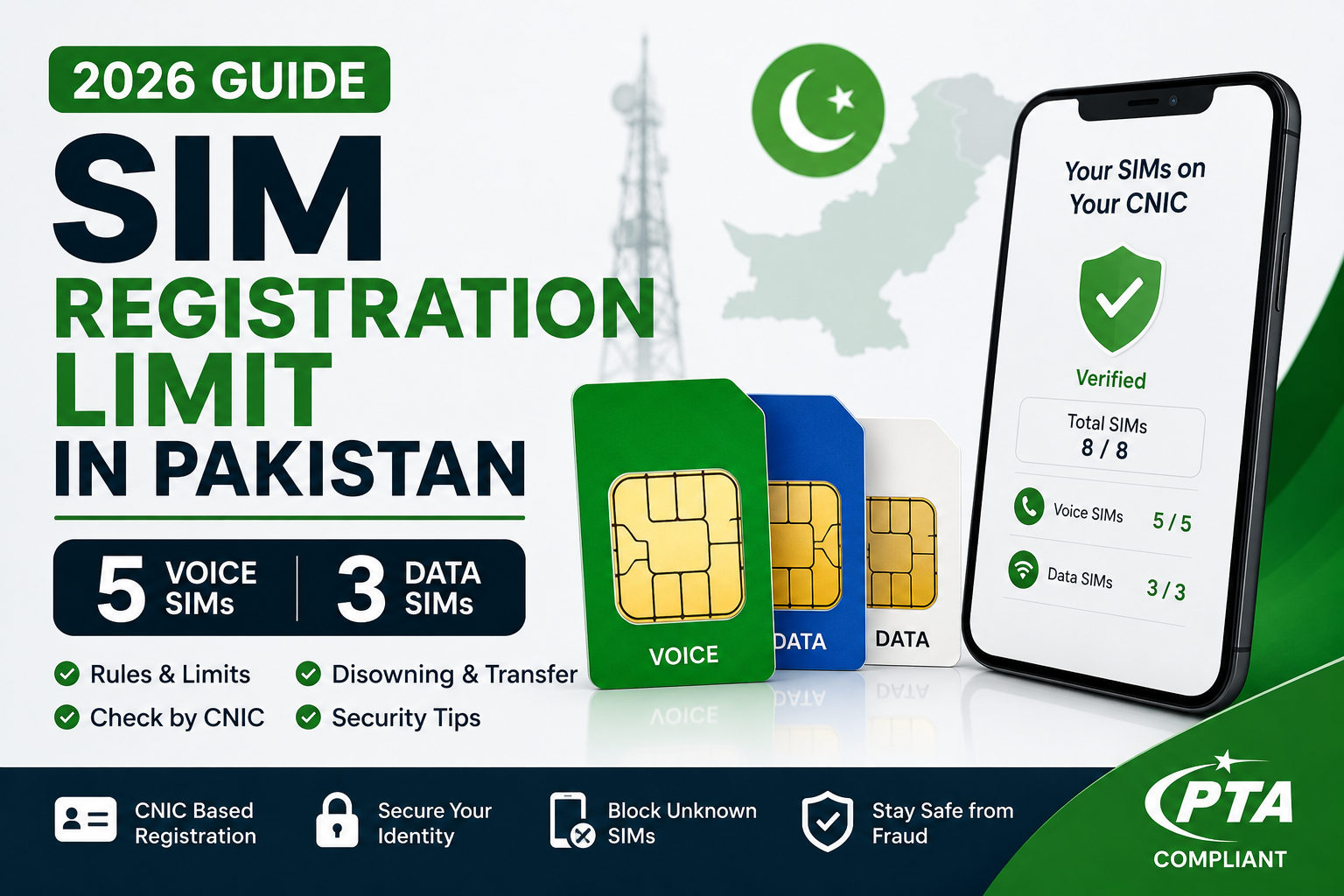
For ordinary individual registrations, the commonly referenced limit is 8 SIM connections in total: 5 voice SIMs and 3 data SIMs. The reference material explains the limit as five voice plus three data connections.
This limit is important when reviewing your own SIM registrations because an unexpectedly high count can indicate that you have forgotten older connections or that a registration needs further investigation.
A SIM registration limit is not the same thing as saying that every person currently uses eight SIMs. You may have only one or two active connections while other registrations remain associated with your identity.
Why Does the SIM Limit Matter?
The purpose of checking your SIM registration count is to understand how many connections are associated with your identity and whether that number matches your own records.
For example, if you know that you have:
- 2 personal voice SIMs
- 1 data connection
you would normally expect your personal records to make sense when compared with the available registration information.
If the result appears higher than expected, don’t immediately assume fraud. First review your old numbers, secondary connections, work-related SIMs and other registrations you may have forgotten.
The 5 + 3 Structure
The reference material presents the limit as:
| SIM Type | Maximum |
|---|---|
| Voice SIMs | 5 |
| Data SIMs | 3 |
| Total | 8 |
The important point is that the categories are considered separately rather than simply treating every connection as an identical type.
What If You Reach the Limit?
If your own registration count appears to be at or near the limit, review your existing connections before trying to activate another one.
An old connection that you no longer need may require the appropriate operator process before your registration situation changes.
This is why regularly reviewing your own SIM registrations can be useful. It allows you to identify unnecessary or unfamiliar connections before they become a problem.
Don’t Confuse the Limit With SIM Usage
The SIM registration limit concerns connections associated with the relevant identity record. It does not mean that every subscriber is expected to have eight phones or eight regularly used numbers.
You might have one primary phone but still have other registrations from previous years.
Therefore, a personal SIM audit should focus on what is registered, not only on what you currently carry.
A Simple Rule
If you want to understand your own SIM-registration status:
Check → Compare → Identify → Resolve
First check your registrations, compare them with your own records, identify anything you cannot explain, and then use the appropriate operator or official process to resolve it.
Foreigners, POC Holders, Companies & Minors
The standard individual SIM-registration limit should not automatically be applied to every category of subscriber in exactly the same way. Certain users can have different registration arrangements, which is why it is important to understand your category before interpreting a SIM count.
SIM Registration Limit in Pakistan: What You Need to Know
Foreign Nationals
The reference material states that foreign nationals can have two SIMs under the specified passport and valid-visa arrangement.
If you are a foreign national in Pakistan, don’t assume that the ordinary individual limit applies to your registration in exactly the same way. Your eligibility and documentation can depend on your current immigration and identity status.
POC Holders
Pakistan Origin Card (POC) holders are another special category.
The reference material states that POC holders can have two SIMs under the specified POC and passport requirements, with the SIM validity connected to the applicable POC validity.
If your POC or supporting documentation changes, confirm the current requirements through the relevant official channel.
Companies and Corporate Connections
Company-related mobile connections can follow a different registration process from ordinary individual consumer SIMs.
The reference material identifies corporate connections as being registered against a National Tax Number (NTN) through the operator’s corporate process.
Therefore, a company should not simply interpret its corporate registrations using the same assumptions as an individual’s personal CNIC.
Minors
SIM registration involving children also requires special consideration.
The reference material states that a minor’s SIM is associated with a guardian’s CNIC and counts toward that adult’s applicable registration record.
This means parents or guardians should consider family-related registrations when reviewing their own SIM count.
Why These Categories Matter
Imagine a parent checks their own SIM registrations and sees more connections than expected. Before assuming that every extra registration is unauthorized, they should consider whether a connection associated with a dependent or family arrangement could explain the result.
Similarly, foreign nationals, POC holders and companies should interpret their registrations according to the documentation and category applicable to them.
Always Confirm Current Requirements
Telecom rules, eligibility conditions and administrative procedures can change. The information above reflects the structure described in the reference material, but users dealing with a special registration category should confirm the current requirements through the relevant operator or official authority before taking action.
The important principle is simple:
Know your subscriber category before interpreting your SIM-registration count.
SIM Disowning in Pakistan: What It Means and When You Need It
SIM disowning is the process of removing a mobile connection from your identity when you no longer want that registration associated with you.
This can become important when reviewing your own SIM registrations and discovering an old, unused or genuinely unfamiliar connection.
When Should You Consider Disowning a SIM?
You may need to consider the process when:
- You no longer use an old SIM
- A connection is no longer required
- Your SIM registration record contains something you cannot explain
- You want to reduce unnecessary registrations
- You need to resolve an ownership-related issue
However, don’t disown a connection simply because you do not immediately recognize it. First compare the result with your previous mobile history.
How Does the Process Work?
For a registration that genuinely needs to be removed, the reference material recommends contacting the relevant mobile operator and, where required, visiting an authorized franchise with your original CNIC.
The described process can involve biometric verification and a formal SIM Disowning request.
The exact procedure can depend on the operator and the circumstances, so follow the current instructions provided by the relevant authorized channel.
Keep Proof of Your Request
If you complete a disowning request, keep any receipt, reference number or other confirmation provided by the operator.
This is useful because it gives you a record showing when you requested the change.
If the registration was genuinely unfamiliar, also keep a private dated screenshot of the original result.
What If the SIM Was Unauthorized?
If you believe a registration is genuinely unauthorized, don’t try to identify the person behind it through an unofficial SIM database.
Instead:
- Save your evidence.
- Contact the relevant operator.
- Request the appropriate SIM-disowning process.
- Keep the official reference or receipt.
- Use the appropriate PTA complaint channel when necessary.
- Recheck your own registration later.
The reference material recommends this type of documented approach for an unexplained SIM registration.
Disowning Is Different From Simply Stopping Use
One important distinction is that not using a SIM does not necessarily mean you have completed the formal process of removing its registration from your identity.
If an old connection remains relevant to your registration record, follow the appropriate operator procedure rather than assuming that inactivity automatically resolves everything.
Protect Your CNIC
Only provide your original identity documentation through the appropriate authorized process.
Do not send CNIC photographs, OTPs or biometric information to unknown individuals claiming they can disown a SIM remotely.
The goal of SIM disowning is straightforward:
Remove a connection you no longer need or legitimately need to challenge, while keeping a proper record of the action.
SIM Transfer in Pakistan: When and Why It Matters
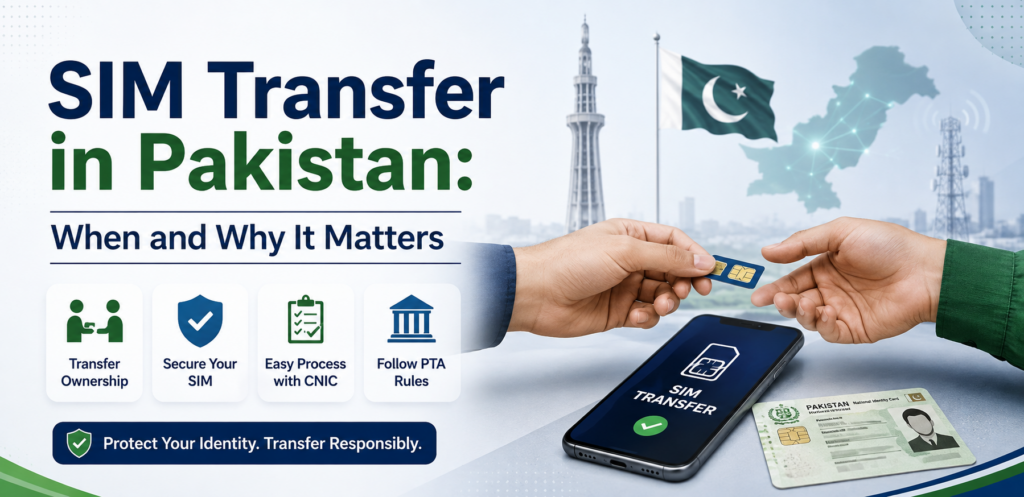
SIM transfer is relevant when a mobile connection needs to be moved from one person’s registration to another through the appropriate operator process. It should not be confused with simply handing a SIM card to another person.
Why SIM Transfer Matters
A SIM is connected with subscriber registration information. If a person permanently gives their mobile connection to someone else, continuing to leave the registration unchanged can create confusion about who is responsible for that connection.
A proper transfer process helps keep the registration information aligned with the actual subscriber.
Transfer Is Different From Disowning
These two processes have different purposes.
SIM disowning is generally relevant when you no longer want a particular connection associated with your identity.
SIM transfer is relevant when the connection needs to be registered under another eligible subscriber through the operator’s prescribed procedure.
Therefore, simply giving your SIM to a family member or another person does not necessarily mean that the registration has been transferred.
Use an Authorized Operator Channel
If a SIM needs to be transferred, use the relevant mobile operator’s authorized customer-service or franchise channel.
The operator can explain the current eligibility requirements, documentation and biometric verification steps applicable to that transfer.
Avoid third-party individuals who claim they can change SIM ownership remotely without the proper verification process.
Keep Your Identity Information Safe
During any legitimate transfer process, you may be required to provide identity documentation or complete biometric verification.
Only provide such information through an authorized operator channel.
Do not send:
- CNIC photographs to unknown people
- OTP codes
- Banking credentials
- Account passwords
- Biometric information through unofficial channels
What If You Give Someone Your Old SIM?
If you have stopped using a SIM and another person now wants to use it, don’t assume that physically handing over the SIM completes the registration change.
First confirm the appropriate operator procedure.
If the connection should no longer remain associated with your identity, follow the applicable transfer or disowning process instead.
Why This Matters During a 668 Check
A 668 SIM Check gives you an opportunity to review the registrations associated with your own identity.
If an old connection appears in your result, think about whether you previously transferred, shared or stopped using that SIM.
If the registration still appears connected with you and the current situation is unclear, contact the relevant operator rather than relying on an unofficial SIM-data service.
Best Practice
Whenever a SIM changes hands permanently, make sure the registration status is handled through the appropriate official process.
This keeps your personal SIM record clearer and reduces the possibility of future confusion over a connection that you no longer use.
SIM Disowning Fees and What You Should Know
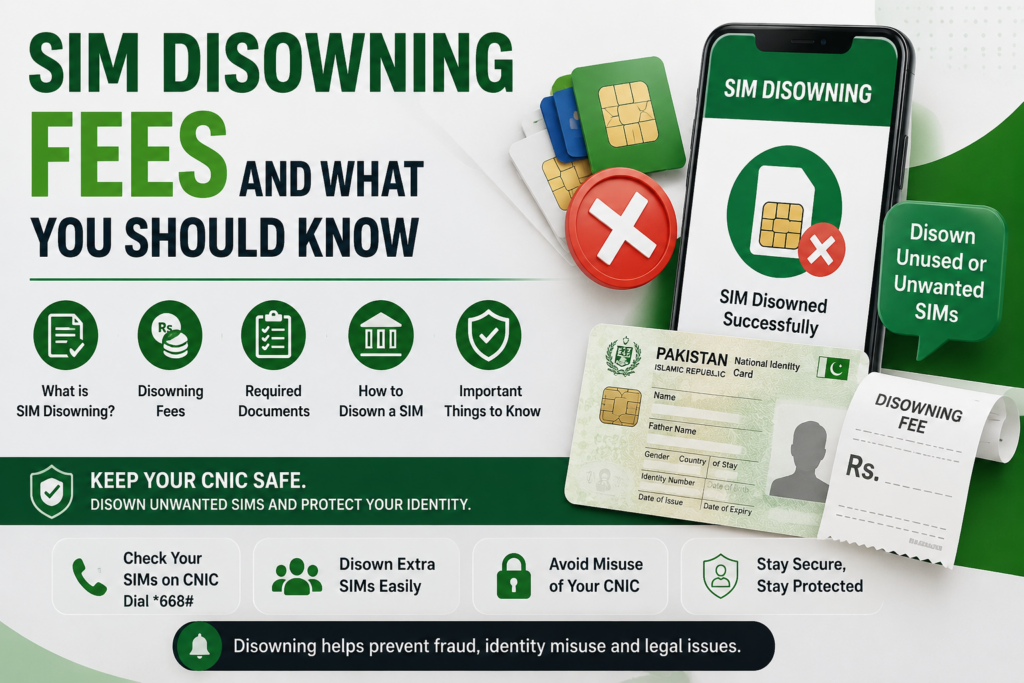
When you decide that a SIM should no longer remain associated with your identity, the disowning process is different from simply stopping the use of that number. Understanding the applicable procedure and any charges can help you avoid confusion.
Is There a SIM Disowning Fee?
The reference material mentions a Rs. 200 disowning fee in its discussion of the applicable SIM rules. Because telecom charges and administrative policies can change, users should confirm the current fee with the relevant mobile operator before completing the process.
Do not rely on an old screenshot, social-media post or unofficial website for the latest charge.
When Might Disowning Be Necessary?
A SIM may need to be formally disowned when:
- You no longer need an old connection
- A previous SIM remains associated with your registration
- A registration cannot be explained from your own records
- You want to clean up unnecessary connections
- An operator advises you to complete the process
The first step should always be identifying the actual registration before requesting any change.
Where Should You Complete the Process?
For a formal SIM-disowning request, use the relevant mobile operator’s authorized channel or franchise.
The reference material recommends taking the original CNIC to the operator’s franchise and completing the required biometric “SIM Disowning” process when an unfamiliar registration is confirmed.
Keep Your Receipt
After completing the request, keep the receipt, reference number or other confirmation supplied by the operator.
This gives you evidence that you requested the change and can be useful if the registration does not update as expected.
If the SIM was unfamiliar, also keep your original 668 result privately with its date.
Don’t Pay Unofficial Agents
Be careful if someone offers to remove a SIM from your CNIC through WhatsApp, social media or an unofficial website.
You should not need to hand over your CNIC photograph, OTP or biometric information to an unknown person for this purpose.
Use the authorized operator process instead.
What If the Fee or Rule Has Changed?
Telecom procedures can be updated. Therefore, treat any specific fee or waiting period as information that should be confirmed with the operator at the time you submit your request.
This is particularly important when dealing with an older SIM or a registration that has remained inactive for a long period.
Keep the Process Documented
A good personal record should contain:
- Date of your request
- Operator involved
- SIM or registration being addressed
- Receipt/reference number
- Follow-up date
After the appropriate processing period, perform another self-check to confirm whether the registration status has changed.
365-Day SIM Rule: What Users Should Know
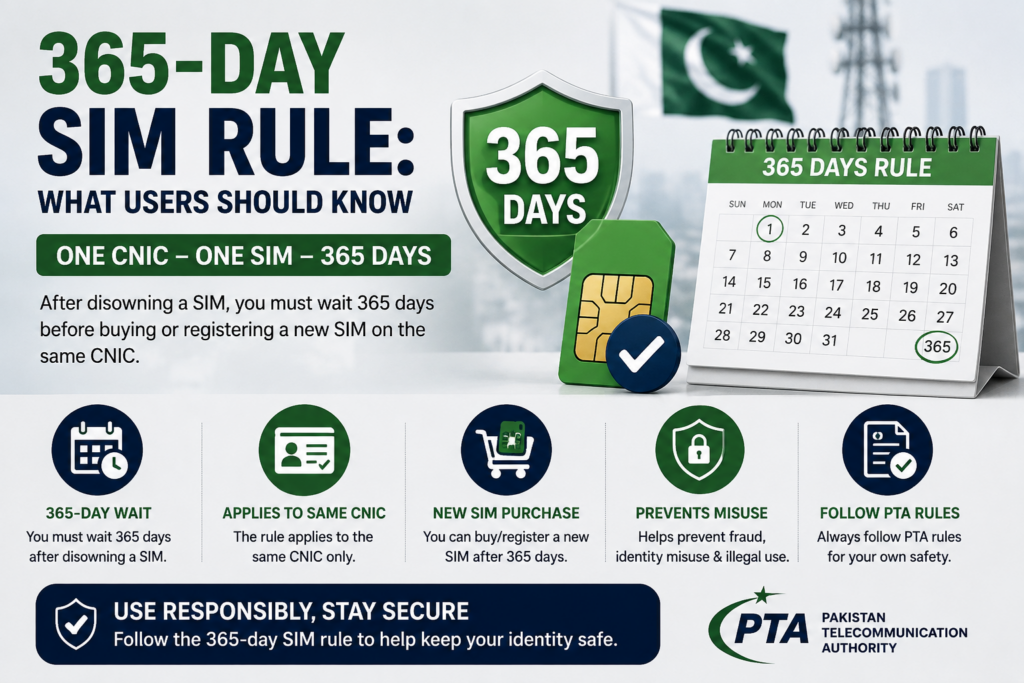
The 365-day SIM rule is important when dealing with SIM disowning, especially if you discover an unfamiliar registration while reviewing your own CNIC.
Why the 365-Day Rule Matters
A person may assume that an unwanted SIM can always be immediately removed from their registration record. However, the reference material highlights a 365-day restriction connected with newly issued SIMs.
This means the timing of a SIM’s activation can affect when a disowning request can be completed.
What Should You Do If You Find an Unknown SIM?
Don’t wait until the restriction period becomes relevant before documenting the issue.
If your SIM check shows something you genuinely cannot explain:
- Save a dated screenshot of your result.
- Contact the relevant mobile operator.
- Explain that the registration is unfamiliar.
- Ask about the appropriate resolution process.
- Keep your complaint or service reference.
- Follow up through the authorized channel.
The reference material specifically recommends creating a dated record and contacting the operator when an unfamiliar SIM is identified.
Why Documentation Is Important
Suppose you discover an unfamiliar registration today but cannot complete the relevant disowning action immediately because of an applicable waiting restriction.
Your dated record can help establish when you first noticed the issue.
Keep:
- The 668 result
- Date of the check
- Operator information
- Complaint/reference number
- Any franchise receipt
Store these privately and securely.
Don’t Assume the Rule Applies to Every Situation
The 365-day requirement should not be interpreted as meaning that every SIM-related problem is automatically blocked for 365 days.
The exact circumstances, activation history and applicable current rules matter.
If you have a genuine unauthorized-registration concern, contact the operator promptly and ask how the current rule applies to your specific case.
Check Again After Resolution
Once the relevant operator process has been completed or the applicable period has passed, perform another self-check.
Compare the new result with your earlier record.
This creates a simple verification trail:
Initial check → Document → Report → Resolve → Recheck
Keep Your CNIC Safe
Even when dealing with an unfamiliar SIM, don’t use unofficial “SIM owner details” services to discover who supposedly owns the number.
Your goal is to protect and correct your own registration record through the appropriate authorized channels.
7-Day Waiting Rule for New SIMs
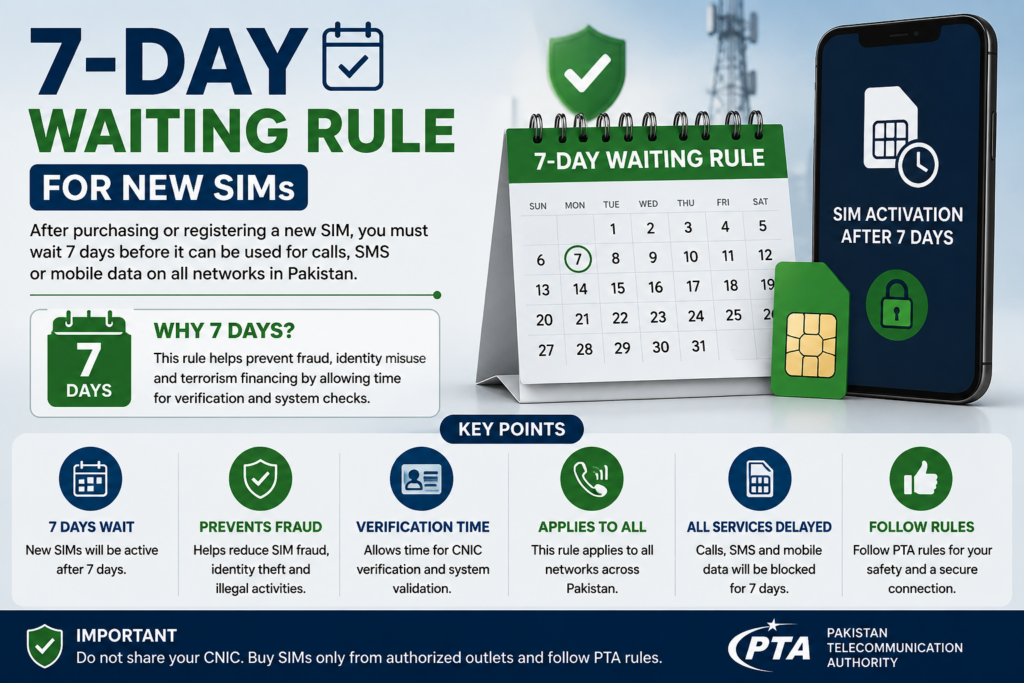
When dealing with SIM registration, users should also understand that some procedures can involve a waiting period after a new SIM is issued. The reference material identifies a 7-day waiting rule among the current SIM-related rules that users should know about.
Why Does the 7-Day Rule Matter?
A waiting period can affect what a subscriber is able to do immediately after obtaining a new SIM.
This becomes particularly relevant when someone discovers a registration they do not recognize and assumes that the SIM can immediately be disowned or changed without considering the applicable timing rules.
Don’t Rely on Old Information
SIM-related policies and administrative procedures can be updated.
Therefore, if you have recently purchased or activated a SIM and need to transfer, disown or modify its registration, confirm the current requirement with the relevant operator before taking action.
An old blog post or social-media claim may not reflect the latest procedure.
How It Relates to an Unknown SIM
If an unfamiliar SIM appears during your own registration check, the best approach is to document the situation immediately rather than waiting.
Keep:
- A dated screenshot
- The date you discovered the registration
- Your operator information
- Any complaint or service reference
- Relevant franchise documentation
The reference material recommends keeping dated evidence and contacting the operator when an unexplained registration is discovered.
What Should You Do?
If you have recently activated a SIM and need to make a registration-related change:
- Confirm the SIM’s activation date.
- Contact the operator.
- Ask whether the 7-day requirement applies.
- Follow the operator’s current procedure.
- Keep any reference or receipt.
- Recheck your registration status after the relevant process.
Don’t Confuse Waiting Rules
The 7-day waiting period and the 365-day rule are separate topics and should not be treated as the same restriction.
The applicable requirement depends on the specific action, SIM history and current telecom rules.
If you’re unsure, ask the operator to confirm which rule applies to your particular situation.
Keep Your Verification Self-Focused
The purpose of these rules is not to help users identify another subscriber.
Your goal should remain the same throughout the SIM-check process:
Review your own registration → understand the applicable rule → use the authorized process → keep your records private.
What to Do When You Find an Unknown SIM
If your SIM registration check shows a connection you genuinely do not recognize, the most important thing is to stay calm and follow a documented process. An unexpected SIM count does not automatically prove identity misuse, so begin by checking your own history.
1. Save the Result
Take a screenshot showing the result and keep the date with it.
This creates a record of what you discovered and can be useful if you later contact the operator or another official channel. The reference material specifically recommends keeping a dated screenshot when an unfamiliar SIM is found.
2. Check Your Previous Connections
Before reporting the SIM as unauthorized, think about:
- Old mobile numbers
- Secondary SIMs
- Previous networks
- Work-related connections
- Data SIMs
- Connections you stopped using
A forgotten registration can sometimes explain an unexpected result.
3. Contact the Operator
If you still cannot explain the registration, contact the relevant mobile operator through its authorized support channel.
Explain that the registration is unfamiliar and ask what verification or disowning process applies to your situation.
4. Complete SIM Disowning if Required
If the registration is confirmed as something you no longer want associated with your identity, the reference material recommends using the operator’s authorized franchise and completing the required biometric SIM Disowning process with your original CNIC.
Keep the receipt or reference number after submitting the request.
5. Create an Official Record
If the issue remains unresolved, use the appropriate PTA complaint channel.
Keep your evidence organized:
Screenshot → operator reference → franchise receipt → complaint reference
This makes your personal record much stronger than relying on an unofficial lookup service.
6. Protect Connected Accounts
If you genuinely suspect unauthorized use of a mobile connection, review important accounts associated with your phone number.
Pay particular attention to:
- Banking services
- Digital wallets
- Email recovery
- Important account logins
- SMS-based authentication
The reference material recommends securing downstream financial and online accounts when an unknown SIM is discovered.
7. Recheck Later
After the relevant operator process has been completed, perform another self-check.
Compare the new result with your original dated record and confirm whether the registration situation has changed.
Most importantly, do not try to identify the supposed owner through an unofficial SIM database. The correct objective is to protect and correct your own registration record.
Lost or Stolen SIM: What You Should Do
If your SIM is lost or stolen, act quickly because the number may be connected with important accounts and verification services.
First: Block the SIM
Contact your mobile operator through its official customer-support channel and request that the lost or stolen SIM be blocked.
This helps prevent unauthorized use of the physical SIM.
Request a Replacement
If you need to keep the same mobile number, ask the operator about its official SIM-replacement process.
You may need to complete identity and biometric verification according to the operator’s current requirements.
Protect Your Important Accounts
A lost SIM can become more important when the number is connected to:
- Banking services
- Digital wallets
- Email accounts
- Social-media accounts
- Two-factor authentication
- Account-recovery services
If the number is connected to financial services, contact the relevant bank or wallet provider as soon as possible and follow its security procedure.
What About Your 668 Registration?
Blocking or replacing a physical SIM is different from reviewing your overall CNIC registration.
After resolving the immediate loss, you can perform your own 668 SIM Check to review the SIM registrations associated with your identity.
If something appears unfamiliar, compare it with your own records before assuming unauthorized registration.
If Your Phone Was Also Stolen
A stolen phone creates additional risks because the device may contain saved accounts, authentication sessions or personal information.
Where possible:
- Block the SIM.
- Contact your bank or wallet provider if necessary.
- Secure important online accounts.
- Change critical passwords.
- Use the device-management tools available for your phone.
- Report the stolen device through the appropriate official process.
Don’t Give Your OTP to Anyone
A particularly important rule is:
Never share an OTP with another person.
Someone claiming to be from a telecom company, bank, wallet service or support team should not be given your OTP simply because they ask for it.
If you receive an unexpected verification code, don’t forward it or enter it into an unfamiliar website.
Keep a Record
If your SIM was stolen, keep the operator’s complaint or service reference.
This can help you document when you reported the problem and what action was requested.
Once the situation is resolved, perform a personal SIM-registration check again when appropriate.
The Key Principle
A lost or stolen SIM should be treated as a security issue, not merely the loss of a plastic card.
Block it quickly, protect accounts connected to the number, follow the operator’s official replacement procedure and keep your verification information private.
SIM Blocking and Reactivation
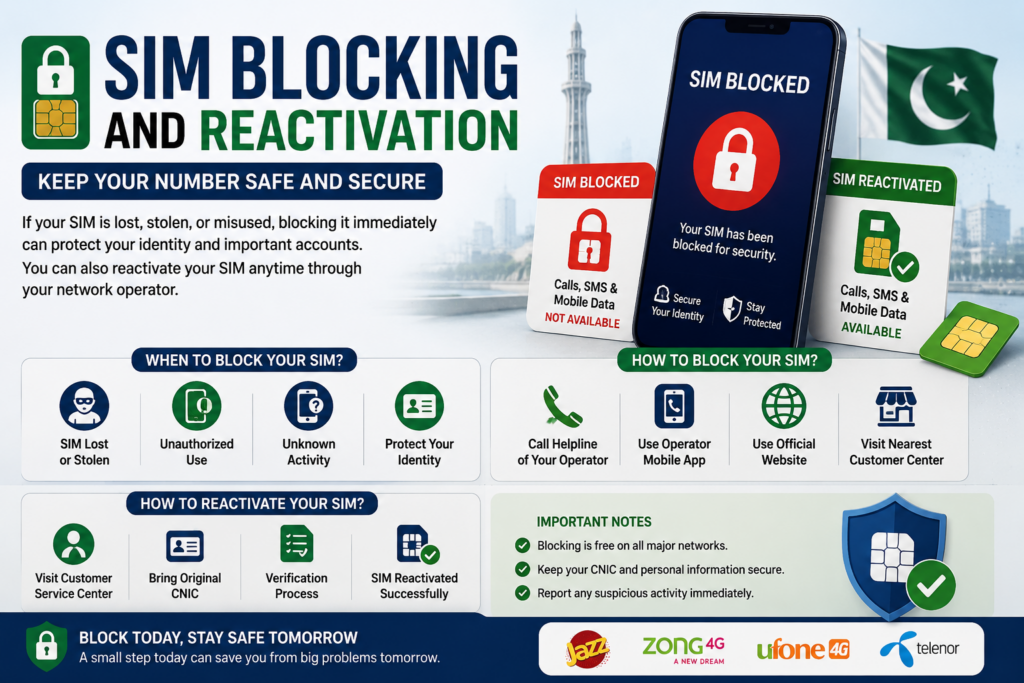
When a SIM is lost, stolen, damaged, or temporarily unavailable, blocking and reactivation are two different processes. Understanding the difference can help you protect your number without creating unnecessary confusion in your SIM-registration record.
What Does SIM Blocking Mean?
SIM blocking means restricting the SIM from being used through the mobile network.
If your SIM is lost or stolen, contacting your operator quickly is an important security step. This can reduce the risk of someone using the physical SIM for calls, messages or verification codes.
When Should You Block a SIM?
Consider contacting your operator when:
- Your phone is stolen
- Your SIM is lost
- You suspect someone has access to your SIM
- Your SIM is damaged and needs replacement
- You notice suspicious activity involving your number
Use the operator’s official customer-support channel rather than giving your information to an unknown person claiming to offer SIM-blocking services.
Blocking Is Not the Same as Disowning
These terms should not be confused.
SIM blocking concerns restricting use of a SIM.
SIM disowning concerns removing a registration from your identity through the applicable operator process.
Therefore, if you simply lose your SIM, blocking or replacement may be appropriate. If you no longer want a particular connection associated with your identity, a formal disowning process may be relevant.
What About Reactivation?
If a SIM has been blocked and you later recover it, the operator can explain whether reactivation is possible and what verification is required.
The exact procedure can depend on the reason for blocking and the operator’s current policy.
Always follow the operator’s current instructions rather than relying on an old online guide.
Protect Your OTPs
If your number is used for banking, digital wallets, email recovery or other important accounts, blocking a lost SIM should be followed by reviewing those accounts.
Never give an OTP to someone claiming that it is required to reactivate your SIM.
An OTP should remain private.
Replacement May Be Better Than Reactivation
If the physical SIM is permanently lost or damaged, ask the operator about an official replacement while retaining the same number where eligible.
This can restore access without relying on the original physical SIM.
Check Your Registration Afterwards
Once your SIM issue has been resolved, you can perform your own 668 SIM Check to review your registrations.
If the result appears unexpected, compare it with your personal records and contact the relevant operator if clarification is needed.
Understanding the SIM Registration Limit in Pakistan
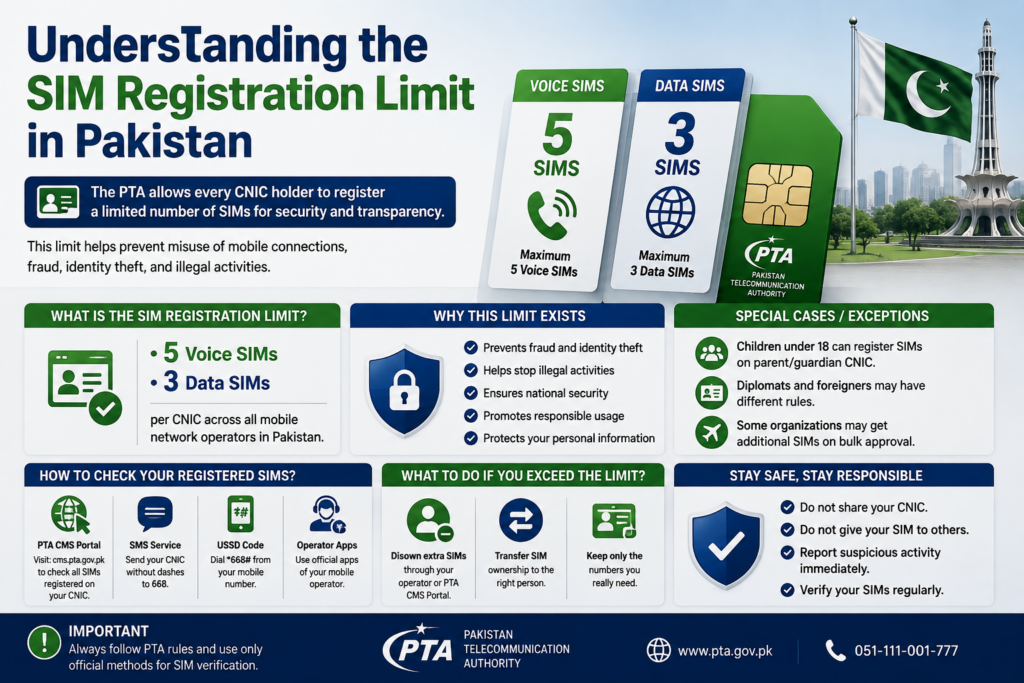
Understanding the SIM Registration Limit in Pakistan can help you keep track of your own mobile connections…
The key rule is simple:
Block quickly when necessary, use authorized channels for reactivation or replacement, protect your OTP, and keep your SIM registration information private.
SIM-Swap Fraud: What It Is and How to Protect Yourself
A SIM swap is a security situation where someone attempts to move a mobile number from its existing SIM to another SIM through an unauthorized or fraudulent process. Because mobile numbers can be connected to OTPs, banking services and account recovery, SIM-related security deserves serious attention.
How Can SIM-Swap Fraud Affect You?
If an unauthorized person gains control of your mobile number, they may attempt to receive:
- SMS verification codes
- Account-recovery messages
- Banking alerts
- Wallet notifications
- Login verification codes
This is why your mobile number should be treated as an important part of your digital security.
Warning Signs
Pay attention if your phone suddenly:
- Loses network service unexpectedly
- Stops receiving normal SMS messages
- Cannot make or receive calls
- Shows unusual SIM-related notifications
- Loses service while you have not changed anything
One unusual event does not automatically prove a SIM swap, but an unexplained loss of service should not be ignored.
What Should You Do?
If you suspect unauthorized control of your number:
- Contact your mobile operator immediately.
- Explain that you suspect a SIM-related security issue.
- Ask the operator to verify the status of your connection.
- Secure important accounts connected to the number.
- Contact your bank or digital-wallet provider if necessary.
- Keep records of your communications and reference numbers.
Protect Your OTP
Never give your OTP to another person.
A legitimate support representative should not require you to disclose a confidential verification code simply because someone contacts you claiming to be from a telecom company, bank or wallet provider.
Treat unexpected OTP messages as a warning sign and never forward them.
Protect Banking and Wallet Accounts
Your mobile number may be connected to financial services, so SIM-related security should not be considered only a telecom issue.
If you suspect that someone has gained control of your number, contact your bank or wallet provider through its official channel and explain the situation.
Follow the provider’s security procedure before attempting sensitive transactions.
Can a 668 Check Prevent SIM-Swap Fraud?
The 668 SIM Check is useful for reviewing SIM registrations associated with your own identity, but it should not be treated as a real-time SIM-swap detection system.
Use it as part of broader personal security awareness.
Regularly reviewing your own SIM registrations can help you understand your telecom footprint, while account alerts, strong passwords and careful OTP handling provide additional protection.
Final Safety Rule
Protect your SIM, protect your OTP, and act quickly when your mobile service changes unexpectedly.
If you suspect a genuine SIM-related security incident, use the operator’s official support channel rather than relying on an unofficial SIM-data service.
OTP Security: Protecting Your SIM and Accounts
An OTP (One-Time Password) is often used as an additional verification step for mobile, financial and online services. Because an OTP can help authorize an important action, it should always be treated as private information.
Never Share Your OTP
The most important rule is simple:
Never share an OTP with another person.
Someone may contact you claiming to be from a mobile operator, bank, wallet provider or another service and ask you to read out a code they say was sent to your phone.
Do not provide it.
An OTP received on your phone should remain confidential unless you are personally completing the intended action through the legitimate service.
Why SIM Security and OTP Security Are Connected
Your mobile number can be connected to important accounts. If someone gains unauthorized control of your SIM or number, they may attempt to receive verification messages intended for you.
That is why protecting your SIM is part of protecting your wider digital identity.
If your phone suddenly loses network service without an obvious reason, or you notice unusual SIM-related activity, contact your mobile operator through an official channel.
Common Social-Engineering Tricks
Fraudsters may create urgency by saying:
- “Your SIM will be blocked.”
- “Your account needs verification.”
- “Give me the code to activate your SIM.”
- “Your number has been selected for an offer.”
- “We need your OTP to confirm ownership.”
The wording may change, but the objective is often the same: convince you to disclose a confidential code.
Never allow pressure or urgency to make you ignore basic security practices.
What If You Accidentally Share an OTP?
Act quickly.
Depending on which service the OTP was connected to:
- Contact the relevant service through its official channel.
- Change your password if appropriate.
- Secure your banking or wallet account if involved.
- Contact your mobile operator if you suspect SIM-related activity.
- Review recent account activity.
- Keep records of suspicious messages or calls.
Do not continue communicating with the suspicious person simply because they claim they can reverse the situation.
668 Does Not Replace Account Security
The 668 SIM Check can help you review SIM registrations associated with your own CNIC, but it is not a substitute for protecting your individual accounts.
A good personal security routine combines:
SIM registration awareness + OTP protection + account security + careful handling of personal information.
Keep Your CNIC Private Too
OTP protection should be combined with CNIC protection.
Avoid sending your CNIC number or photograph to unknown individuals who claim they need it for SIM verification.
For legitimate telecom procedures, use the appropriate authorized operator or regulatory channel.
Final Rule
Your OTP is a confidential security credential.
Don’t share it, don’t forward it, and don’t enter it into an unfamiliar website or application.
If something seems suspicious, stop the conversation and contact the relevant service yourself using its official support channel.
Bank & Digital Wallet Security After SIM Issues
Your mobile number can be connected to banking services, digital wallets and other important accounts. For this reason, a SIM-related problem should also be treated as a wider account-security issue.
Why Banking Security Matters
If you lose control of a mobile number, verification messages and account alerts connected to that number may become a concern.
This does not mean that a SIM problem automatically gives someone access to your bank account. However, it is still sensible to contact your financial service provider quickly if you suspect unauthorized SIM activity.
What Should You Do?
If your SIM is lost, stolen, unexpectedly disconnected or involved in a suspected SIM-swap situation:
- Contact your mobile operator.
- Secure important banking accounts.
- Contact your bank or wallet provider through its official channel.
- Review recent account activity.
- Change relevant passwords where appropriate.
- Never share OTPs with anyone.
The reference material recommends securing downstream financial and online accounts when an unfamiliar SIM or registration issue is discovered.
Protect Your Digital Wallet
Digital wallets can also depend on mobile numbers for verification and account recovery.
If your number is affected, contact the wallet provider directly through its official support channel and explain the situation.
Do not rely on a person who contacts you unexpectedly and claims they can “secure” or “recover” your wallet if you first provide an OTP or password.
Never Share Financial Credentials
Keep the following private:
- OTPs
- PINs
- Passwords
- Card information
- Wallet credentials
- Recovery codes
A legitimate security response should never require you to publicly disclose these details.
Review Your Accounts After Resolution
Once your SIM issue has been resolved, review important accounts again.
Check for:
- Unexpected login alerts
- Unrecognized transactions
- Changed recovery information
- Unknown devices
- Suspicious verification messages
If you notice anything unusual, contact the relevant financial institution immediately.
How Does 668 Fit Into This?
A 668 SIM Check can help you review the SIM registrations associated with your own CNIC, but it is only one part of personal security.
Think of your security routine as:
SIM registration check → SIM protection → OTP protection → banking security → account monitoring
Keeping these steps connected can help you respond more effectively when a mobile-number issue occurs.
Final Safety Rule
If your mobile number is connected to important financial services, treat unexpected SIM activity seriously.
Secure the SIM, protect your OTP, contact your bank or wallet when necessary, and use official support channels.
Fake SIM Databases and How to Stay Safe
When researching SIM Data, SIM Owner Details, or SIM Tracker information online, users may encounter many different educational platforms, tools and information sources. The most important step is understanding what a particular service is intended to provide.
Understand the Purpose of a SIM Service
A SIM-related website can be useful for education and self-check guidance when it clearly explains:
- SIM registration procedures
- CNIC-based self-verification
- Available checking methods
- SIM security practices
- Privacy considerations
- Steps to take when a registration needs clarification
The key principle is that users should understand the purpose of the service before entering personal information.
Be Careful With Unclear Websites
Before using an unfamiliar SIM-related website, check whether it clearly explains its purpose, privacy practices and information requirements.
Avoid entering sensitive information simply because a page promises “complete” or “instant” results.
Your CNIC, OTP, banking credentials and biometric information should always be treated as sensitive.
Educational SIM Data Platforms
Platforms covering Pak SIM Data, SIM Data and SIM Tracker can serve an educational role by explaining SIM verification and helping users understand how self-check procedures work.
However, users should distinguish between:
Educational guidance → explains SIM-related information and self-check procedures.
Official telecom service → handles authoritative registration, account changes, complaints and other formal actions.
Keeping this distinction clear helps users choose the right channel for their needs.
Don’t Share OTPs
Regardless of which SIM-related resource you are using, never share an OTP with another person.
An OTP is intended for the specific verification action for which it was generated.
If somebody contacts you unexpectedly and asks for your OTP, stop and verify the request through the service’s official channel.
Protect Your CNIC
Your CNIC should also remain private.
Avoid sending a CNIC photograph or unnecessary identity information through social-media messages, unknown WhatsApp accounts or unverified websites.
If an official telecom process requires identity verification, use the appropriate authorized operator channel.
Use the Right Method
If your goal is to review SIMs associated with your own CNIC, use the recognized self-check methods explained in this guide.
If you need to resolve an ownership, blocking, replacement or registration issue, contact the relevant operator.
If the matter involves a telecom complaint, use the appropriate regulatory channel.
A Simple Safety Checklist
Before submitting personal information, ask:
- What am I trying to verify?
- Is this a self-check?
- Does the service clearly explain its purpose?
- Why is this information being requested?
- Am I being asked for an OTP or unnecessary sensitive data?
- Can the same issue be handled through an authorized channel?
If something doesn’t make sense, don’t submit the information.
Monthly SIM Audit: A Simple Personal Security Routine
Checking your SIM registrations only once can be useful, but making it a regular personal audit can help you stay aware of the connections associated with your identity.
What Is a Monthly SIM Audit?
A monthly SIM audit simply means reviewing your own SIM-registration information periodically and comparing it with the connections you actually use or remember.
It does not require complicated technical knowledge.
A basic routine can be:
Check → Compare → Record → Resolve
Step 1: Check Your Registrations
Use the recognized self-verification method, such as the 668 process or official online portal, to review the SIM registrations associated with your own CNIC.
Step 2: Compare With Your Records
Ask yourself:
- Do I recognize the registered connections?
- Did I recently activate a SIM?
- Did I stop using an older number?
- Do I have a secondary or data connection?
- Did I recently change or replace a SIM?
This comparison can prevent unnecessary concern about registrations that actually belong to your own mobile history.
Step 3: Keep a Private Record
You can maintain a simple personal record containing:
- Date of check
- SIM count
- Known connections
- Relevant operator information
- Any issue requiring follow-up
Keep this information somewhere secure.
Do not publish screenshots of your CNIC or SIM-registration information on social media.
Step 4: Investigate Anything Unexplained
If something genuinely does not match your records, don’t try to identify another person through an unofficial lookup.
Instead, contact the relevant operator and ask how the registration can be verified or resolved.
If necessary, follow the appropriate disowning or complaint procedure.
Why Make It Monthly?
A regular review can make changes easier to notice.
For example, if your normal record shows two known connections and a later check produces an unexpected result, you have a previous baseline for comparison.
This does not mean that every person must perform a check on a fixed monthly schedule. It is simply a practical personal security habit for users who want to keep closer track of their telecom registrations.
Combine SIM Auditing With Account Security
A SIM audit works best alongside other security habits.
You should also:
- Protect your OTPs
- Keep your CNIC private
- Monitor important financial accounts
- Block lost or stolen SIMs quickly
- Update account passwords when necessary
- Use authorized telecom channels for registration issues
A Simple Monthly Checklist
☐ Check your own SIM registrations
☐ Compare them with your known numbers
☐ Record anything unusual
☐ Secure your personal information
☐ Contact the operator if something remains unexplained
A regular self-check turns SIM registration from something you only think about when a problem occurs into a simple part of your personal digital-security routine.
SIM Security After a Change in Your Mobile Number
Changing, replacing or transferring a SIM can create several account-security considerations. Keeping your mobile information updated helps ensure that important services remain connected to the number you actually control.
Review Your Important Accounts
Whenever your mobile number changes, review services that use your phone number for:
- Login verification
- Password recovery
- Banking alerts
- Digital wallets
- Email recovery
- Two-factor authentication
Make sure the correct number is associated with each important account.
Don’t Leave Old Numbers Unchecked
If you stop using a mobile number, don’t simply forget about it.
Review your own SIM registrations and determine whether the old connection still appears in your registration history.
If you no longer need the connection, follow the appropriate operator procedure rather than relying on inactivity alone.
Transfer vs Disowning
Remember the difference:
Transfer: the connection is moved through the appropriate process to another eligible subscriber.
Disowning: you formally remove the connection from your own registration.
Simply handing an old SIM to someone else does not necessarily complete either process.
Secure Your New SIM
When you receive a replacement or new SIM:
- Keep the SIM physically secure.
- Never share your OTP.
- Don’t give your CNIC information to unknown individuals.
- Use official operator channels for account changes.
- Update important accounts when necessary.
Check After Major Changes
A personal SIM registration check can be useful after significant changes such as activating a new connection, replacing a SIM or resolving a registration issue.
Compare the result with your own records so you know what connections are associated with your identity.
What If Something Looks Wrong?
If an unexpected registration remains after checking your own history, contact the relevant operator.
For formal registration problems, follow the appropriate operator or regulatory procedure.
Don’t attempt to investigate another subscriber through unofficial private-information services.
Keep Your Digital Identity Organized
Your SIM is more than a communication tool. Your number can also function as a recovery and verification method for important online services.
Keeping your SIM registrations, account recovery numbers and security credentials organized can therefore reduce avoidable problems.
A simple habit is:
New SIM → Update accounts → Record the change → Review registrations
This keeps your mobile identity easier to manage and makes unexpected changes easier to recognize.
SIM Security Checklist for Families and Businesses
SIM registration can involve more than one type of user. Families, businesses and individuals may have different connections, so keeping a clear record can make your own SIM verification easier.
For Families
If several family members use different mobile connections, avoid assuming that every SIM appearing in a personal check belongs to the same person.
Parents or guardians should also understand the applicable rules when a minor’s SIM is involved.
Keep each person’s mobile information organized and avoid sharing CNIC details unnecessarily.
For Businesses
Companies may have mobile connections used by employees, departments or business operations.
Corporate registrations can follow different procedures from ordinary individual SIM registrations, so businesses should maintain their own records and use the operator’s corporate support channel when changes are required.
For Individual Users
Keep a simple list of the SIMs you personally use.
For each connection, you can privately record:
- Mobile number
- Network
- Approximate activation period
- Primary or secondary use
- Whether the SIM is currently active
This makes your next self-check much easier to understand.
Review Old Connections
Old SIMs are easy to forget.
If you stopped using a number years ago, check whether it still appears in your own registration history. If you no longer need it, contact the relevant operator about the appropriate process.
Don’t assume that physically removing a SIM from your phone automatically removes its registration.
Protect Shared Information
Families and businesses should avoid casually exchanging:
- CNIC photographs
- OTPs
- Account passwords
- Banking information
- Biometric information
Only provide sensitive information when it is genuinely required through an authorized process.
When Something Looks Unfamiliar
If a registration cannot be explained, document it first.
Then:
Check your records → Contact the operator → Follow the authorized process → Keep the reference → Recheck later
This is safer than trying to identify another person through an unofficial service.
A Practical Audit Routine
A simple personal or business SIM audit can be performed periodically.
Review your known connections, compare them with your own registration information, and resolve anything that genuinely requires attention.
The objective is not to collect information about other subscribers.
It is to maintain awareness of your own telecom registrations and protect your digital identity.
How to Keep Your SIM Registration Records Organized
Keeping a simple record of your mobile connections can make future SIM verification much easier. Instead of trying to remember every number you have used, you can maintain a private list and compare it whenever you perform a self-check.
Keep a Private SIM List
For each SIM you currently use, you can privately record:
- Mobile number
- Network
- Personal, business or secondary use
- Approximate activation period
- Current status
There is no need to publish this information or share it with other people.
Review Your Records Before Reporting an Issue
If a 668 result appears different from what you expected, check your personal records first.
Think about numbers that you:
- Used several years ago
- Kept as backup connections
- Used for work
- Used for mobile data
- Replaced with another SIM
- No longer remember clearly
This simple step can explain many unexpected results without immediately assuming that your identity has been misused.
Keep Evidence of Important Changes
If you disown, transfer, replace or block a SIM, keep the relevant receipt or reference number provided by the operator.
You can also note:
Date → Operator → Action → Reference number
This creates a useful personal history.
Protect Your Records
Your SIM list can contain sensitive information, so store it securely.
Avoid posting:
- CNIC numbers
- Mobile numbers
- Verification screenshots
- OTP messages
- Operator records
on public websites or social-media platforms.
Review After Major Changes
Consider reviewing your own SIM registrations after significant events such as:
- Activating a new SIM
- Replacing a SIM
- Disowning a connection
- Transferring a connection
- Resolving an unexpected registration
- Losing or recovering a SIM
A comparison before and after the change can make the outcome easier to understand.
Use Official Channels for Corrections
If your records and your SIM-registration result still do not match, contact the relevant operator.
An educational SIM information platform can help you understand the available verification procedures, but formal registration changes should be handled through the appropriate authorized telecom channel.
A Simple Record-Keeping Template
You can maintain a private checklist like this:
| Item | Your Record |
|---|---|
| Current SIMs | Your known connections |
| Old SIMs | Previous numbers |
| Data SIMs | Known data connections |
| Business SIMs | Work-related connections |
| Recent changes | New/replaced/disowned SIMs |
| Verification date | Date of latest self-check |
Keeping this information organized makes your next 668 SIM Check easier to interpret and helps you respond more confidently if something unexpected appears.
SIM Verification Mistakes That Can Create Unnecessary Problems
A SIM registration check is most useful when the information is entered correctly and the result is interpreted carefully. A few simple mistakes can create confusion or lead users toward unnecessary actions.
Mistake 1: Checking Only Your Current SIMs
Your current phone may contain only one or two SIMs, but your registration history can include older connections.
When reviewing your own registration information, consider previous numbers and secondary connections as well.
Mistake 2: Assuming Every Unexpected Registration Is Fraud
An unfamiliar result deserves attention, but it does not automatically prove identity misuse.
First compare the result with your own mobile history.
If you still cannot explain it, contact the relevant operator and follow the appropriate resolution process.
Mistake 3: Using the Wrong Verification Method
Remember the basic distinction:
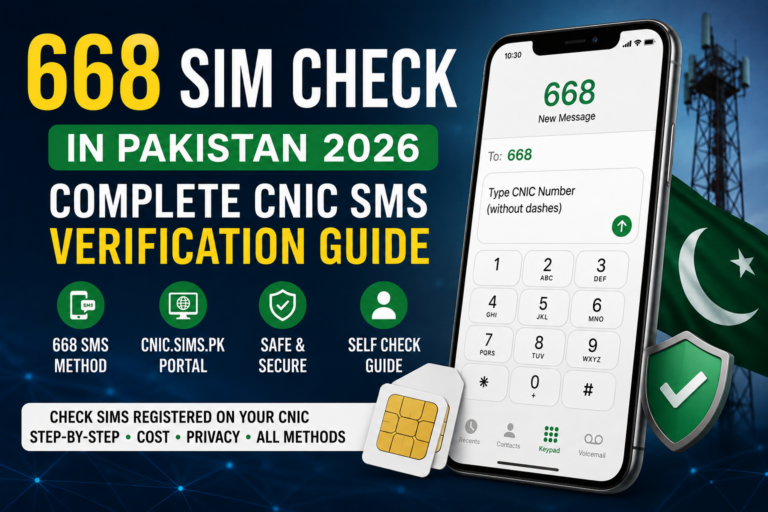
- 668: review SIM registrations associated with your CNIC
- 667: verify a SIM in your possession
- 76367: check the network associated with a number
Using the wrong method can make you think a service is missing information when you are actually asking it to perform a different type of check.
Mistake 4: Sharing Sensitive Information
Never share your OTP, banking credentials or unnecessary CNIC information with an unknown person claiming to help with a SIM check.
For formal SIM-related procedures, use the appropriate authorized operator channel.
Mistake 5: Ignoring Lost or Stolen SIMs
If your SIM is lost or stolen, contact the operator promptly.
A mobile number can be connected to important accounts, so protecting the number should be treated as part of your wider digital-security routine.
Mistake 6: Forgetting to Keep Proof
If you report an unfamiliar registration, disown a SIM or request another important change, keep the receipt or reference number provided by the operator.
A dated record makes future follow-up easier.
Mistake 7: Treating Educational Content as an Official Record
SIM information websites can help users understand verification procedures and self-check concepts.
However, when you need an official registration change, complaint or account action, use the appropriate telecom or regulatory channel.
The Better Approach
A responsible SIM self-check follows a simple pattern:
Use your own information → choose the correct method → compare the result → protect your data → contact the authorized channel when necessary.
This keeps SIM verification focused on its most useful purpose: understanding and protecting your own mobile registrations.
Final SIM Registration Checklist
Before completing your SIM Registration Check in Pakistan, use this final checklist to make sure your own records are clear and your personal information remains protected.
Your SIM Registration Checklist
1. Know your registered connections
Keep track of the SIMs you currently use, including secondary, data and work-related connections.
2. Review your own CNIC registration
Use the recognized self-check method to review the SIM registrations associated with your identity.
3. Remember your old SIMs
An older connection can sometimes explain an unexpected result, so check your previous mobile history before assuming something is wrong.
4. Understand the applicable limit
The reference material describes the standard individual structure as 5 voice + 3 data SIMs.
5. Protect your CNIC
Don’t unnecessarily share your CNIC number or photograph with unknown people or websites.
6. Protect your OTP
Never disclose an OTP to someone who contacts you unexpectedly.
7. Secure lost SIMs quickly
If your SIM is lost or stolen, contact your operator and follow its official blocking or replacement procedure.
8. Keep proof of important requests
Save receipts, reference numbers and dated records when you disown, replace or report a SIM.
9. Investigate unfamiliar registrations responsibly
If something genuinely cannot be explained, contact the relevant operator and follow the appropriate official process.
10. Protect financial accounts
If a SIM-related security issue affects a number connected with banking or digital wallets, contact the relevant financial provider through its official channel.
The Golden Rule of SIM Verification
SIM verification should remain focused on your own identity and your own registrations.
Educational platforms such as SIM Data, Pak SIM Data and SIM Tracker resources can help users understand SIM-related procedures and self-check concepts. For official registration changes, complaints, blocking, replacement or other formal actions, use the relevant authorized telecom or regulatory channel.
The purpose of a responsible SIM check is not to collect another person’s private information. It is to help you understand your own telecom registrations, identify anything that requires attention, and protect your digital identity.
Final Takeaway
Check your own SIMs.
Protect your CNIC.
Never share your OTP.
Keep records of important changes.
Use the correct verification method.
Contact authorized channels when something needs to be resolved.
A simple and regular review can help you stay informed about the mobile connections associated with your identity and respond appropriately when your registration information changes.
SIM Registration Audit: How to Review Your Connections Properly
A SIM registration audit is a simple way to review the mobile connections associated with your own identity and make sure your records remain organized.
Instead of checking only when a problem occurs, you can periodically review your registrations and compare them with the SIMs you actually use or remember having.
Start With Your Known SIMs
Make a private list of your current connections.
Include:
- Personal SIMs
- Secondary SIMs
- Data connections
- Work-related connections
- Older numbers you may still remember
This gives you a reference point when reviewing your registration information.
Compare Your Records With Your Registration Result
After performing your own SIM check, compare the result with your list.
If the information matches what you expect, simply keep your record updated.
If the result appears different, don’t immediately assume that someone has misused your identity.
First investigate your own history.
You may have forgotten an older number, stopped using a SIM without formally disowning it, or maintained a secondary connection that you rarely use.
Create a Simple Audit Record
You can maintain a private record like this:
| Information | Example |
|---|---|
| Check date | August 2026 |
| Known voice SIMs | 2 |
| Known data SIMs | 1 |
| Old connections | 1 |
| Recent changes | SIM replacement |
| Follow-up required | No |
The exact information you keep is up to you. The purpose is simply to make future comparisons easier.
When Should You Perform an Audit?
A periodic review can be useful after major changes such as:
- Activating a new SIM
- Replacing a SIM
- Disowning a connection
- Transferring a connection
- Losing a SIM
- Recovering a lost SIM
- Changing your primary mobile number
You can also perform a routine monthly review if you prefer to keep closer track of your telecom registrations.
What If Something Cannot Be Explained?
If a registration remains unfamiliar after checking your own records, document the result.
Keep the date, relevant screenshot and any operator reference number.
Then contact the appropriate mobile operator through its authorized support channel.
If the registration is confirmed as something you no longer want associated with your identity, follow the applicable disowning procedure.
Protect Your Audit Information
Your SIM audit record can contain sensitive information.
Keep it private and avoid posting screenshots publicly.
Do not share your:
- CNIC
- OTPs
- Banking credentials
- Biometric information
- Complete SIM records
with unknown individuals.
The Purpose of a SIM Audit
A SIM audit is not about collecting information about other subscribers.
It is about maintaining awareness of your own mobile registrations, identifying anything that requires attention, and using the correct official process when a problem needs to be resolved.
Official SIM & Identity Verification Methods in Pakistan
SIM verification is not limited to one method. Different services exist for different purposes, so choosing the correct method can save time and prevent confusion.
668 — CNIC-Based SIM Check
668 is used to review SIM registrations associated with your own CNIC. It is useful when your main question is:
How many SIM connections are registered against my identity?
This is an identity-level self-check, not a general private-information lookup.
667 — SIM Verification
667 serves a different purpose. It is relevant when you want to verify a particular SIM that you have in your possession.
This distinction is important because users sometimes expect 667 and 668 to return identical information.
76367 — Network Check
76367 is used for checking the network associated with a mobile number. This can be particularly useful when number portability means the current network cannot reliably be determined from the original prefix alone.
cnic.sims.pk — Online Self-Check
The cnic.sims.pk portal provides an online route for reviewing SIM registrations associated with your own CNIC.
Users who prefer an online interface can use the portal instead of relying only on the SMS method.
PTA — Telecom Guidance and Complaints
The Pakistan Telecommunication Authority (PTA) is the relevant telecom regulatory authority for Pakistan.
If a SIM-registration issue cannot be resolved through the relevant operator, users may need to use the appropriate PTA complaint or guidance channel.
NADRA — Identity Information
NADRA deals with Pakistan’s national identity system. When an issue concerns your CNIC or underlying identity information, NADRA’s relevant services may be more appropriate than a telecom self-check.
This distinction matters:
Telecom registration issue → operator/PTA
CNIC identity issue → NADRA
NCCIA — Cybercrime Reporting
If a SIM-related situation develops into a cybercrime, online fraud or identity-related digital abuse, the National Cyber Crime Investigation Agency (NCCIA) may be relevant for reporting through its official channels.
A telecom registration check and a cybercrime investigation are different processes, so users should choose the appropriate authority based on the actual problem.
BVS and MBVS
BVS (Biometric Verification System) and mobile biometric verification processes are relevant to identity verification during certain telecom procedures.
When a SIM requires registration, replacement, transfer or another identity-related action, the operator may require the applicable biometric verification process.
DIRBS and IMEI
DIRBS is associated with device registration and compliance, while an IMEI identifies a mobile device.
Therefore, don’t confuse an IMEI/device check with a SIM-registration check.
A SIM concerns the mobile connection; an IMEI concerns the device.
MNP and eSIM
MNP (Mobile Number Portability) allows a subscriber to retain a mobile number when changing networks.
An eSIM is an electronic SIM format rather than a traditional removable SIM card.
Both are important telecom concepts, but neither replaces the purpose of a CNIC-based SIM self-check.
Use the Method That Matches Your Question
| Requirement | Relevant Method/Authority |
|---|---|
| SIMs on your CNIC | 668 / cnic.sims.pk |
| SIM in your possession | 667 |
| Current network | 76367 |
| Telecom complaint | PTA |
| CNIC/identity issue | NADRA |
| Cybercrime | NCCIA |
| Biometric verification | BVS/MBVS |
| Device registration | DIRBS / IMEI |
| Change network, keep number | MNP |
| Electronic SIM | eSIM |
The key is not to search for one service that does everything. Choose the official method according to the question you actually need answered.
Understanding SIM Verification, Biometric Checks & Mobile Identity
SIM verification involves several connected systems, but each has a different purpose. Understanding these differences helps you choose the correct method when checking or managing your own mobile connections.
Biometric Verification
Biometric verification is an important part of SIM-related identity procedures. When certain actions require confirmation of the subscriber’s identity, the relevant operator may use biometric verification through its authorized process.
This can be relevant when:
- Registering a SIM
- Replacing a SIM
- Transferring a SIM
- Disowning a SIM
- Resolving certain registration issues
If biometric verification is required, complete it through the operator’s authorized channel rather than providing biometric information to an unknown individual.
BVS and MBVS
BVS refers to biometric verification systems used for identity confirmation.
MBVS refers to mobile biometric verification processes.
These terms are connected with subscriber identity verification, but they should not be confused with the actual 668 SIM Check.
Think of it this way:
668 → review SIM registrations
Biometric verification → confirm identity for applicable telecom procedures
They work toward different purposes.
IMEI Is Different From SIM Registration
Another common source of confusion is the IMEI.
An IMEI identifies a mobile device, while a SIM is associated with a mobile connection.
Therefore:
SIM check = connection/registration
IMEI check = device identification
If your phone is lost or stolen, an IMEI-related process may become relevant in addition to blocking the SIM.
DIRBS
DIRBS is associated with mobile-device registration and compliance.
It should not be treated as an alternative to 668 for checking SIMs registered against your CNIC.
If your concern is a mobile device, think about IMEI and the relevant device-registration system.
If your concern is SIM registration, use the appropriate SIM-verification method.
8484 and Lost Devices
When dealing with a lost or stolen mobile phone, device-related identification can become important.
Keep your device’s IMEI information recorded somewhere secure before a loss occurs.
This can make later reporting or device-related procedures easier.
MNP — Mobile Number Portability
MNP stands for Mobile Number Portability.
It allows a subscriber to retain a mobile number when changing from one network to another.
This is why you should not always assume that a number’s original prefix proves its current network.
For current network identification, use the appropriate network-check method rather than relying only on the prefix.
eSIM
An eSIM performs the role of a SIM electronically rather than through a traditional removable plastic SIM.
From a user perspective, the important point is that changing SIM format does not remove the need to follow applicable registration and identity-verification requirements.
Whether the connection uses a physical SIM or eSIM, users should still keep track of their own registrations and protect their identity information.
Keep the Systems Separate
The easiest way to remember these technologies is:
668 → CNIC/SIM registration check
667 → SIM verification
76367 → network check
BVS/MBVS → biometric identity verification
IMEI/DIRBS → device-related information
MNP → number portability
eSIM → electronic SIM format
Understanding these distinctions prevents users from expecting one system to provide information that belongs to another.
SIM Security, Operator Support & Official Complaint Channels
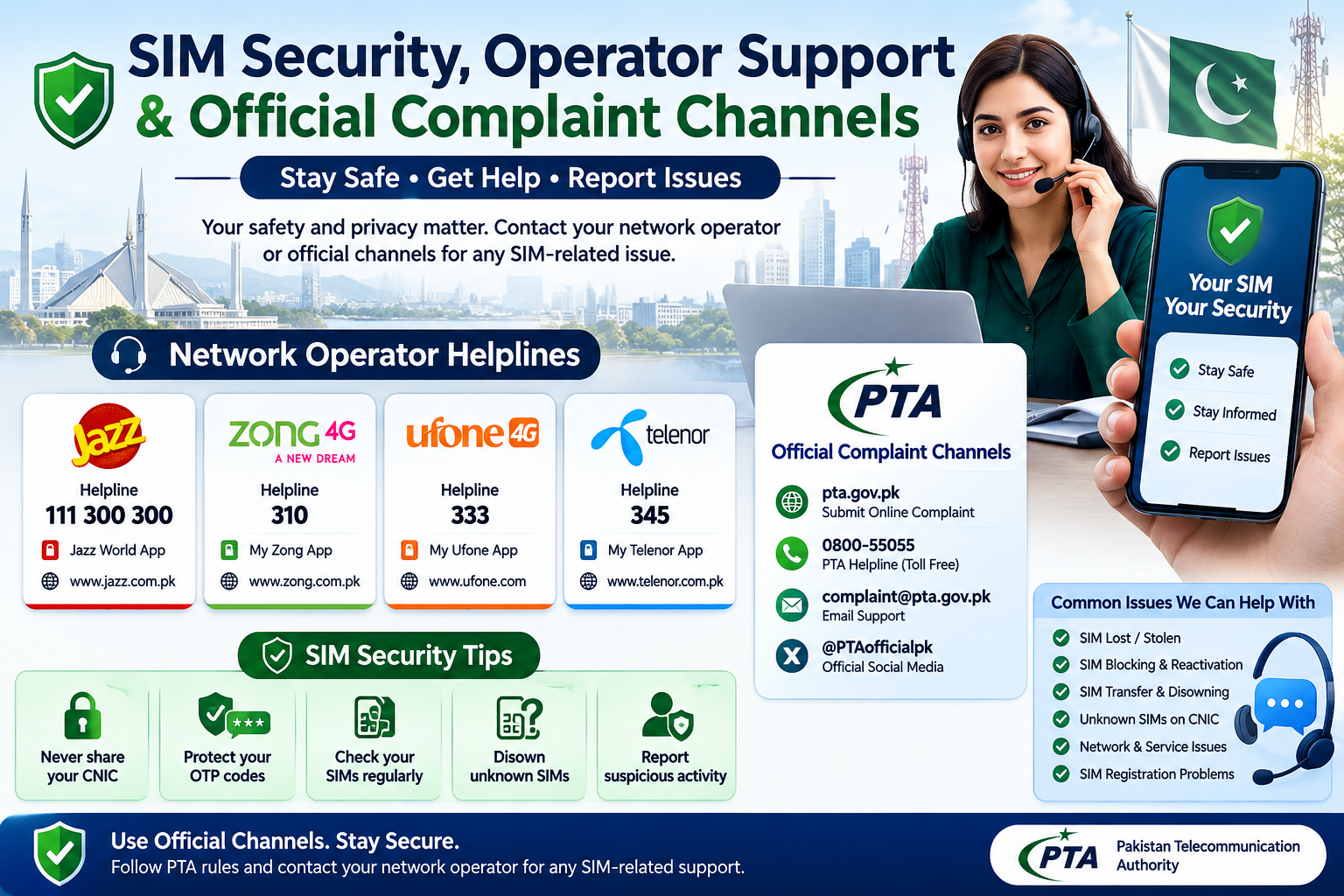
When a SIM registration issue cannot be resolved through a basic self-check, the next step is to use the appropriate official support channel. Different problems require different types of assistance, so identifying the right channel can save time.
Operator Helplines
Your mobile operator should generally be your first point of contact for issues directly involving your SIM or mobile account.
You may need operator assistance for:
- SIM blocking
- SIM replacement
- SIM transfer
- SIM disowning
- Registration problems
- Biometric verification issues
- Account-specific questions
Always use the operator’s current official helpline, application, website or authorized franchise.
Operator Franchises
Some SIM-related procedures require physical verification.
For example, the reference material describes visiting an authorized franchise with the original CNIC when completing the SIM-disowning process.
If an operator asks you to complete biometric verification, use an authorized location rather than giving biometric information to an unofficial intermediary.
PTA Complaint Process
If you have attempted to resolve a telecom issue through the relevant operator and the matter remains unresolved, the appropriate PTA complaint channel may be the next step.
Before submitting a complaint, organize your information.
Keep:
- Date of the issue
- Relevant SIM information
- Operator name
- Complaint/reference number
- Screenshots or records
- Franchise receipt, if applicable
A clear record can make the issue easier to explain.
When NCCIA May Be Relevant
Not every SIM problem is a cybercrime.
However, if the situation involves suspected online fraud, digital identity abuse, cyber harassment or another cybercrime-related matter, the National Cyber Crime Investigation Agency (NCCIA) may be the appropriate reporting channel.
Keep telecom complaints and cybercrime reports conceptually separate.
When NADRA Is Relevant
If the underlying problem concerns your CNIC or identity record, the relevant NADRA service may be more appropriate.
For example:
SIM registration problem → operator/PTA
CNIC identity problem → NADRA
Cybercrime concern → NCCIA
Choosing the correct authority prevents you from sending sensitive information to the wrong place.
Keep Your Evidence Private
When contacting an official organization, provide only the information necessary for the specific complaint or procedure.
Do not post your complete CNIC, OTPs, banking credentials or private screenshots publicly while asking strangers for assistance.
A Simple Escalation Path
For most personal SIM-registration problems, think of the process as:
Self-check → Operator → Authorized franchise → PTA, if required
If the issue develops into a cybercrime concern, use the appropriate cybercrime reporting channel.
If it is fundamentally an identity-document issue, use the relevant identity-service channel.
The objective is always the same: resolve your own SIM or identity issue through the correct authorized channel while keeping your personal information protected.
Final SIM Registration & Security Checklist
Managing your SIM registrations is easier when you know which method to use, where to seek help, and how to protect your personal information.
Your Final Self-Check
Before considering your SIM records organized, make sure you have reviewed:
- Your current voice SIMs
- Your data connections
- Old or secondary numbers
- Recent SIM activations
- Replaced or transferred SIMs
- Lost or blocked SIMs
- Any registration you cannot explain
For your own CNIC-level review, use the recognized 668 or online self-check method.
Remember the Main Methods
Keep this simple:
| Need | Method |
|---|---|
| SIMs registered against your CNIC | 668 / cnic.sims.pk |
| SIM verification | 667 |
| Network identification | 76367 |
| Biometric verification | BVS / MBVS |
| Device identification | IMEI |
| Device registration | DIRBS |
| Number portability | MNP |
| Electronic SIM | eSIM |
| Telecom complaint | PTA |
| Identity-related issue | NADRA |
| Cybercrime concern | NCCIA |
If You Find an Unknown SIM
Don’t panic and don’t immediately search for another person’s private information.
Follow a documented process:
Check → Compare → Contact operator → Resolve → Recheck
First compare the result with your own mobile history. If the registration remains unexplained, contact the relevant operator and follow its current procedure.
Keep your screenshots, receipts and reference numbers private.
Protect Your Digital Identity
Your SIM and mobile number can be connected with important services, so basic security habits matter.
Never share:
- OTPs
- Banking PINs
- Passwords
- CNIC photographs unnecessarily
- Biometric information with unauthorized people
If your SIM is lost or stolen, contact the operator quickly and secure important financial and online accounts connected to the number.
Use Educational Resources Responsibly
SIM Data, Pak SIM Data and SIM Tracker resources can help users understand SIM registration, verification methods and self-check procedures.
For formal actions such as registration changes, SIM blocking, replacement, disowning, complaints or identity verification, always use the relevant authorized telecom, regulatory or identity-service channel.
Final Takeaway
The goal of a SIM Registration Check in Pakistan is not to collect someone else’s private information.
It is to help you understand your own mobile registrations, identify anything that requires attention, protect your CNIC and connected accounts, and use the correct official process when an issue needs to be resolved.
A simple periodic review can give you better awareness of your telecom registrations and help you respond appropriately when something changes.