
Fresh SIM Pakistan: What Does the Search Actually Mean?
Searching for Fresh SIM can mean different things to different people.
One person may be looking for a newly purchased SIM.
Another may want to check whether a SIM is registered against their CNIC.
Someone else may be searching for Fresh SIM Data, Fresh SIM Database, Fresh SIM Owner Details, or a way to verify a mobile number.
These searches are related, but they are not the same service.
This is where many SIM-related websites create confusion.
A page may use terms such as:
- Fresh SIM
- Fresh SIM Data
- Fresh SIM Database
- SIM Owner Details
- SIM Owner Check
- SIM Verification
- CNIC SIM Check
- 668 SIM Check
- SIM Tracker
and make them appear as though they all refer to one single database.
They do not.
For legitimate users, the most important distinction is:
Checking SIM registrations associated with your own identity is a self-verification process. It is different from trying to obtain another person’s private subscriber information.
Pakistan’s official SIM Information System provides a CNIC-based route for checking the total number of SIMs registered against your CNIC, while its published network-check facility can be used to identify the network associated with a mobile number.
So this guide uses Fresh SIM as the main search topic while directing users toward the appropriate official self-check process.
What Is Fresh SIM?

Fresh SIM is a broad search phrase commonly associated with SIM registration, verification, new SIM activation, ownership information and CNIC-linked SIM records.
Depending on the user’s intent, Fresh SIM may refer to:
- A newly purchased SIM
- A newly activated mobile connection
- SIM registration
- SIM verification
- CNIC-linked SIM information
- SIM ownership
- SIM replacement
- SIM transfer
- Network identification
- Fresh SIM Data
- Fresh SIM Database
- Fresh SIM Owner Details
- SIM security
These are separate topics.
For example:
“I bought a new SIM. How do I verify it?”
This is a SIM registration/verification question.
“How many SIMs are registered on my CNIC?”
This is a CNIC SIM self-check question.
“Which network is this number using?”
This is a network identification question.
“An unknown SIM appears on my CNIC.”
This is an unauthorized-registration question.
“What is Fresh SIM Database?”
This is a database/search-term interpretation question.
A high-quality Fresh SIM guide needs to explain these differences instead of presenting every search query as one service.
Is Fresh SIM an Official PTA Service?
No.
There is an important SEO and factual distinction here.
Fresh SIM is not the name of a single official PTA public website or government database.
It is a search term used around SIM-related information.
For actual CNIC-based self-checking, users should use the official SIM Information System:
cnic.sims.pk
The official system states that it can be used to find the total number of SIMs registered against a CNIC.
Therefore, the correct way to understand the relationship is:
Fresh SIM = search topic
Official SIM Information System = official self-check route
This distinction makes the article both more trustworthy and more useful.
It also prevents the common mistake of claiming that a keyword itself represents a government service.
Fresh SIM Check Pakistan – What Can You Actually Check?
When someone searches for Fresh SIM Check, the first step should be identifying what they want to verify.
There are several legitimate self-check situations.
1. Check SIMs Registered Against Your CNIC
If you want to know how many SIMs are associated with your own CNIC, use the official SIM Information System.
The system provides network-level information and a total SIM count.
2. Check a Mobile Network
If your question is:
“Which network is this number on?”
the official SIM Information System publishes the 76367 network-check method.
3. Verify Your Own SIM
If you have a SIM and want to understand its registration or account status, use the relevant mobile operator’s official support or self-service channel.
4. Investigate an Unknown SIM
If an unexpected SIM registration appears against your identity, first determine whether it could be an old, forgotten or family-used connection.
If you still do not recognize it, contact the relevant operator.
How to Perform a Fresh SIM CNIC Check
For users searching Fresh SIM CNIC Check, the safest process is to start with the official SIM Information System.
Step 1 — Use your own CNIC
The purpose of the process is self-verification.
Do not use another person’s identity information.
Step 2 — Open the official SIM Information System
Use:
cnic.sims.pk
Step 3 — Complete the required verification
Follow the current instructions shown on the official page.
Step 4 — Review the result
Look at the network-level SIM information and total count.
Step 5 — Compare it with your own records
Think about:
- Current SIMs
- Old SIMs
- Data SIMs
- Replacement SIMs
- Family-used SIMs
- Previous connections
Step 6 — Investigate anything unexpected
If something does not match your records, contact the relevant operator.
This is the core of a legitimate Fresh SIM self-check.
Fresh SIM Online Check – Official vs Unofficial
The phrase Fresh SIM Online Check can lead users to many different websites.
Not every website that displays a SIM search box is an official telecom service.
Before entering your CNIC or mobile number, check:
- Domain ownership
- HTTPS
- Privacy information
- Purpose of the website
- Information being requested
- Whether the website explains its data source
- Whether it promises unrealistic private information
Be particularly careful with websites promising:
“Complete SIM owner details instantly.”
or:
“Live CNIC database.”
or:
“Enter any number and get the owner’s complete record.”
A search result is not proof that a service has legitimate access to telecom subscriber records.
Fresh SIM Data – What Does It Mean?
Fresh SIM Data is another major keyword related to this topic.
The phrase can refer broadly to SIM-related information, but the word **“fresh” does not automatically prove that information is:
- Current
- Official
- Accurate
- Authorized
- Complete
- Real-time
A website can label something:
Fresh SIM Data 2026
without independently proving where the information came from.
Therefore, users should distinguish between:
Official self-check information
Information obtained through an authorized telecom or government-supported process.
Third-party claims
Information displayed by an unrelated website, social-media account, agent or application.
The second category should not automatically be treated as equivalent to the official SIM Information System.
Fresh SIM Database – What Should You Know?
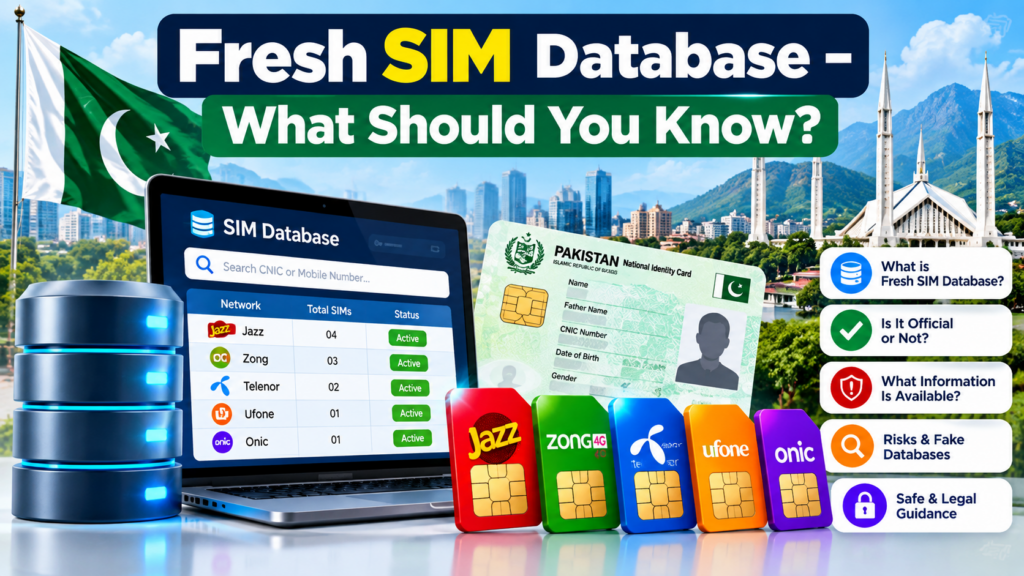
The phrase Fresh SIM Database attracts searches because users often want updated SIM information.
But there is an important limitation.
A legitimate SIM self-check does not mean that the public has access to a universal database containing everyone’s private:
- CNIC
- Name
- Address
- Family information
- Fingerprints
- Call records
- Location
- Account details
- Private subscriber history
The official SIM Information System is designed around CNIC-linked SIM checking rather than functioning as a public directory of every subscriber’s personal information.
So:
Fresh SIM Database ≠ Official SIM Information System
This is one of the most important points in the article.
Why “Fresh” Does Not Mean “Official”
Consider three claims:
Fresh SIM Data
Fresh SIM Database 2026
Latest Live SIM Database
The words Fresh, Latest, 2026 and Live are descriptions or marketing terms.
They are not proof of official authority.
A user should ask:
- Who operates the website?
- Is it an official telecom domain?
- Where does its data come from?
- Why does it need my CNIC?
- Does it request an OTP?
- Does it require an APK?
- Does it promise another person’s private information?
- Does it ask for payment to reveal supposedly confidential records?
These questions are much more valuable than simply trusting the word Fresh.
Fresh SIM Owner Details vs Fresh SIM
These searches overlap, but their intent is different.
| Search | Main Intent |
|---|---|
| Fresh SIM | General SIM information |
| Fresh SIM Check | SIM verification |
| Fresh SIM Registration | Registration/activation |
| Fresh SIM CNIC Check | Own-CNIC verification |
| Fresh SIM Data | SIM information/data search |
| Fresh SIM Database | Database-related search |
| Fresh SIM Owner Details | Subscriber/ownership information |
| Fresh SIM Tracker | Tracking-related search |
| CNIC SIM Check | Own identity-linked SIM verification |
| 668 SIM Check | CNIC-linked SIM checking |
| 76367 Network Check | Network identification |
This structure allows each keyword to target its own search intent without making unsupported claims.
Fresh SIM and 668 SIM Check
The 668 search is closely connected with Fresh SIM queries.
PTA NTCERT guidance has advised users to periodically check the number of SIMs issued in their name through 668 and take action against illegally issued SIMs.
The important distinction is:
668 is about your own SIM registrations.
It should not be presented as a public tool for discovering another person’s private identity.
A useful way to remember it is:
Own CNIC → SIM self-check
not:
Someone else’s number → private CNIC lookup
Fresh SIM and 76367
The official SIM Information System also publishes a network-check facility through 76367.
The documented format is:
N 03xx3456789
sent to:
76367
with the listed charge of Rs. 2 + tax.
This is important because many websites combine network checking and owner checking.
They are not the same.
76367
Network identification.
CNIC SIM Check
Your own SIM registration information.
Operator support
Account-specific assistance.
Keeping these separate makes the Fresh SIM information easier to understand.
Fresh SIM Registration – What Happens?
A legitimate SIM registration connects a mobile service with a subscriber through the required operator verification process.
Depending on the transaction, this may involve:
- CNIC
- Subscriber verification
- Biometric verification
- SIM activation
- Operator records
- Replacement
- Ownership transfer
- Porting
The exact requirements can differ by operator and transaction.
The central principle remains:
Use the identity of the appropriate subscriber and complete registration through an authorized channel.
PTA cybersecurity guidance has specifically warned about illegal SIM issuance and recommends purchasing SIMs from cellular franchises rather than informal kiosks.
Fresh SIM Verification After Buying a New SIM
If you have purchased a new SIM, verification is a sensible step.
You can confirm that:
- The SIM was obtained through an authorized process.
- The registration is associated with the appropriate subscriber.
- Your account information is accessible through the operator’s official channels.
- You understand which number you received.
- You know where to get support if replacement becomes necessary.
Do not assume that physically possessing a SIM automatically means the subscriber record has changed to your identity.
The registered subscriber relationship is separate from simply using a mobile device.
Fresh SIM and SIM Ownership
One of the biggest misconceptions around SIM searches is:
“I am using this number, so I automatically own it.”
Not necessarily.
Consider a family situation.
A parent registers a SIM and gives it to a child.
The child may be the user, while the parent remains the registered subscriber.
This difference matters for:
- Replacement
- Ownership transfer
- Blocking
- Verification
- Account recovery
- Customer support
If a number needs to become registered to another person, use the operator’s applicable ownership-transfer procedure.
What If Fresh SIM Checking Shows an Unknown SIM?
An unexpected SIM does not automatically prove fraud.
There can be legitimate explanations.
For example:
- An old SIM
- A forgotten number
- A family member’s connection
- A previous SIM
- A data connection
- A replaced number
- A number that was previously used
Start by checking your own records.
If the SIM remains unexplained, identify the relevant network and contact the operator.
PTA cybersecurity guidance recommends periodic checking of SIMs issued in your name and action against illegally issued SIMs.
Fresh SIM Database Claims – Red Flags
If you encounter a website advertising a Fresh SIM Database, look for warning signs.
“100% Accurate”
No independent evidence may be provided.
“Live Database”
The word live does not prove real-time authorized access.
“Complete CNIC”
Be cautious when a website promises private identity records.
“All SIM Owner Details”
This can imply access to sensitive subscriber information.
“No Verification Required”
This is particularly questionable when private information is being promised.
“Download Our APK”
An unknown application should not be trusted simply because it contains the word SIM.
“Pay to Unlock”
Payment does not prove that the underlying data is genuine.
“Send CNIC on WhatsApp”
Never assume a WhatsApp account is an official telecom channel simply because it uses a familiar logo.
Fresh SIM APK – Is a SIM Checker App Safe?
Not automatically.
PTA NTCERT has issued cybersecurity guidance regarding malicious Android applications, including a malicious app identified as “Registered SIMs Checker.” Its guidance recommends obtaining applications from trusted sources, checking permissions and avoiding suspicious links/APKs.
Therefore, if an app promises:
“Enter any mobile number and receive complete SIM owner details”
do not install it simply because it appears in a search result.
A keyword is not proof of an application’s authenticity.
Fresh SIM and CNIC Privacy
Your CNIC is sensitive identity information.
Avoid entering it into websites that have no clear reason to request it.
Before submitting sensitive information, ask:
Why does this website need my CNIC?
Who operates it?
Is the service official?
What information will it return?
Does it explain how my information is handled?
A legitimate self-check should have a clear purpose.
PTA’s cybersecurity framework emphasizes protection of telecom data and user information.
Fresh SIM and SIM-Swap Security
SIM verification also connects with mobile-account security.
A SIM-swap incident can potentially affect accounts that rely heavily on a mobile number for authentication.
Users should therefore protect:
- CNIC information
- SIM
- OTPs
- Banking accounts
- Email recovery
- Mobile wallets
- eSIM QR codes
If your mobile number suddenly stops receiving calls or messages without explanation, contact your operator promptly.
Do not share an OTP with an unknown person claiming to be a SIM representative.
Fresh SIM vs Official Self-Check
| Feature | Official Self-Check | Unofficial Database Claim |
|---|---|---|
| Your own CNIC | ✅ | May request it |
| Official telecom source | ✅ | Not necessarily |
| SIM registration | ✅ | Unverified |
| Network information | ✅ Where officially provided | May be claimed |
| Private third-party CNIC | ❌ | Often advertised |
| Unknown APK required | ❌ | Sometimes |
| OTP request | Only where legitimately required | Potential risk |
| Data source explained | Usually | Often unclear |
| Best for self-verification | ✅ | ❌ |
The objective is not to stop users from searching for Fresh SIM information.
The objective is to help them understand which information can actually be verified through legitimate channels.
Fresh SIM Tracker – What Does “Tracker” Mean?
The keyword Fresh SIM Tracker can also be interpreted in different ways.
A legitimate user may simply be looking for:
- SIM verification
- SIM registration information
- Network information
- Own-CNIC checking
- SIM security guidance
But tracking a person’s live location through their SIM or mobile number is a completely different concept.
A normal SIM self-check does not mean that a user can legitimately obtain another person’s:
- Live location
- Movement history
- Call history
- Private account data
Therefore, Fresh SIM Tracker should not be presented as a public live-location tracking service.
For this website, the safer and more accurate interpretation is SIM information and self-verification guidance.
A Complete Fresh SIM Self-Check Workflow
If you are searching for Fresh SIM because you want to verify your own mobile identity, use this workflow.
Step 1 — Identify your goal
Are you checking:
- A new SIM?
- Your CNIC?
- An old SIM?
- An unknown registration?
- A network?
- An ownership problem?
Step 2 — Choose the correct official route
Use the official SIM Information System for CNIC-based SIM checking.
Step 3 — Check your own records
Do not attempt to access someone else’s private information.
Step 4 — Compare the result
Match the result against SIMs you know.
Step 5 — Investigate unexpected registrations
Contact the relevant operator.
Step 6 — Secure your accounts
Protect important accounts connected to the number.
Step 7 — Avoid unofficial databases
Do not provide CNIC or OTP information to random services.
Step 8 — Keep evidence
If there is a genuine registration problem, keep screenshots, dates and complaint references.
Fresh SIM: Which Method Should You Use?
| Your Question | Appropriate Route |
|---|---|
| How many SIMs are on my CNIC? | Official SIM Information System / established CNIC self-check |
| Which network is this number on? | 76367 network-check method |
| I need help with my own SIM | Operator support |
| My SIM is lost | Operator blocking/replacement |
| My SIM is damaged | Operator replacement |
| SIM is registered to someone else | Official ownership-transfer process |
| Unknown SIM on my CNIC | Verify → identify operator → contact operator |
| Website claims “Fresh SIM Database” | Verify its authority before sharing data |
| Unknown SIM APK | Avoid unless source is verified |
| Another person’s CNIC | Do not use unofficial lookup services |
Fresh SIM FAQ
What is Fresh SIM?
Fresh SIM is a broad search term related to new SIMs, SIM registration, SIM verification, CNIC-linked SIM information and related telecom searches. It is not the name of one single official public database.
Is Fresh SIM an official PTA website?
No. Fresh SIM should not be described as an official PTA website. For CNIC-based self-checking, use the official SIM Information System.
What is Fresh SIM Data?
Fresh SIM Data is a broad keyword referring to SIM-related information. The phrase itself does not prove that a website has current, official or authorized telecom data.
What is Fresh SIM Database?
Fresh SIM Database is a search phrase often associated with supposedly updated SIM records. Users should verify the authority and data source before trusting such claims.
Can I check SIMs on my CNIC?
Yes. The official SIM Information System provides a CNIC-based self-check for the total number of SIMs registered against a CNIC.
What is 668?
668 is associated with checking SIMs issued in your name. PTA NTCERT guidance recommends periodically checking SIMs issued in your name through this established method.
What is 76367?
76367 is the published network-check service. The official SIM Information System documents the SMS format used to identify a number’s network.
Can Fresh SIM show another person’s CNIC?
A legitimate self-check should focus on your own identity and SIM registrations. Do not rely on unofficial websites claiming to expose another person’s private CNIC.
Can I find SIM owner name by number?
A mobile number may be associated with a registered subscriber, but that does not mean private subscriber information is publicly searchable.
Is Fresh SIM Database legal?
The term itself does not establish whether a particular database is legal, official or accurate. Users should verify the service and avoid unauthorized or leaked personal data.
Is Fresh SIM Tracker a live location service?
The keyword should not be interpreted as authorization to track another person’s live location. SIM self-checking and live-location tracking are completely different concepts.
Are Fresh SIM checker APKs safe?
Not automatically. PTA NTCERT has warned about malicious SIM-checker applications and recommends trusted app sources and careful permission review.
What if an unknown SIM appears on my CNIC?
Check whether it could be an old or forgotten connection. If you still do not recognize it, contact the relevant operator and follow the official corrective process.
Should I give my CNIC to a Fresh SIM website?
Only provide sensitive information when you have verified that the service is legitimate, necessary and appropriate for the requested self-check.
Final Summary
The keyword Fresh SIM represents a large group of searches around SIM registration, CNIC verification, SIM ownership, network identification, Fresh SIM Data, Fresh SIM Database and related telecom information.
The most important thing is to understand the difference between a search keyword and an official service.
Fresh SIM is a search topic.
Fresh SIM Data is a broad information-related keyword.
Fresh SIM Database is a database-related search phrase.
Fresh SIM Owner Details is an ownership-related search intent.
But for actual self-verification, users should rely on the appropriate official telecom channels.
For CNIC-based checking, the official SIM Information System provides a route to check the total number of SIMs registered against your CNIC.
For network identification, the official system publishes the 76367 method.
For SIM registration, replacement, ownership transfer or account problems, use the relevant operator’s authorized channels.
And when a website claims to offer a Fresh SIM Database, Fresh SIM Data 2026, Live SIM Data, or complete private subscriber records, verify the source before entering any sensitive information.
The safest principle is simple:
Use Fresh SIM searches to find information. Use official systems to verify your own SIM records.
That gives the keyword strong search relevance without falsely presenting Fresh SIM as a government database or encouraging access to someone else’s private information.
Leave a Reply